Guess, chase, dig
- Open screenshots one by one
- Chase another status update
- Still can’t see how the day unfolded

Choose an employee and date. See captured screens beside app usage and active or idle time—then ask about the specific blocker, not “what were you doing all day?”
14-day free trial on Professional · Full Work Replay · Up to 5 employees · No credit card · Installs in under 2 minutes
On your phone? Create your account now and email yourself the computer setup link.
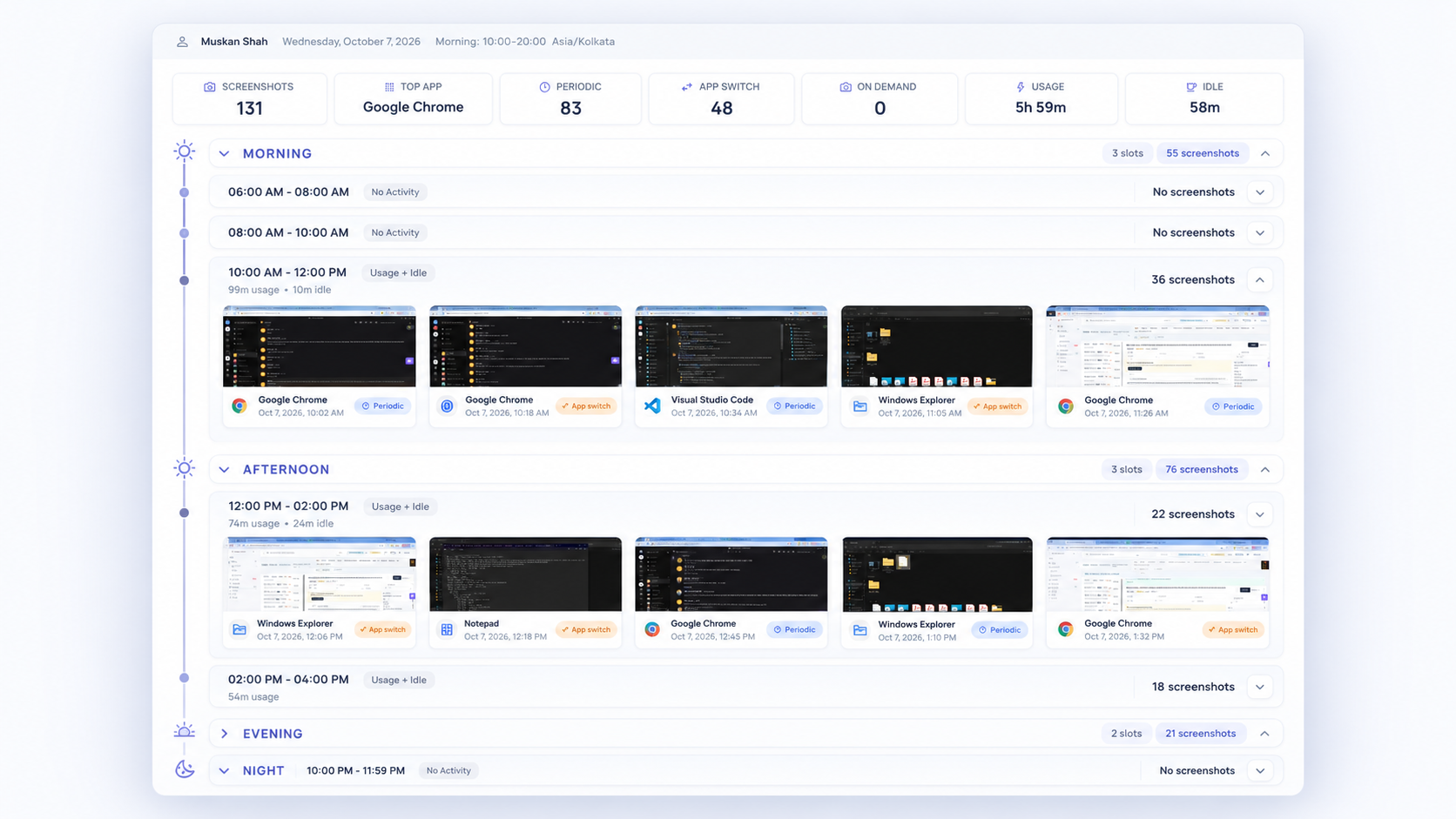
Instant replay for the hours that matter—not a folder of unsorted shots.
Used by teams at



Work Replay is SuperSee’s employee screenshot timeline—instant replay for one person’s workday. Choose a person and date to review captured screens alongside app usage and active or idle time in one view. Use live monitoring when you need the screen right now; use Work Replay when you need earlier in the day.
Tasks and chats leave gaps. Digging through unsorted shots burns time. Work Replay turns captures into a day you can actually open.
“SuperSee helped us uncover the real problem: uneven work allocation. Now the team works more efficiently, and we’ve grown without overburdening anyone.”
Same habit for agencies and IT services—different questions, same Work Replay.
Open yesterday for the designer carrying the work. See where computer time went—then decide with the brief beside you.
“Was the afternoon rework, waiting on feedback, or another client?”
Stop chasing updates. Open the workday tied to the delivery concern—then discuss the blocker with context.
“Was this stretch debugging, waiting for access, or another request?”
Pick a person and date—then review screens, apps, and idle in order.
Open one employee and one day. Narrow by time of day, app, or capture type when you need to.
Screens sit in day order—morning, afternoon, evening, night—so the story is visible at a glance.
Screens capture on an interval and when apps change. On Professional and Business you can also request a shot.
See where recorded time went next to the screens. Turn screenshots off and the apps timeline still shows.
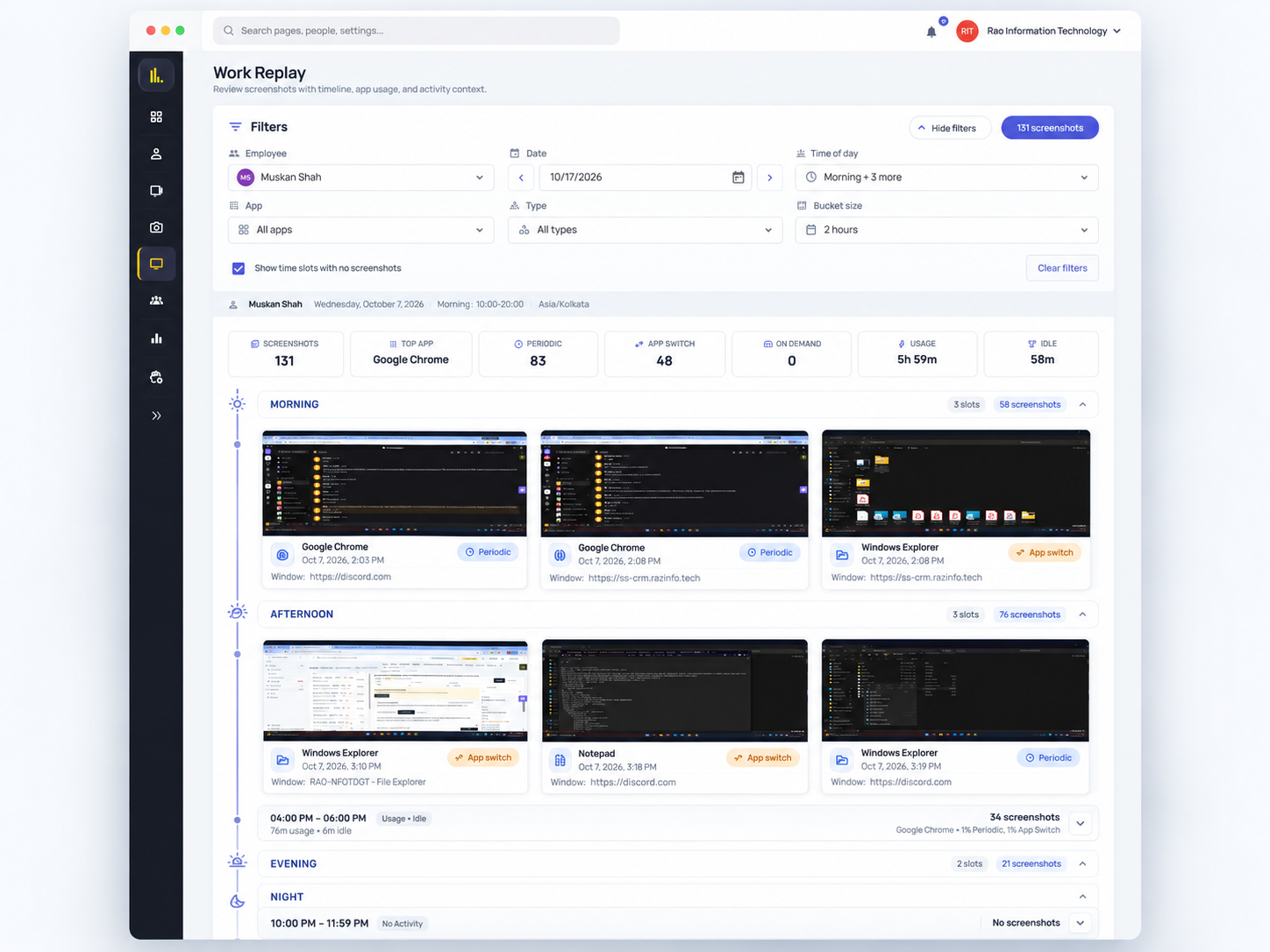
Full day view — filters, day strips, and screens in sequence.
Open a specific workday whenever you need more context—busy days, coaching, or delivery follow-ups.
A deadline slipped, an update doesn’t match the day, a busy stretch looks uneven, or a daily summary flags someone to check.
Pick the person and date. Jump to the hours in question. Pair screens with apps and idle.
Agree the next action—unblock, reassign, or reset the plan—with context from the day.
Expand a busy stretch, a tool-switch window, or the hours behind a slip. Review those screens beside apps and idle—then follow up with context, not the whole day.
Open the hours that matter.
Use live view when someone is stuck and needs help now. Use Work Replay when earlier today—or another day—needs the captured sequence.
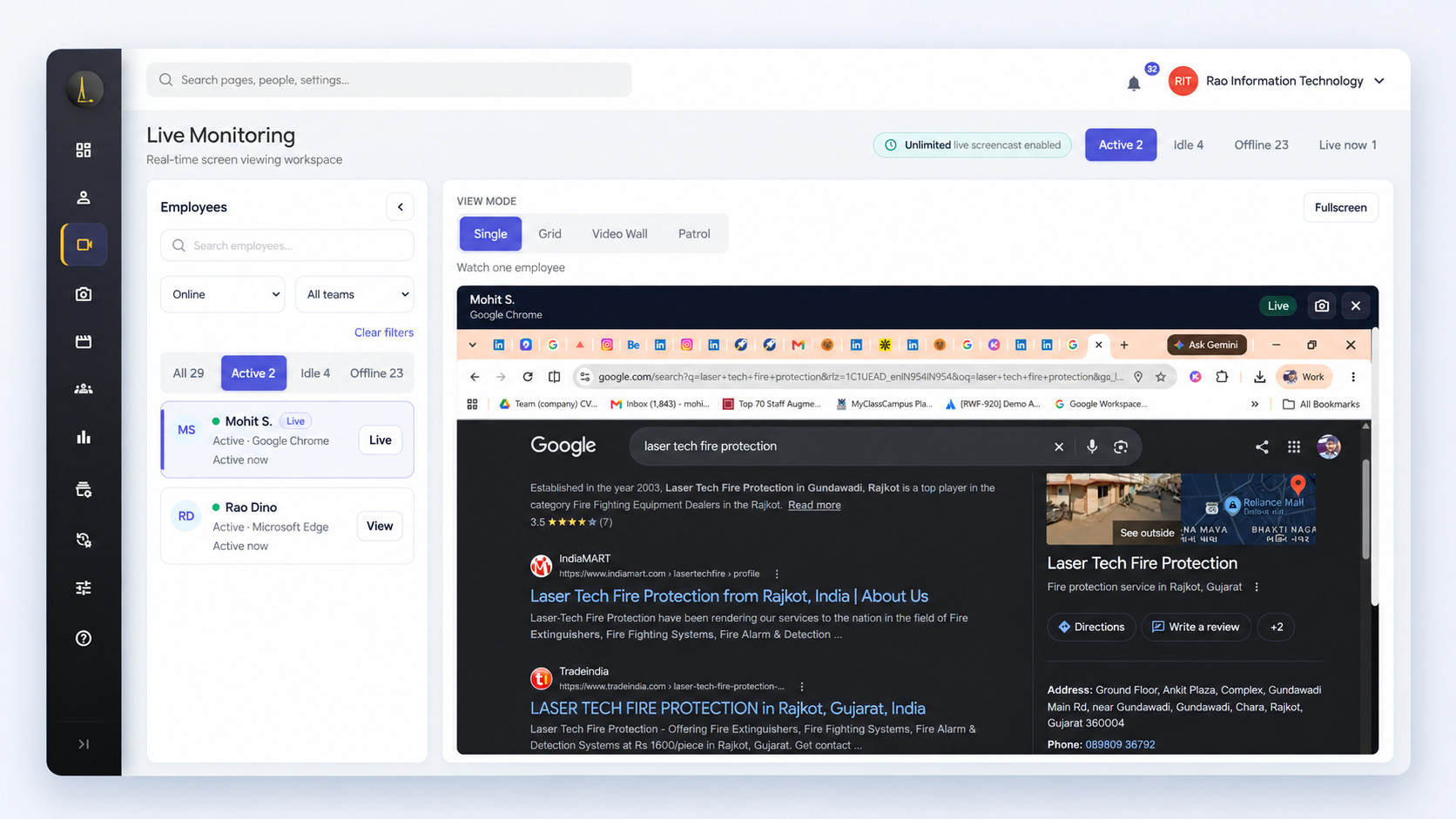
Step in now — or review earlier captures.
First Work Replay view this week
Professional features · Full Work Replay · No credit card
They used work patterns to redistribute work more fairly as the firm grew.
“SuperSee helped us uncover the real problem: uneven work allocation. Now the team works more efficiently, and we’ve grown without overburdening anyone.”Ronak ModiFounder, Capital Advisors
“The dashboard is clean and easy to use, the productivity reports are insightful, and the real-time monitoring features provide excellent visibility into team performance.”Vijay · IT Lead · 51–200 employees · Capterra
“The most helpful feature is the ability to monitor all systems in one place. It gives us better visibility, makes it easier to track everything, and helps ensure nothing is missed.”Anbazhagaan · CEO · Design · 11–50 employees
Preview on Basic. Full on Professional and Business—the trial includes full Work Replay.
Preview Work Replay on the previous workday. Screenshots every 15 minutes. Full history starts on Professional.
Past workdays, filters, and day strips. Screenshots every 10 minutes; app-switch and manager-requested shots included.
Same full replay with screenshots every 5 minutes, plus app-switch and requested shots. Optional longer retention on pricing.
SuperSee’s employee screenshot timeline—instant replay for one person’s workday: captured screens for a chosen date, in order, with apps and active or idle time beside them. Computer screen monitoring covers the broader screenshot and live-screen offering.
Professional and Business. Basic is yesterday-only. The trial includes full Work Replay. Screenshots every 15 / 10 / 5 minutes by plan; app-switch and manager-requested shots on Professional and Business. Pricing.
Live is for right now. Work Replay is for earlier—today’s captures or another day. Live monitoring.
Idle often includes calls, meetings, or thinking time. Treat it as context for the conversation—pair it with the screens and apps around that stretch.
Role-based and team-level access. On Professional and Business, live views, evidence opens, and manager-requested screenshots leave an audit record.
Yes. Keep apps, websites, and timelines with screenshots off. Work Replay still shows the day shape; the screenshot strip is empty.
Typed passwords are not collected as keystroke data—there is no keystroke logging. Screenshots show what is on screen, so introduce the setup to your team the way you run it.
14-day Professional trial. No credit card. Full Work Replay—see how the day unfolded, then ask about the blocker.
Need a hand? Book a 15-min demo
14-day free trial on Professional · Up to 5 employees · No credit card · Installs in under 2 minutes · Plans and pricing
Install today, and tomorrow morning you get yesterday’s full day: a short summary on WhatsApp, the details by email. Setup help is free: we call you and set it up together over screen share.