Screenshots and activity reports
Time ChampProfessional
Included
SuperSeeProfessional
Included

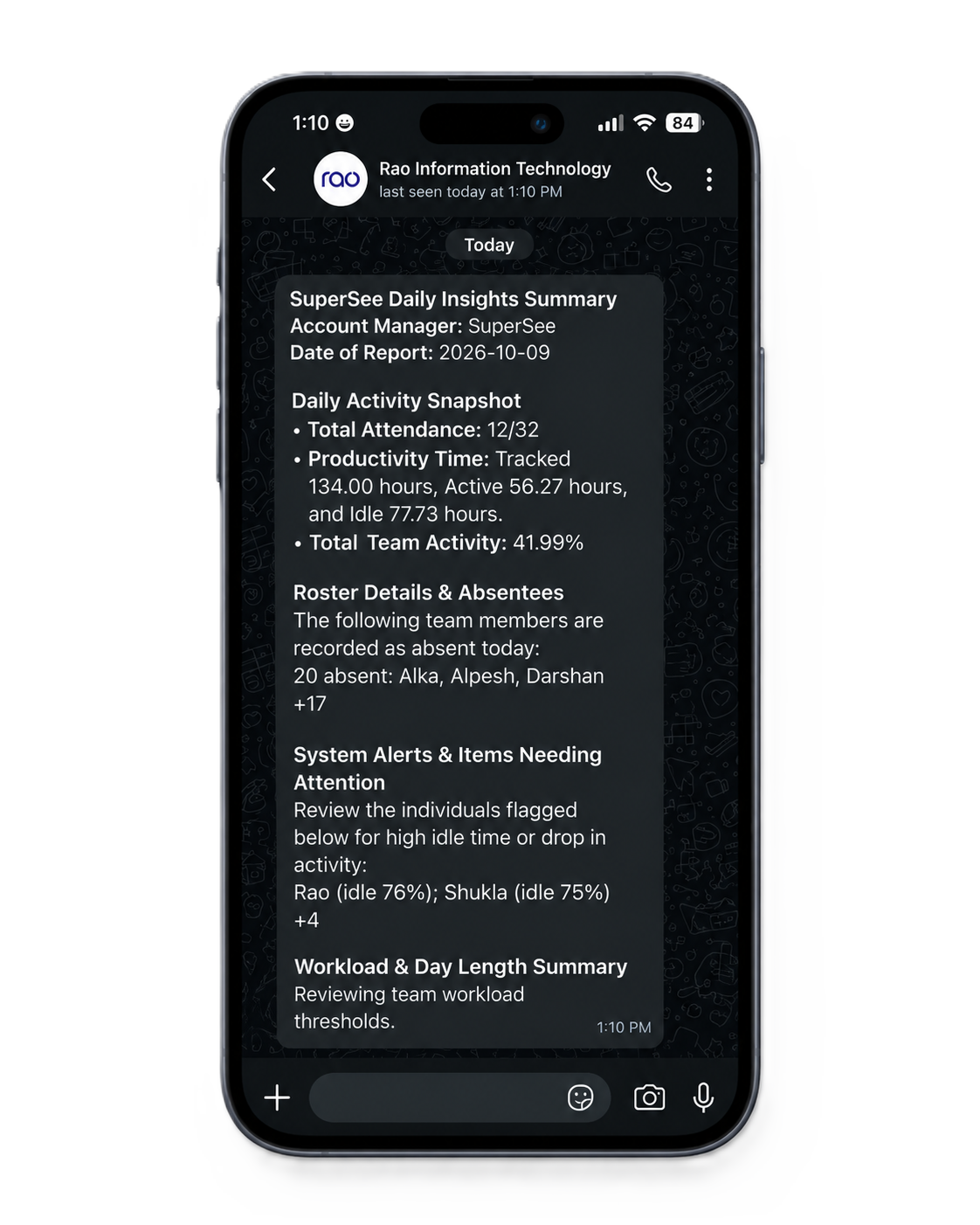
See how your team spends the day, review the activity behind an unclear update, and check live screens when needed. Get the daily overview on WhatsApp and email.
14-day Professional trial · Up to 5 employees · No credit card
Both products offer app and website tracking, screenshots, reports, and live-viewing options. Check plan inclusion before you compare total cost.
| What you need | SuperSee | Time Champ |
|---|---|---|
| Screenshots and activity reports | ProfessionalIncluded | ProfessionalIncluded |
| Live screen viewing | ProfessionalLive Wall included; shared daily allowance applies | EnterpriseLive videos listed on this plan |
| Reviewing earlier work | IncludedWork Replay organizes captured screenshots into a timeline | Screenshots includedContinuous screen recording available as an add-on |
| Patterns across days and teams | ProfessionalFull Productivity Trends included | Productivity reports includedAdvanced Analytics available as an add-on |
| Summaries outside the dashboard | IncludedDaily WhatsApp and email summaries | ConfirmEmail and Slack digests advertised; confirm plan inclusion |
| Named projects and task timesheets | Activity reviewActivity review by person and period. Not a project-billing tool. | Add-onProject-management add-on available |
Included
Included
Live videos listed on this plan
Live Wall included; shared daily allowance applies
Continuous screen recording available as an add-on
Work Replay organizes captured screenshots into a timeline
Advanced Analytics available as an add-on
Full Productivity Trends included
Email and Slack digests advertised; confirm plan inclusion
Daily WhatsApp and email summaries
Project-management add-on available
Activity review by person and period. Not a project-billing tool.
Comparison based on published information checked 21 October 2026. Features and allowances vary by plan. View sources
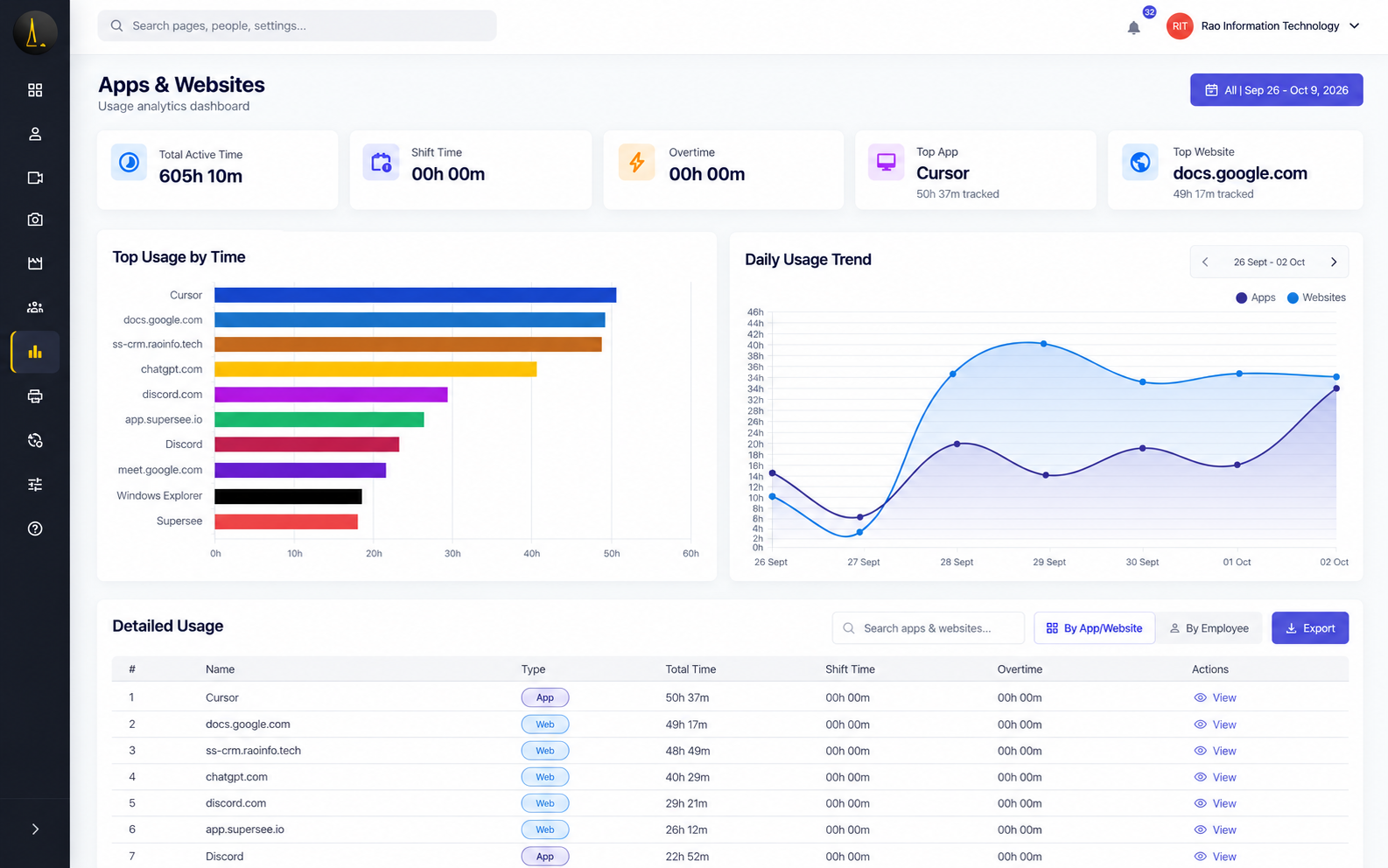
Choose a person, team, and period. See which apps and websites took up the day—without asking for another activity report.
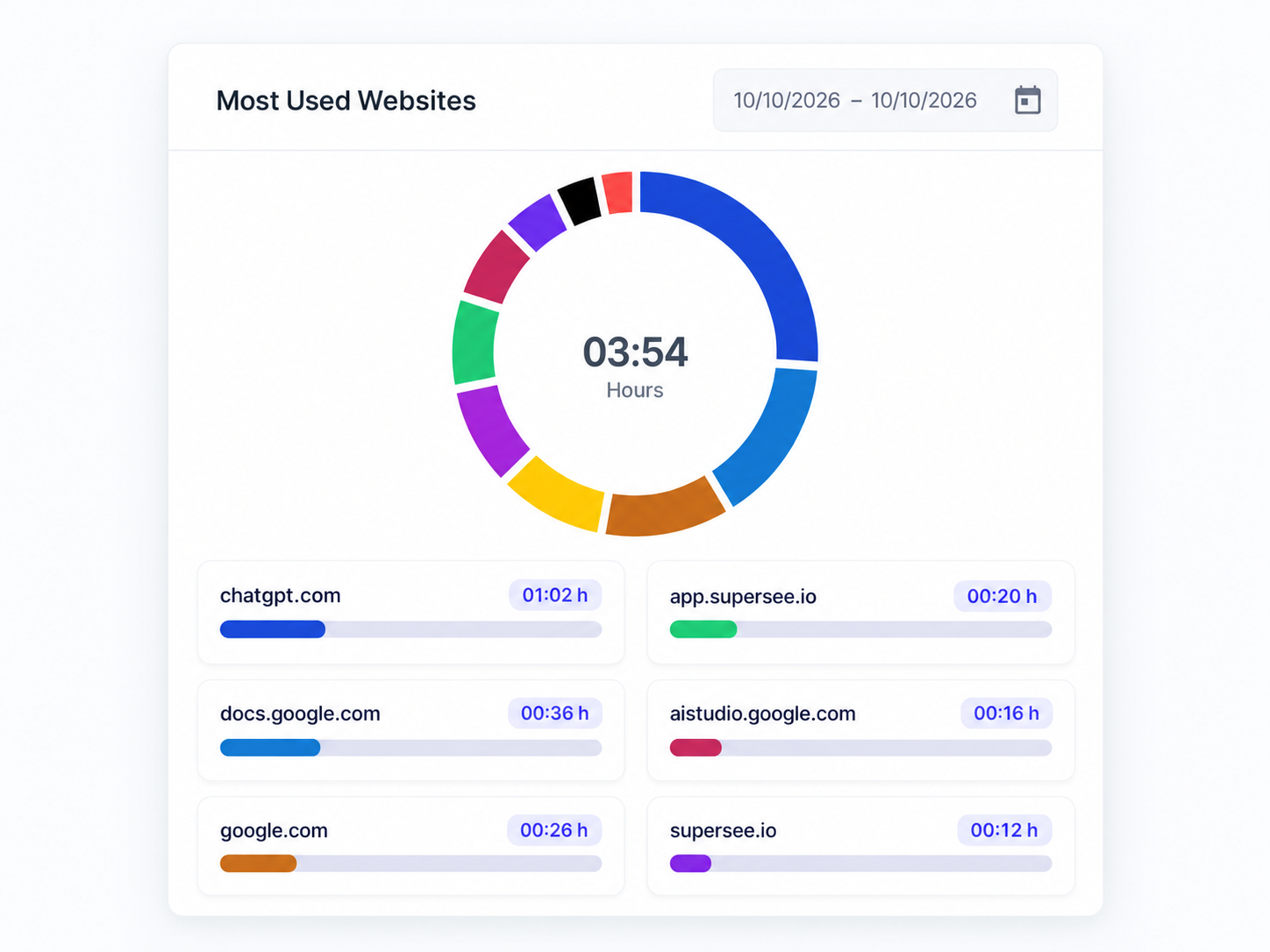
Tool usage and durations for the period you select.
Compare time in communication tools across people and teams before you decide whether the team needs fewer interruptions.
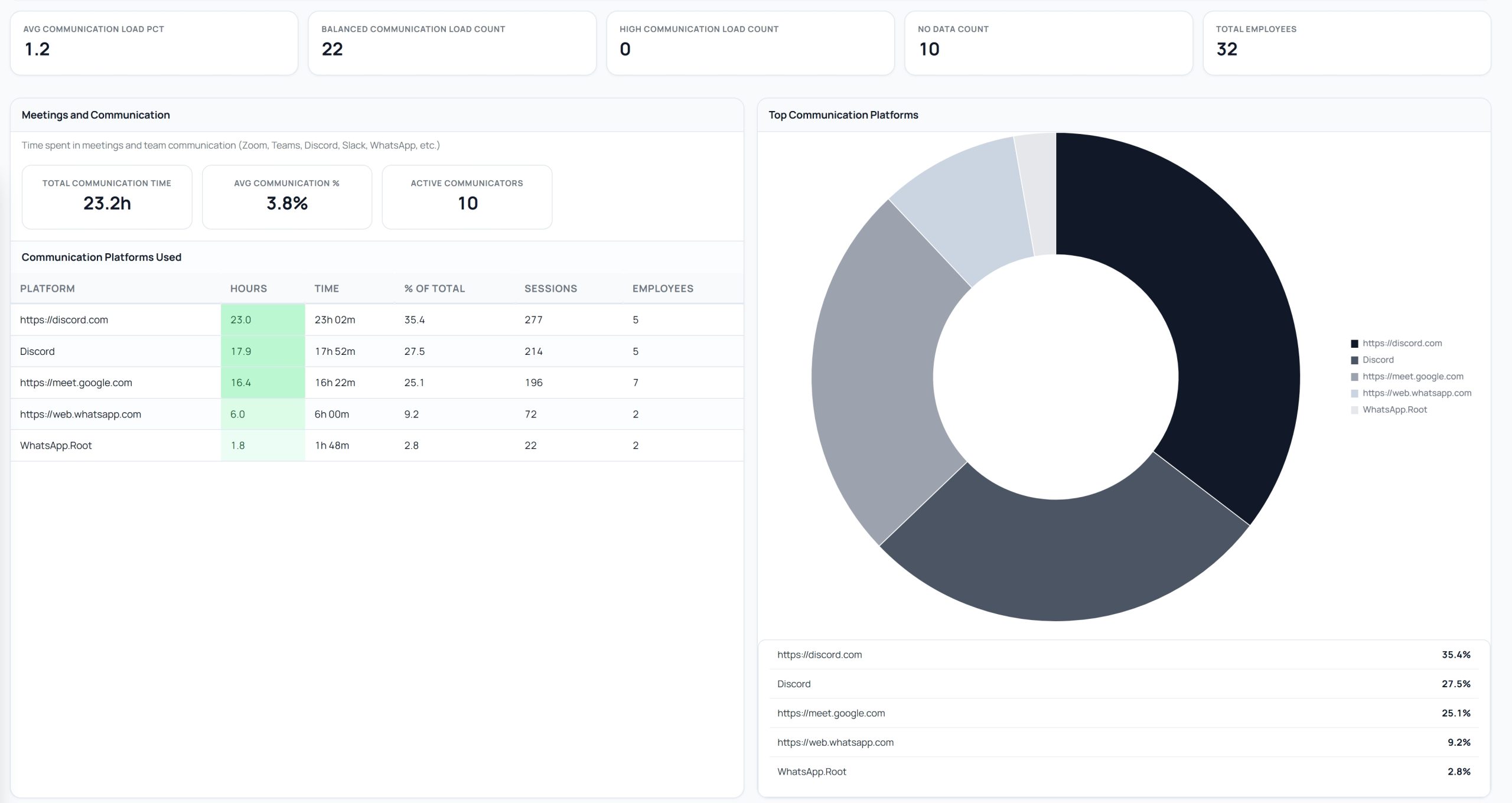
Platform names, share, and time in Productivity Trends.
Open Work Replay for the person and day. Review captured screenshots in time order to see the stretch behind the update—then ask a more specific question.
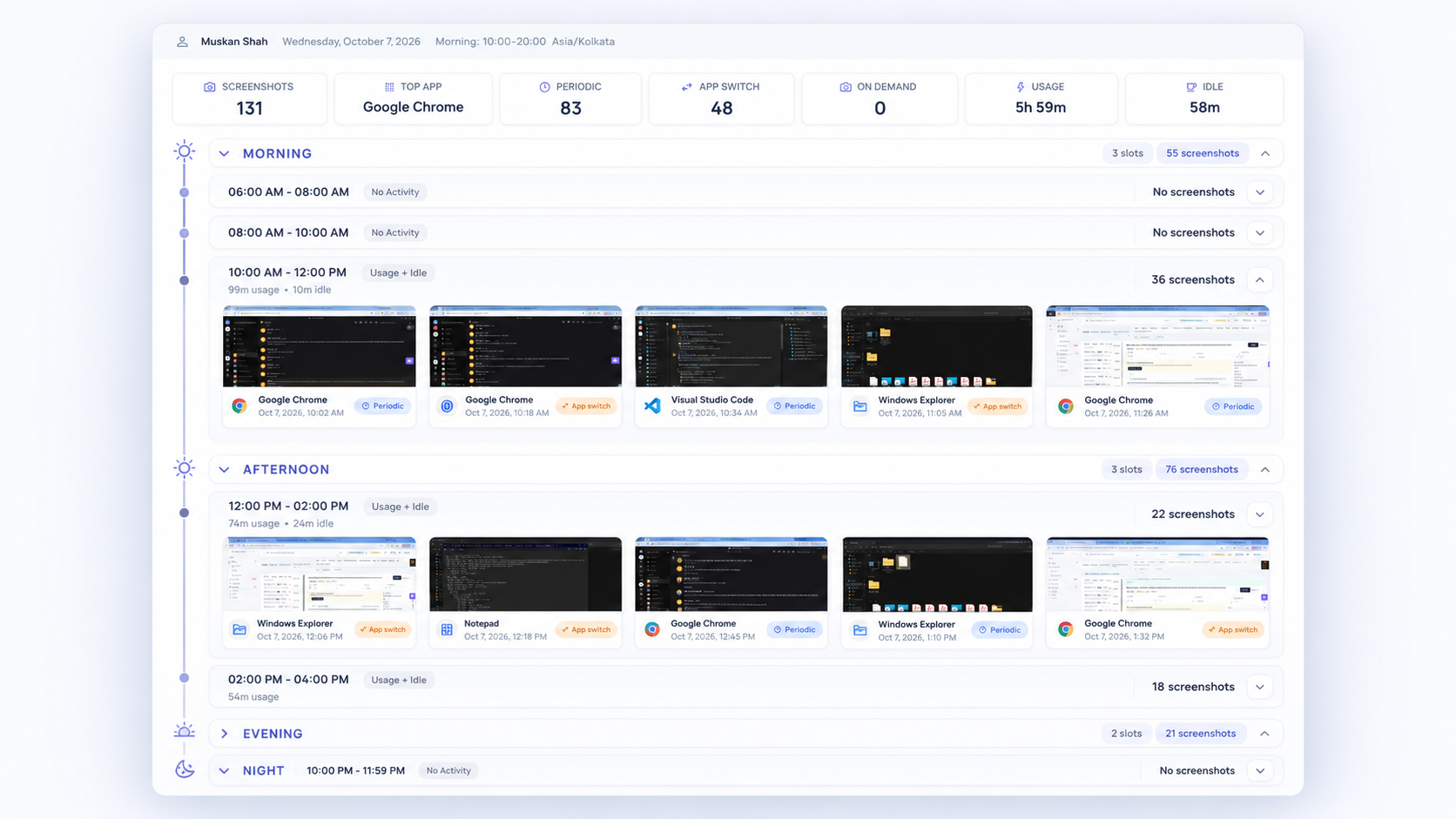
Selected stretch of the day. Captured screenshots—not continuous video.
Use Live Wall to view multiple screens, or open one for a closer look. Professional includes a 90-minute company-wide daily live-viewing pool, shared across supervisors. Extra viewing is quoted separately.
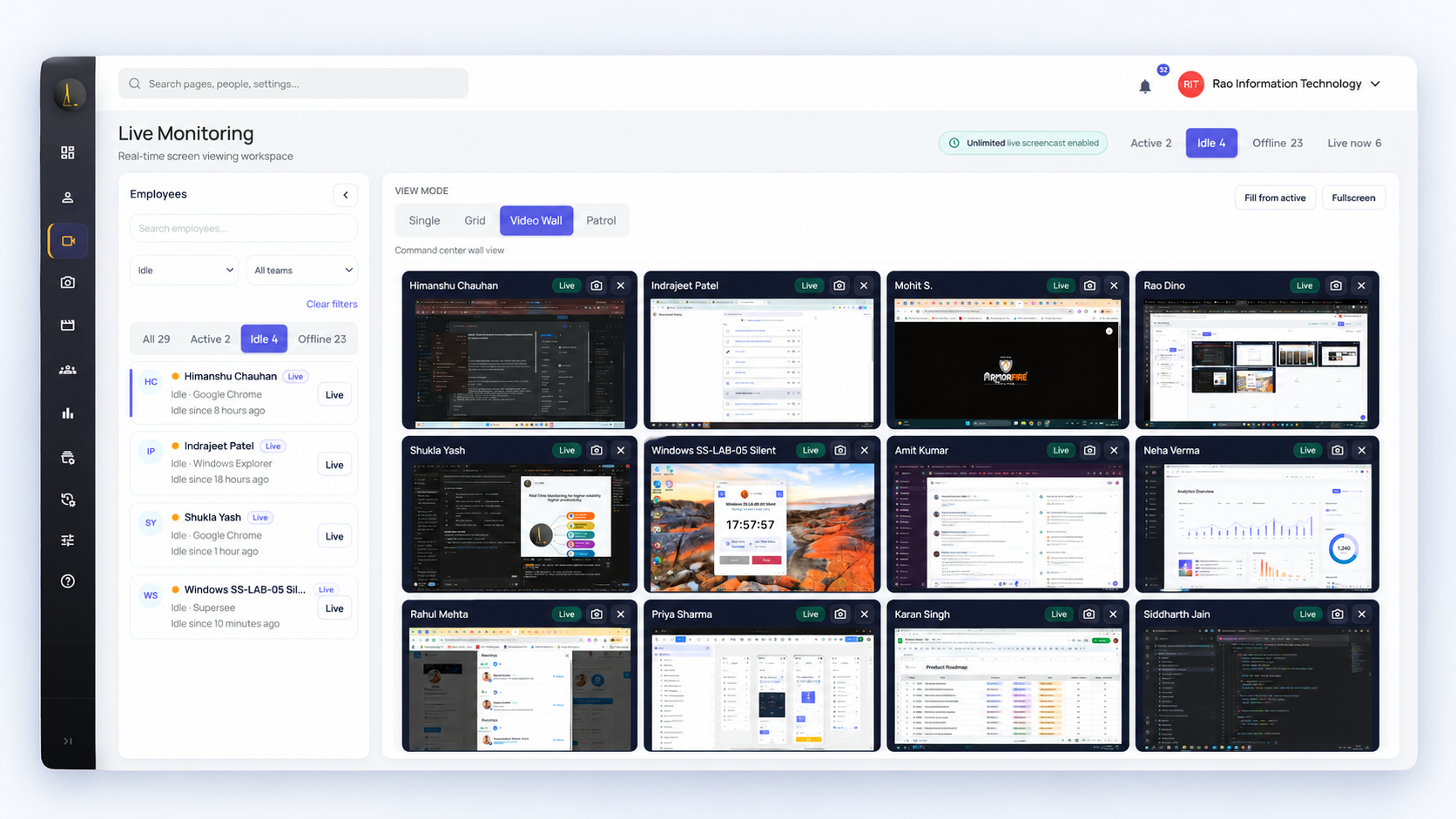
Live Wall when you need screen context now.
Live screen viewing is included in SuperSee Professional. With Time Champ, it is listed in Enterprise.
₹93,960 lower annual subscription with SuperSee in this example.
SuperSee Professional includes 90 minutes of live viewing per day, shared across your company. Additional viewing is available at a separate price. Time Champ’s viewing allowance should be confirmed with its team.
Time Champ Professional is ₹300 per employee/month on annual billing—₹1,08,000 a year for 30 employees.
₹289 is SuperSee’s 30+ employee annual rate. Smaller teams see different rates on SuperSee pricing.
Time Champ may add implementation and training (₹350 per licence, minimum ₹6,000)—confirm in your quote. Taxes extra.
14-day Professional trial · Up to 5 employees · No credit card
Start with your own computer or a small group. Pick one question: where time went, how communication tools filled the day, or what happened during a particular work period.
Capture starts after install while tracking is running.
See whether the information answers the question you chose.
Then choose a paid plan for the employee count and features you need.
14 days · Professional access · Up to 5 employees · No credit card
Yes. Time Champ offers live viewing through Office TV and lists live videos under Enterprise. SuperSee includes Live Wall in Professional, subject to its shared daily allowance.[2]
Professional includes a 90-minute company-wide daily pool, shared across supervisors for spot checks. It is not sized for watching a full shift. Additional viewing is quoted separately. The trial uses the Professional pool.
No. Work Replay organizes captured screenshots into a timeline. It helps you review those moments in sequence; it does not record every moment between captures.
SuperSee lets you review people and dates through activity reports and captured screenshots. Selecting a project’s dates does not automatically assign all activity to that project. If named-project billing and task timesheets are essential, compare dedicated project-tracking capabilities.
Yes. Reports, Productivity Trends, and daily summaries remain available. Work Replay needs captured screenshots.
14 days of Professional access with up to five employees and no credit card. Review newly captured activity, Work Replay, daily summaries, and Live Wall within the shared daily pool. Capture starts after install.
No. SuperSee can only show activity captured after installation while tracking is running.
Try the reports, daily summaries, Work Replay, and live screens with up to five employees.
Published information checked 21 October 2026. Pricing, taxes, offers, and entitlements may change; confirm current terms before purchase.
Also see SuperSee vs DeskTime, agencies, IT services, and screen monitoring.
Time Champ is a trademark of its owner. SuperSee is not affiliated with Time Champ.