See What Your Team Is Actually Working On
Work hours alone do not show whether real work is happening. SuperSee helps you see app usage, website activity, screenshots, active time, idle time, and live screen view from one employee monitoring dashboard.
Built for remote, hybrid, and office teams, SuperSee gives managers the visibility they need to improve productivity, reduce distractions, and make better workforce decisions.
No credit card required · Windows, Mac & Ubuntu · Setup in minutes
Computer Usage Details
App & Website Usage Analytics
Know where work time is actually going.
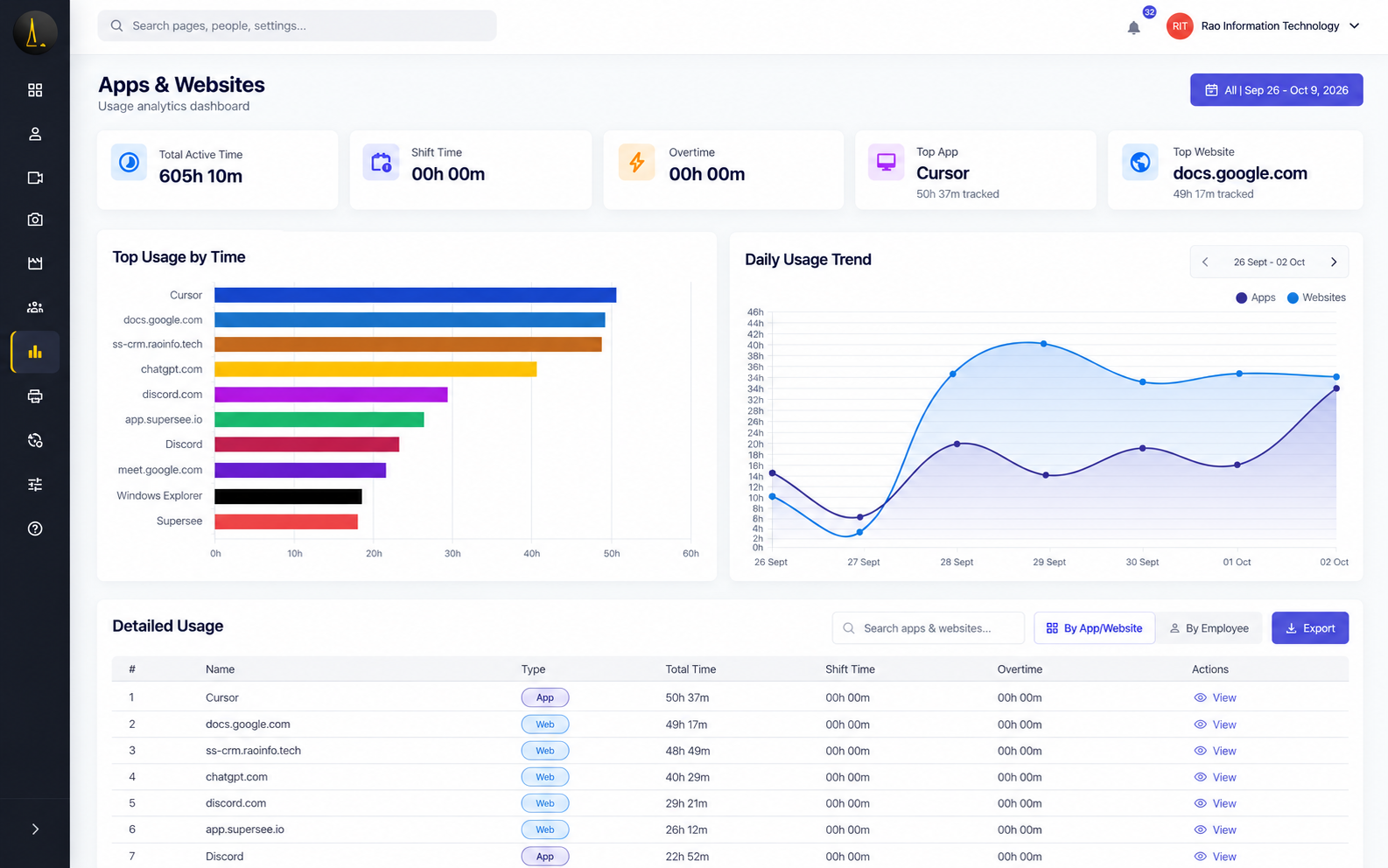
SuperSee tracks application usage, website activity, window titles, active time, and idle time so managers can understand how employees spend their work hours. Instead of relying only on manual updates or timesheets, you get clear usage reports that show which apps, websites, and work patterns are helping or hurting productivity.
These insights help managers identify distractions, support employees who may be struggling, review team activity, and make better decisions during productivity reviews.
-
Track app, website, and window-level activity
-
Review active time, idle time, and usage patterns
-
Filter reports by employee, team, and date range
-
Identify distracting apps or websites
-
Compare usage trends across employees and teams
-
Use insights for coaching, reviews, and productivity improvement
View Employee Computer Screens Remotely
Live Screen View for Real-Time Work Visibility
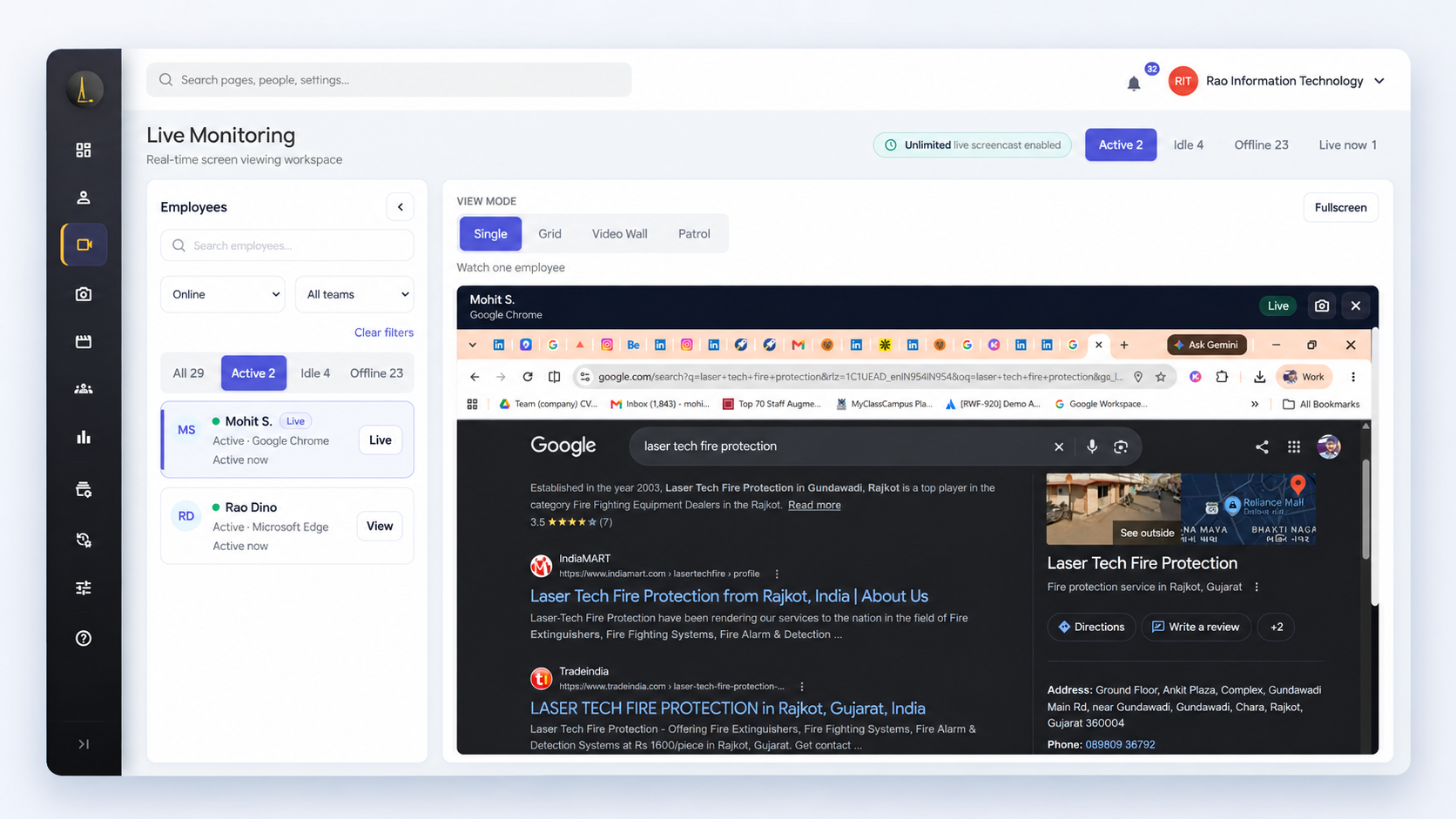
SuperSee lets managers view employee screens live when real-time visibility is needed. Whether you are reviewing task progress, helping a remote employee, or checking execution during working hours, Live Screen View gives you clarity without taking control of the employee’s device.
For remote, hybrid, and multi-location teams, this helps managers support employees across different shifts and time zones without depending only on calls, messages, or manual updates.
-
View employee screens in real time
-
Observe work without remote-control takeover
-
Useful for support, training, and task review
-
Helps managers understand work execution clearly
-
Works alongside screenshots, app usage, and time tracking
-
Supports remote, hybrid, and multi-location teams
No Clock In. No Clock Out.
Automatic Time Tracking
Still depending on employees to fill manual timesheets?
SuperSee’s Automatic Time Tracking records active time, idle time, total work hours, app usage, and work activity without requiring employees to manually clock in or clock out. Managers get a clearer view of how work hours are actually spent, while employees avoid the friction of filling daily timesheets.
For remote, hybrid, and multi-location teams, this creates accurate time records that can support productivity reviews, attendance checks, client billing, HR reporting, and timesheet management.
-
Track active time, idle time, and total work hours
-
Reduce dependency on manual timesheets
-
Review employee-wise and team-wise work hours
-
Understand work patterns across apps and tasks
-
Support remote, hybrid, and multi-location teams
-
Use reports for HR, billing, and productivity reviews
-
Works alongside screenshots, app usage, and live screen view
Randomized Periodic Screenshots
Flexible Screenshot Options
Need reliable proof of work without constantly watching employees?
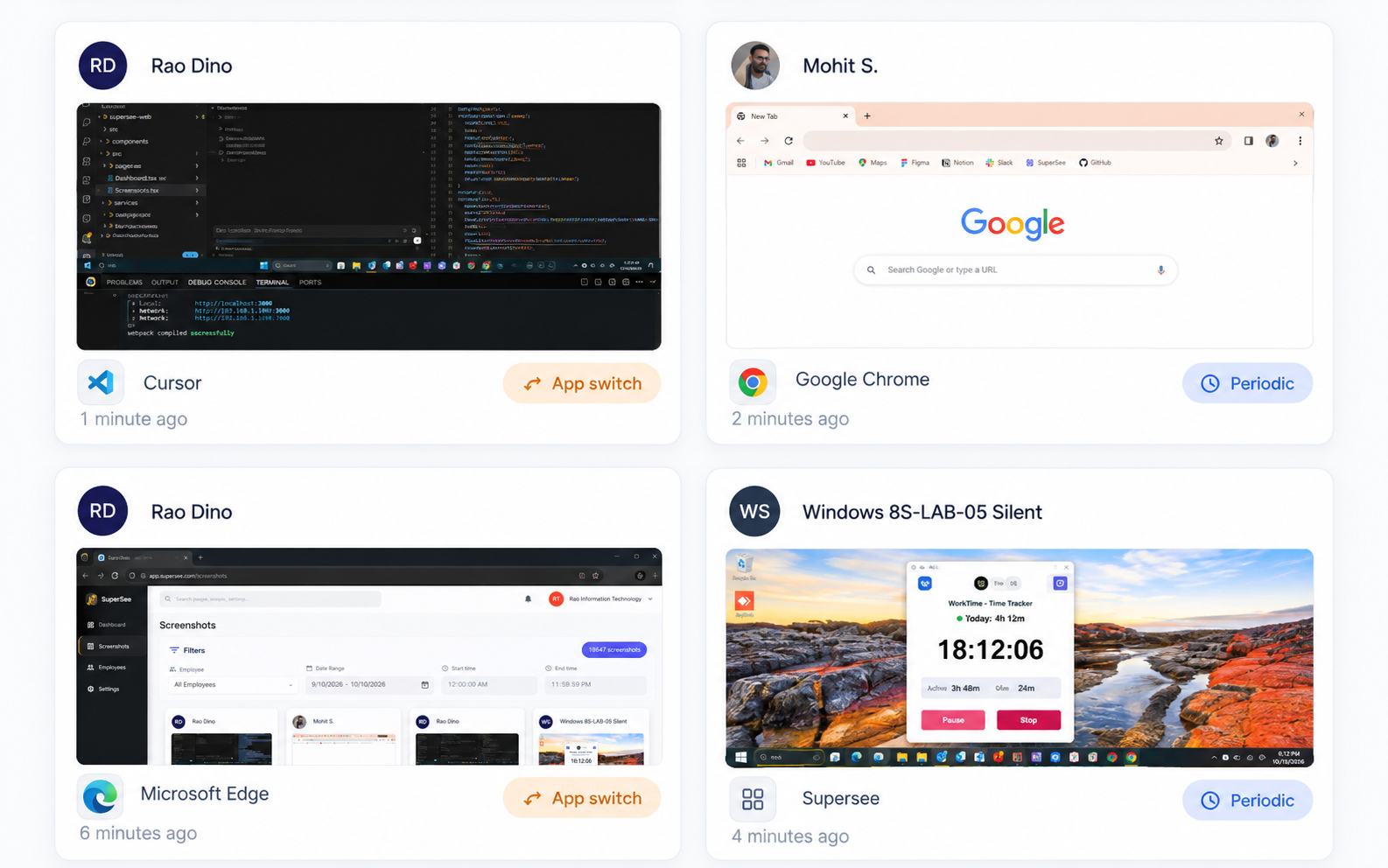
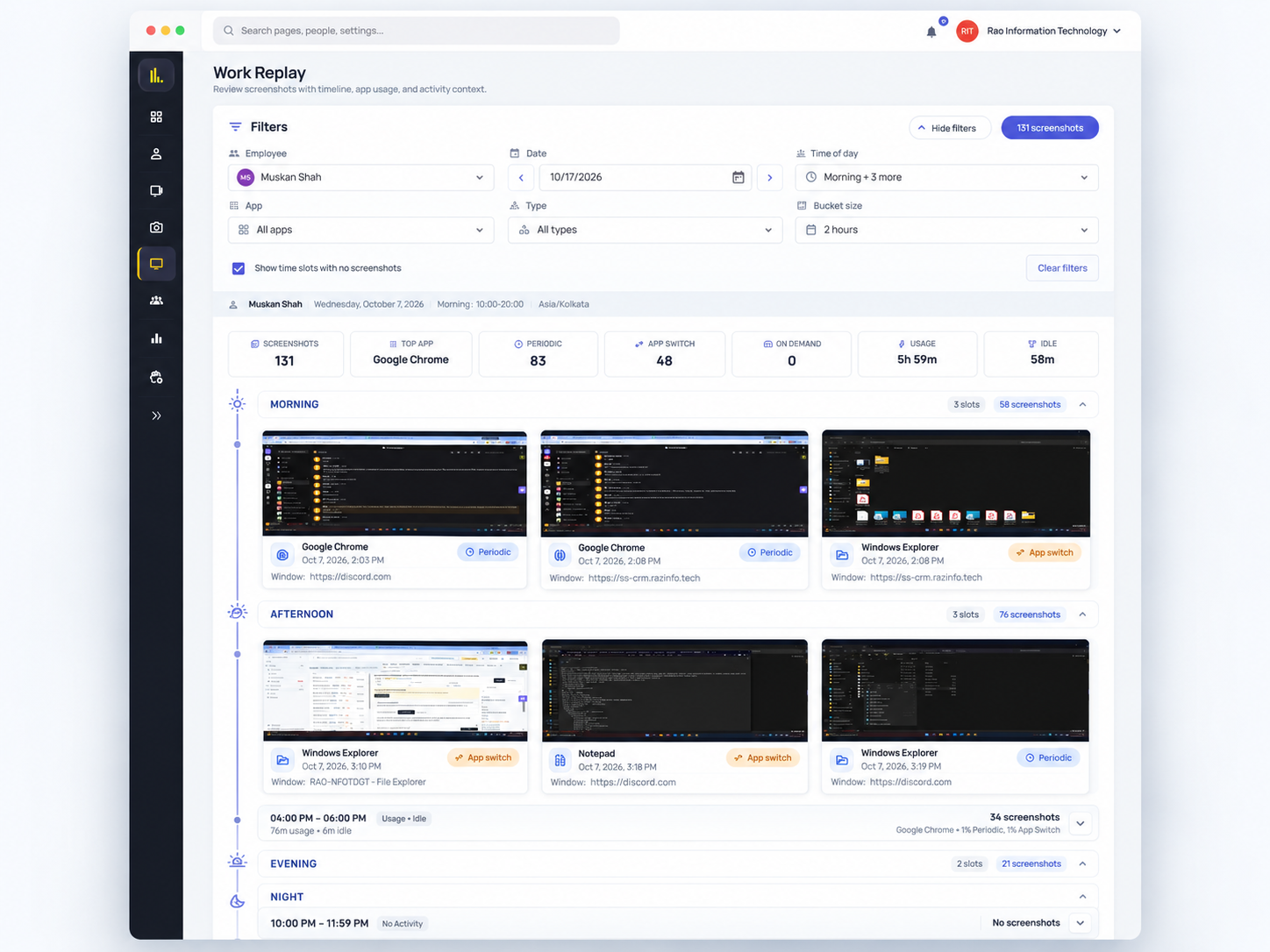
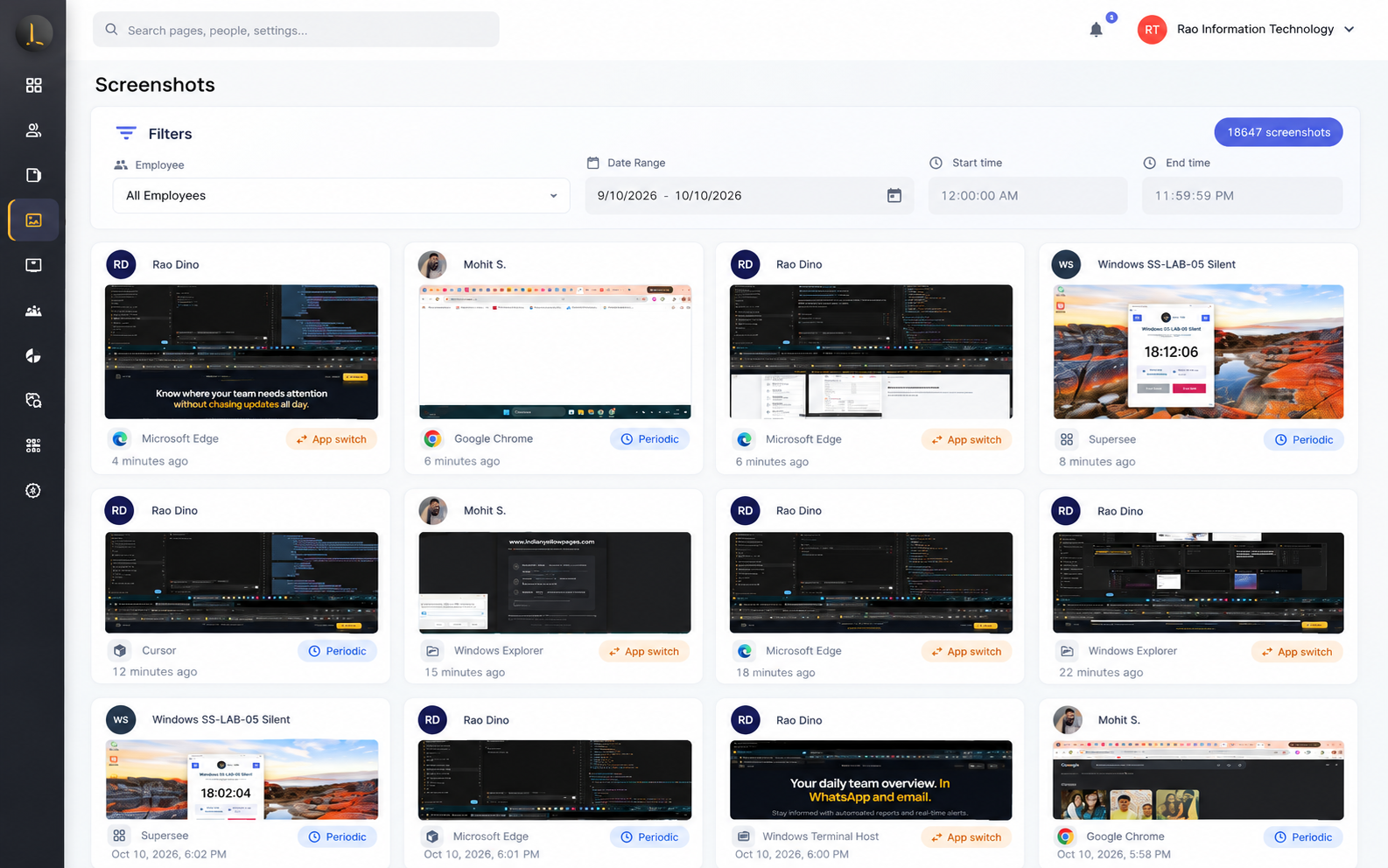
SuperSee’s Screenshot Monitoring gives managers configurable screenshot options for remote, hybrid, and office teams. Capture screenshots at selected intervals, use randomized screenshot timing, or review screen activity when work verification is needed.
This helps businesses verify work progress, support client billing, review productivity, and maintain clear activity records without depending only on manual updates or timesheets.
-
Capture periodic or randomized screenshots
-
Review screenshots by employee, team, and date range
-
Use screenshots for work verification and productivity reviews
-
Support client billing and proof-of-work requirements
-
Control who can view screenshots with role-based access
-
Works alongside app usage, website tracking, and time logs
-
Capture screenshots when active applications change
-
Screenshots include employee, date, and time details for better traceability
Cross-Platform Employee Monitoring
Unified Monitoring Across Windows, Mac & Ubuntu
SuperSee helps businesses monitor employee work activity across Windows, Mac, and Ubuntu/Linux devices from one dashboard. Whether your team works from office desktops, personal laptops, remote systems, or multi-location setups, managers can review screenshots, app usage, website activity, active time, idle time, and timesheets in one place.
This makes SuperSee useful for growing teams, remote companies, IT service providers, agencies, support teams, and businesses with employees working across different locations.
-
Monitor employees across Windows, Mac, and Ubuntu/Linux
-
View activity from multiple locations in one dashboard
-
Support remote, hybrid, and office-based teams
-
Track screenshots, app usage, website usage, and time logs
-
Works across different shifts and time zones
FAQ: Computer Screen Monitoring
Is screen monitoring legal for remote employees?
Will SuperSee slow down employee computers?
Can monitoring be disabled after work hours?
Can employees see their own activity?
Does SuperSee support screenshots and live screen view?
Which operating systems does SuperSee support?
Is SuperSee suitable for remote and hybrid teams?
Does SuperSee offer a free trial?
Unlock Advanced Employee Monitoring with SuperSee!
Start your 14-Day free trial now
Explore our features like real-time activity monitoring, customizable alerts, and detailed productivity reports.