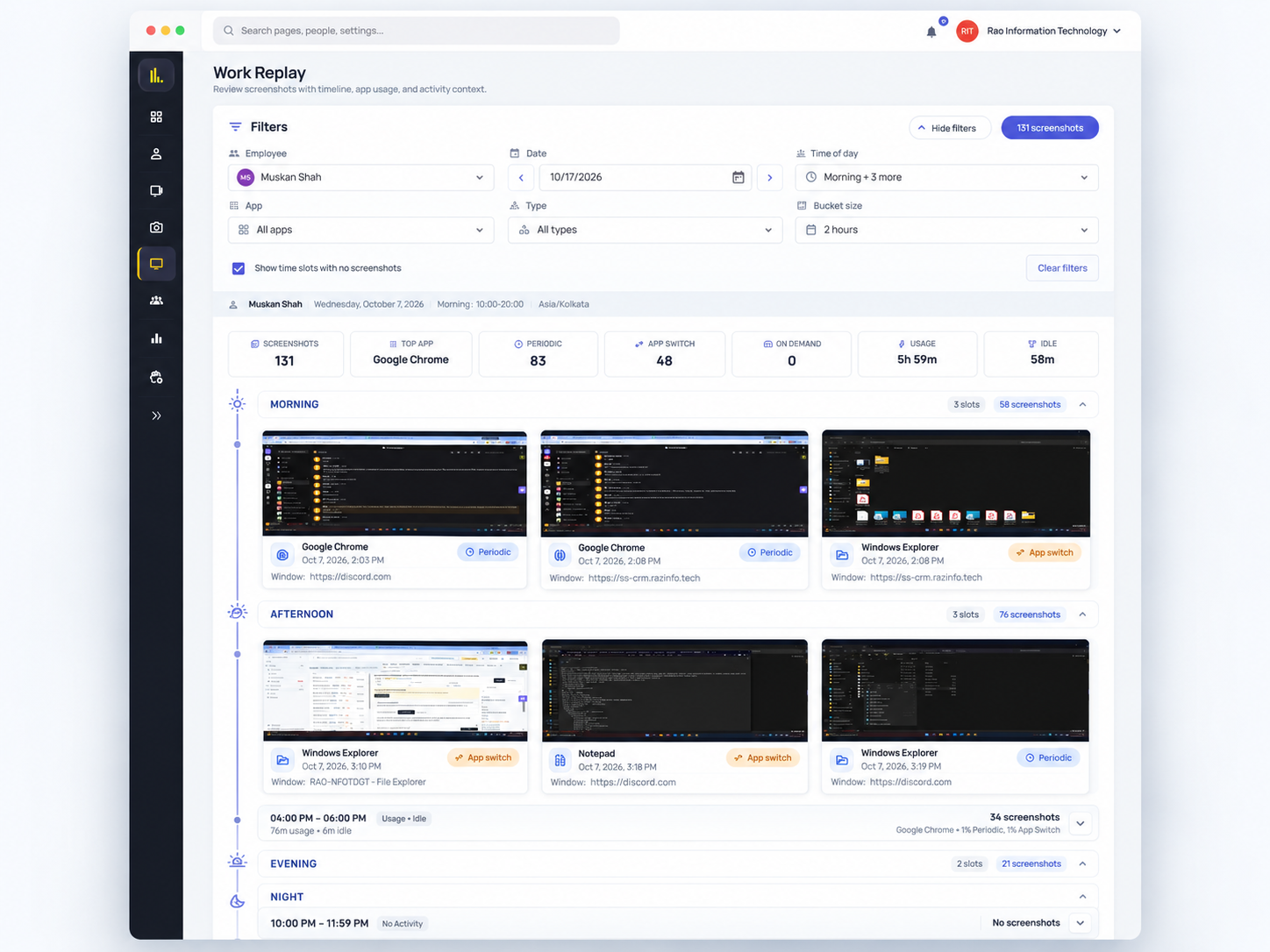
Work Replay
Open the hour the slip happened
Apps, active and idle periods, optional screenshots for the day you pick — coaching from the workstation, not the group chat.

For BPO & support operations
See which desks need help—then open one screen and coach in the shift.
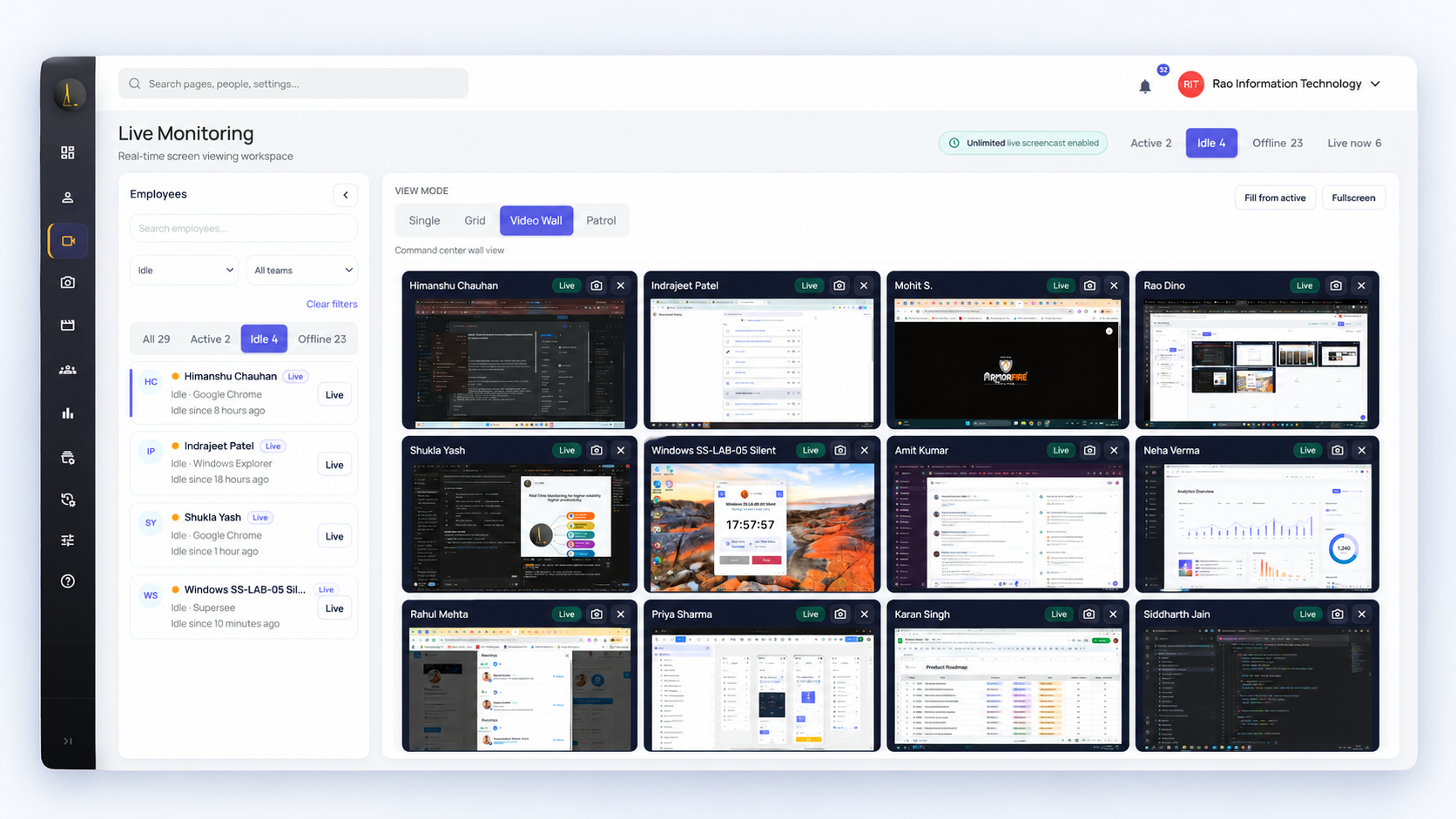
View multiple agents’ screens together. Open one live screen when someone needs help or a workstation needs a closer look.
14-day free trial on Professional · Up to 5 employees · No credit card · Installs in under 2 minutes
Windows · macOS · Linux
Live views logged · Screenshots optional
Used by teams at



For BPO and support teams where desks multiply faster than supervisor attention.
Use Live Wall for targeted live supervision on the trial. When a desk needs attention, open that live screen, verify what’s on it, then help. Sustained multi-screen capacity for a full floor is sized with you.
Review multiple workstations without walking the aisle. Spot a workstation that needs a closer look.
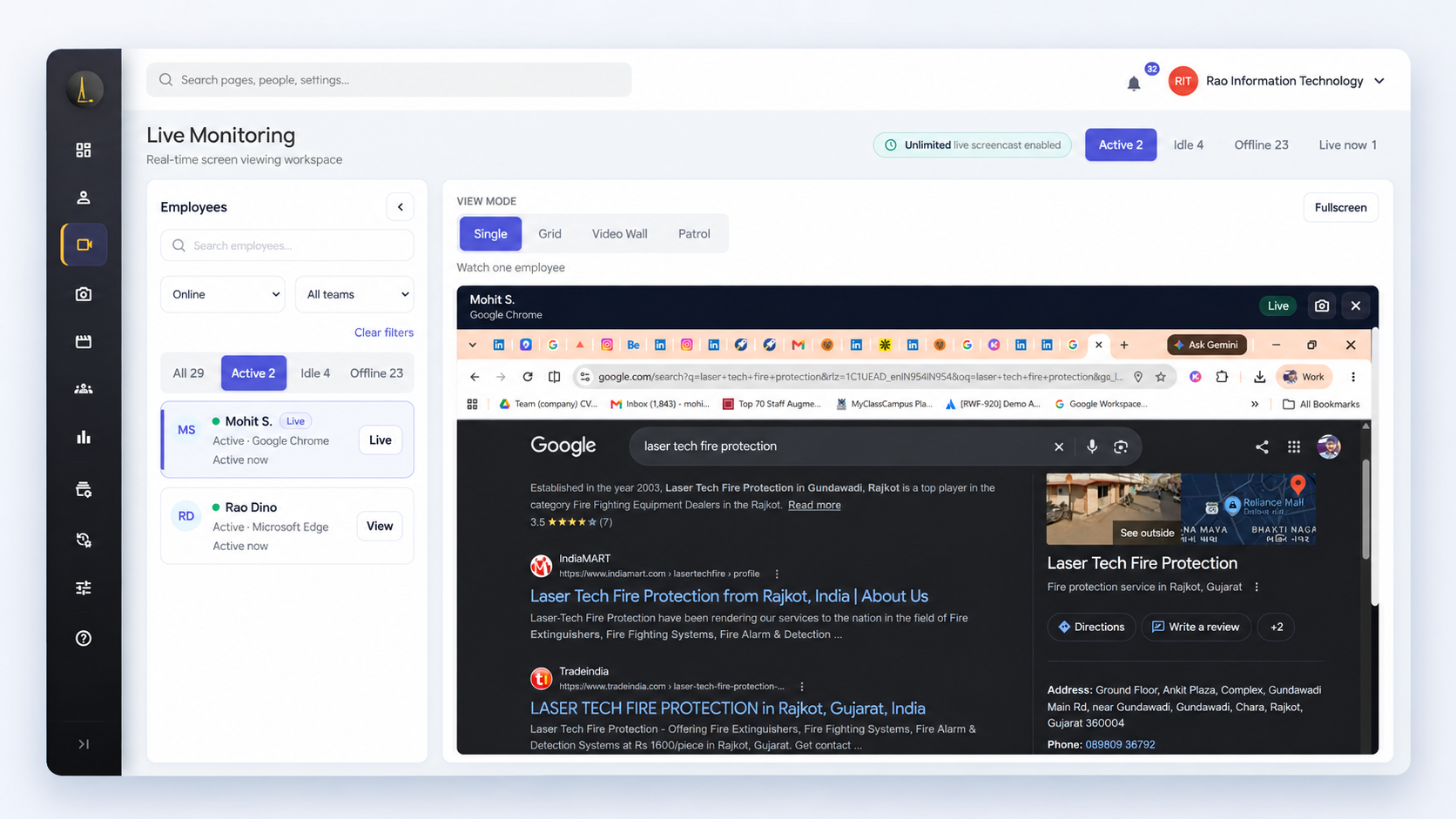
See that agent’s current screen. Guide the next step, clarify a process, or confirm a blocker.
Help on the desktop in front of you — then use Work Replay if the question continues after the shift.
“Is this a blocked form, a training gap, or something else on the desktop right now?”
After the live moment: Work Replay activity and optional screenshots — the live stream is not recorded.
Apps, active and idle periods, optional screenshots for the day you pick — coaching from the workstation, not the group chat.
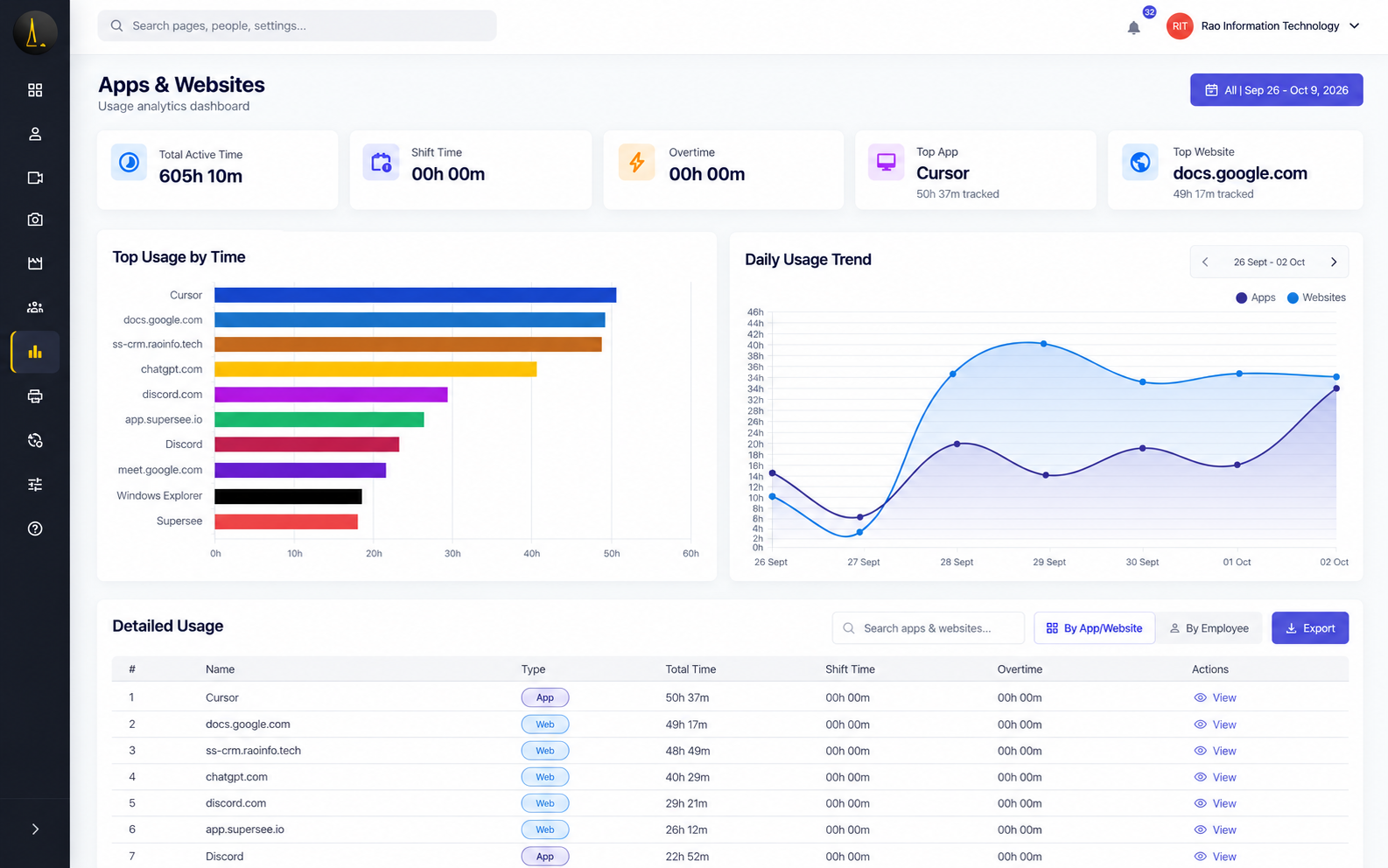
See which apps and sites occupied the workday — and whether new tools are actually sticking.
Every morning, before your first call, yesterday’s full day reaches your phone: a short summary on WhatsApp, the details by email. You decide what to open, instead of opening everything. Then use Live Wall or Work Replay when you need to go deeper.
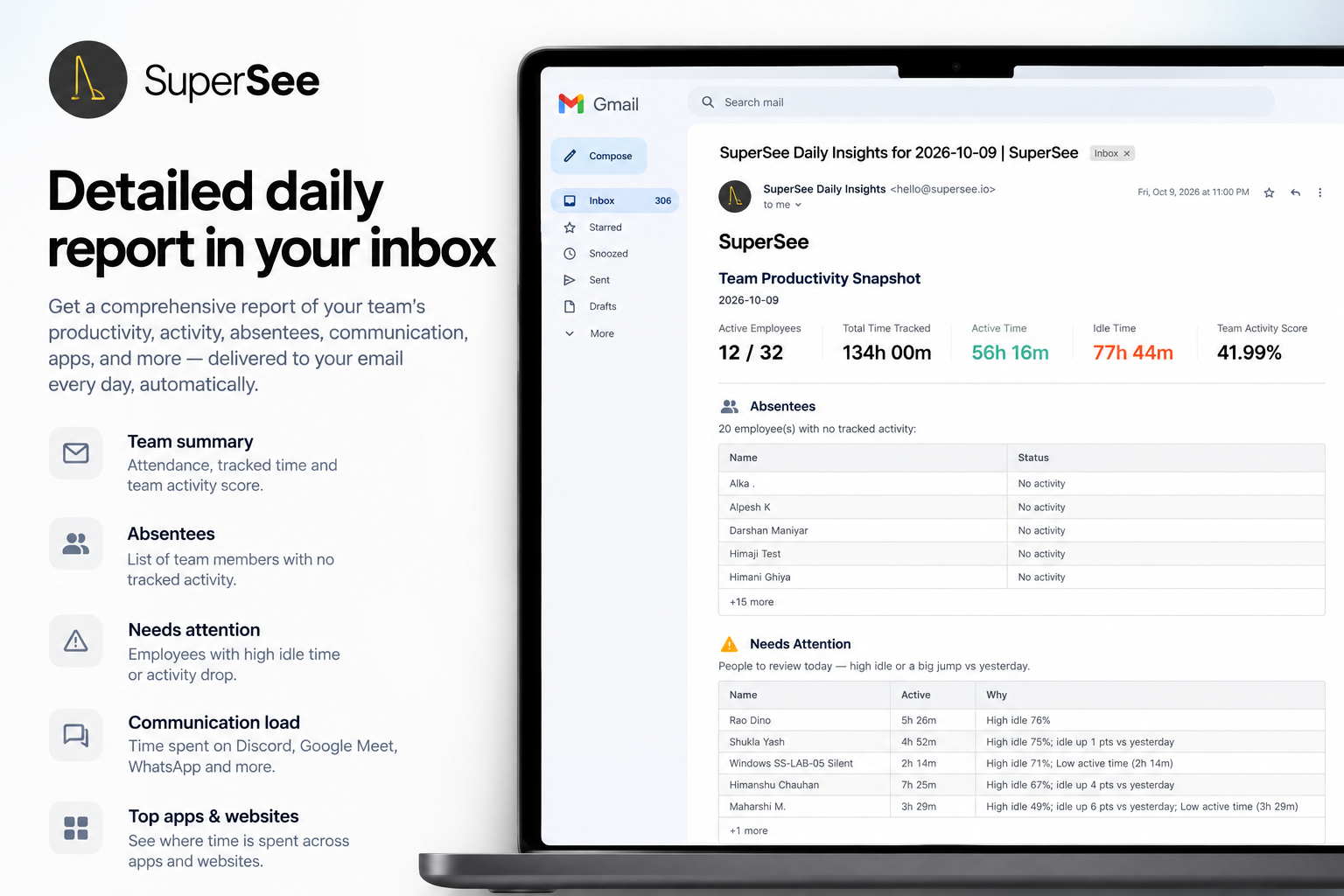
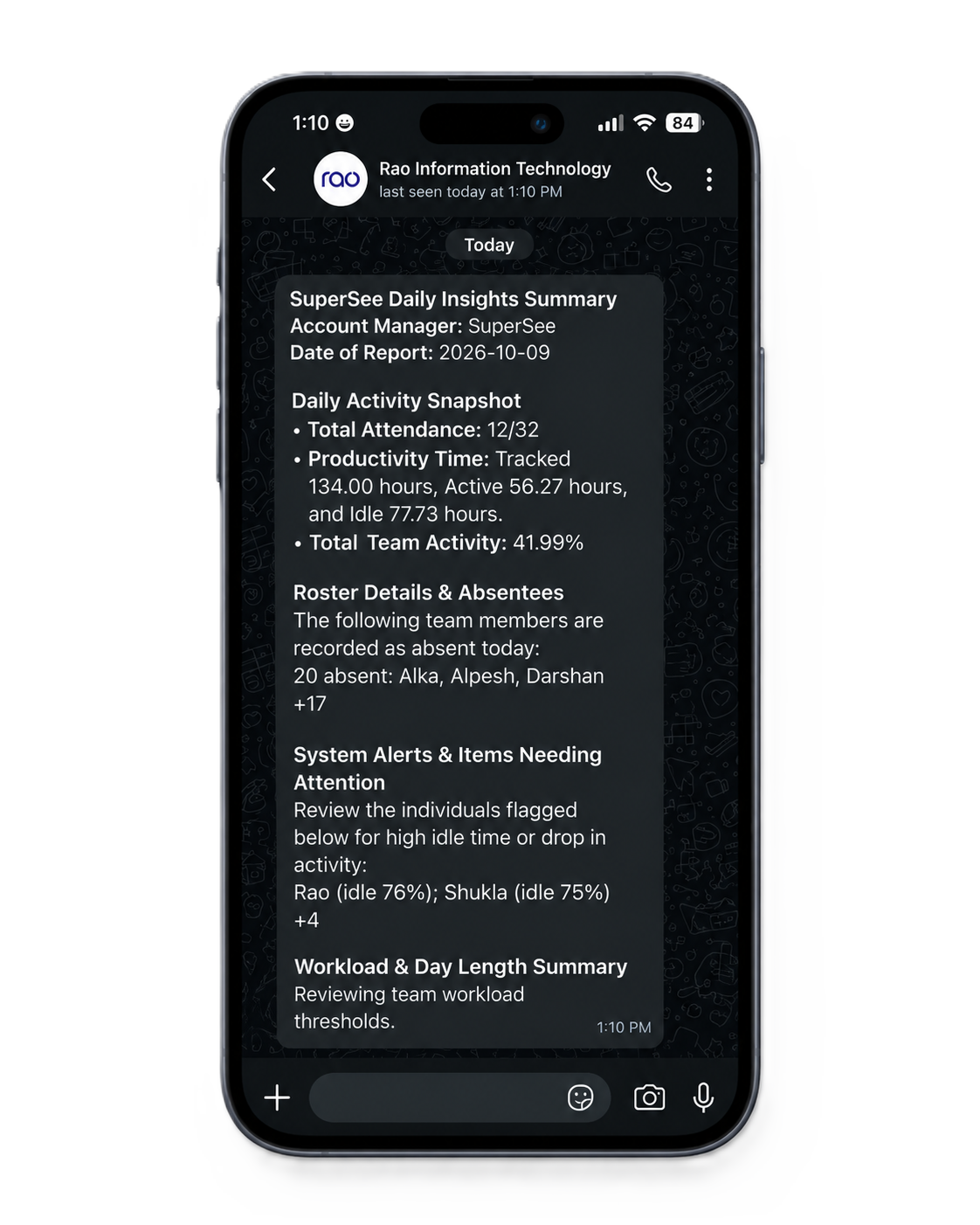
See which supervisor viewed which employee, when the session started, and how long it lasted. Combine logged live views with team-scoped access and optional screenshots to give your operation clear monitoring boundaries.
Need Infosec, data residency, or a client security questionnaire? Ask us — we’ll walk your review
Start with one pod on the trial. Size live capacity when the wall needs to cover more of the operation.
Planning a wider rollout? Let’s size concurrent viewing and supervisor access for your centre
No. Live Wall is a live video wall, and live screencast shows the current screen while a supervisor is viewing — SuperSee does not record or save that live video. Work Replay uses captured activity and optional periodic screenshots for a selected day, not a recording of the live stream.
Yes. Turn screenshots off. Live Wall and live screencast still show current screens to authorised viewers. Review the client agreement for live viewing and app/website capture as well.
The Professional trial includes Live Wall so you can evaluate the workflow on up to five seats. Sustained dense walls for a full centre need capacity matched to your deployment — we’ll size concurrent viewing with you for a wider rollout.
Yes. SuperSee logs which employee was viewed, the supervisor or admin login, and the session’s start, end, and duration.
No. Live context and Work Replay help supervisors act. Your delivery and quality systems still hold SLA, AHT, and QA scores.
No. Schedules, queues, and cases stay in your ops stack. SuperSee adds live workstation visibility plus Work Replay activity from the computer.
“Tracking activities through screenshots, time activity and idle time are visible clearly.”
“The real-time tracking, accurate attendance records, and simple interface make SuperSee efficient and easy to manage.”
You asked, we built it. Reviewers asked for the daily report on WhatsApp and a faster install. Both are live: WhatsApp summaries on every plan, and an agent under 10 MB that installs in under 2 minutes.
Put Live Wall on five seats. Spot what needs attention, open one live screen when it matters, review the day when the shift ends.
14-day free trial on Professional · Live Wall included · Up to 5 employees · No credit card · Installs in under 2 minutes
Install today, and tomorrow morning you get yesterday’s full day: a short summary on WhatsApp, the details by email. Setup help is free: we call you and set it up together over screen share.