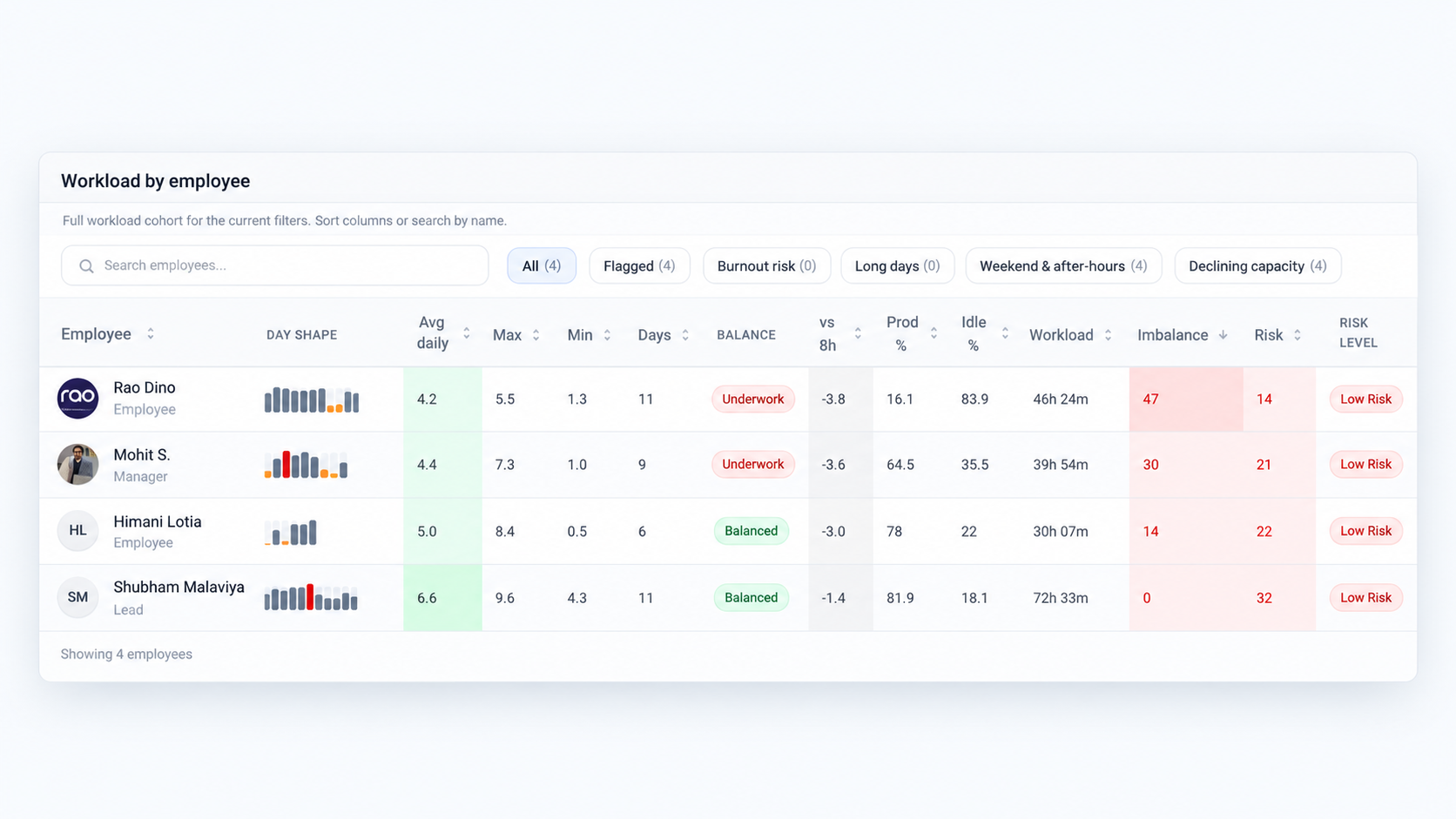
Team activity
Review the differences behind the team totals
See which recorded patterns stand out before you change assignments or expectations.

Stop chasing status. Follow up earlier when the workday doesn’t match the update.
SuperSee shows recorded app and website usage, active and idle time, and optional screenshots from work computers—so you can see where computer time went and ask about the blocker in your next follow-up.
Employee monitoring and time tracking for IT services teams
14-day free trial on Professional · Up to 5 employees · No credit card · Installs in under 2 minutes
On your phone? Create your account now and email yourself the computer setup link.
For teams of 15–100 · View pricing
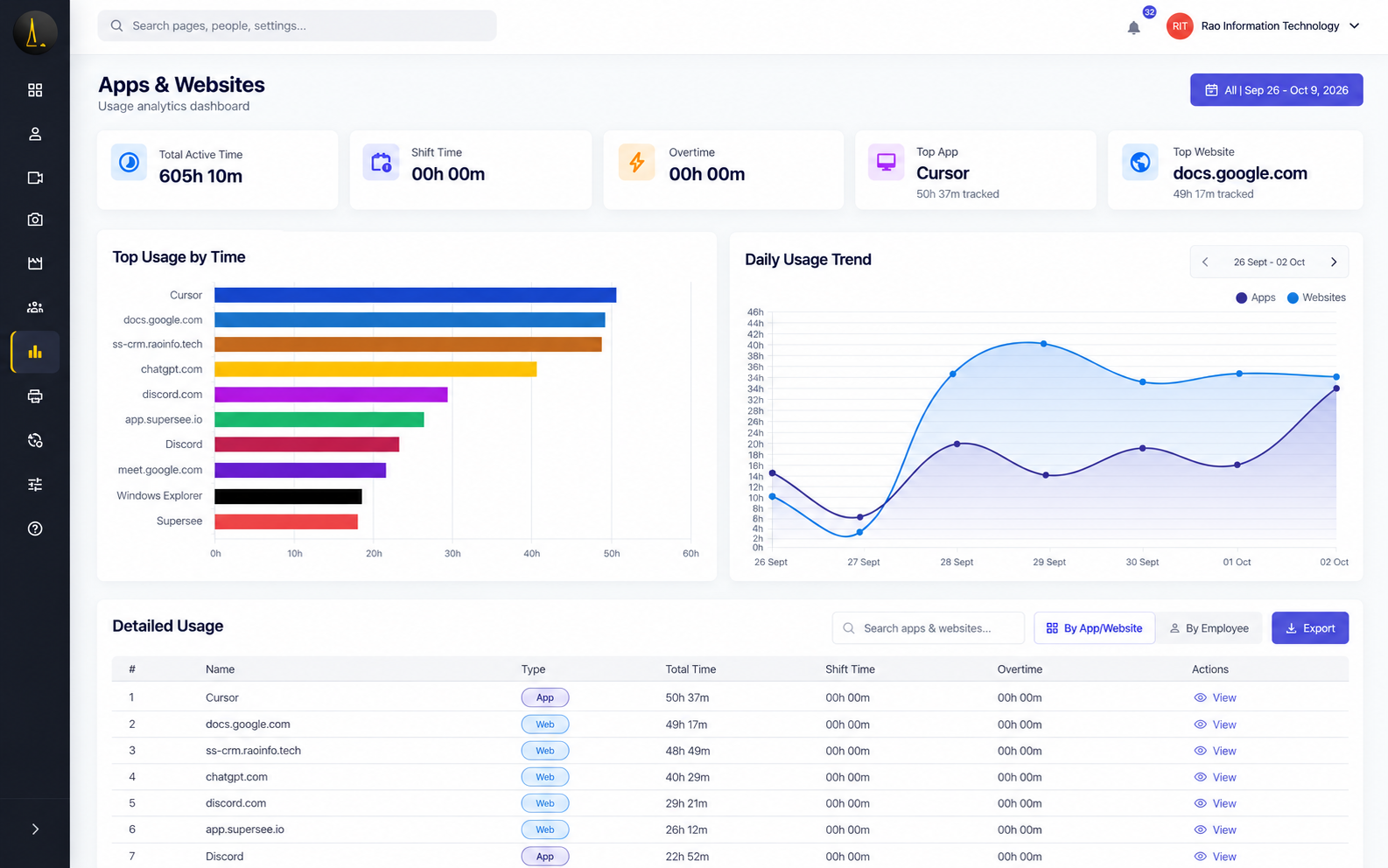
Look here — apps and sites with the most recorded time
Used by teams at



A delivery concern arises. Review the recorded workday. Then discuss the blocker. Your project tool tracks tasks and status. SuperSee adds recorded activity from the work computer.
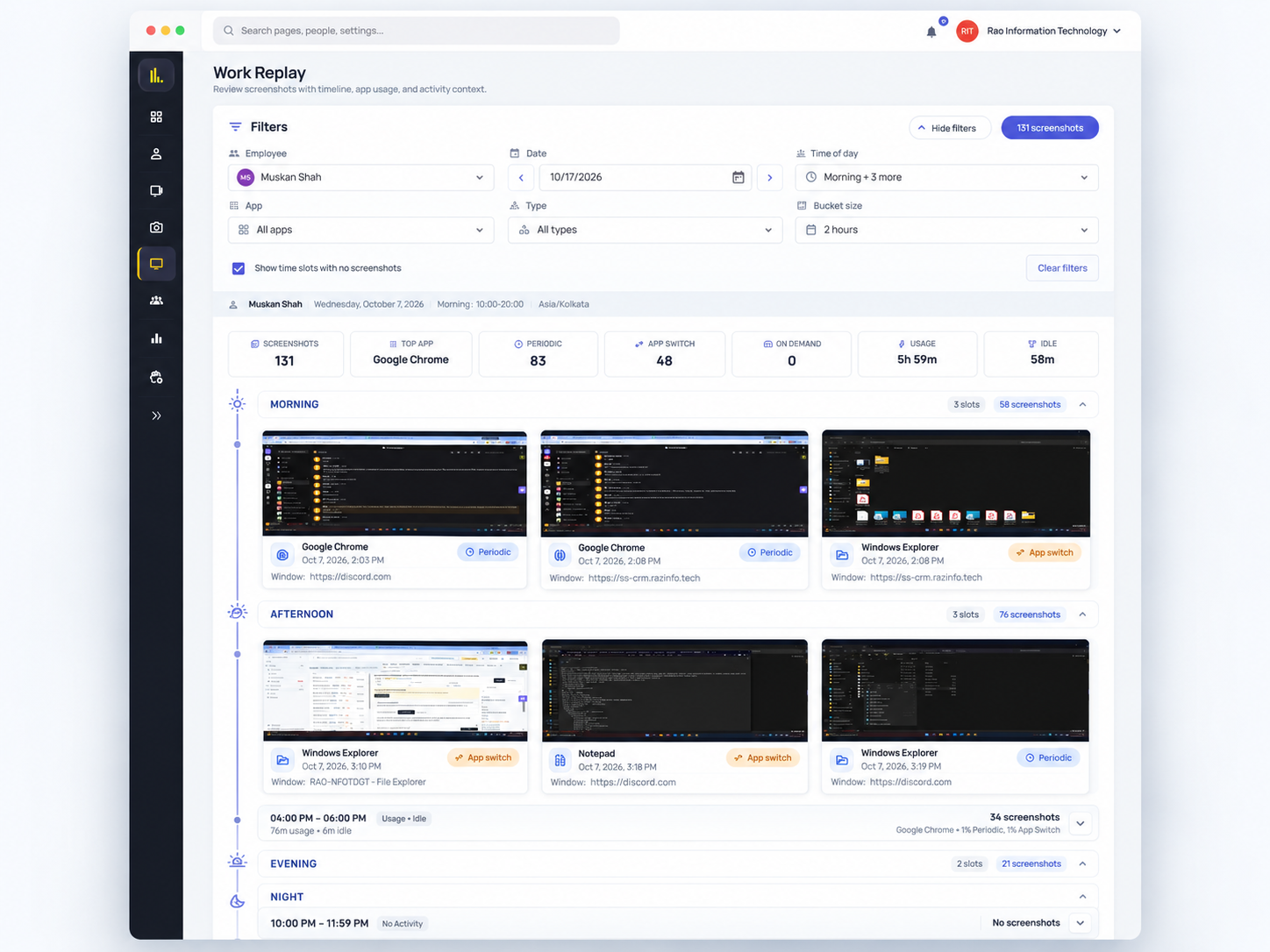
Select the person and the relevant workday tied to the concern.
Review app and website activity on a timeline, with periodic screenshots when capture is enabled.
Agree the next action—unblock, reassign, or reset the plan.
“Was this stretch spent debugging, waiting for access, or handling another request?”
The dashboard is clean and easy to use, the productivity reports are insightful, and the real-time monitoring features provide excellent visibility into team performance.
Compare recorded time and activity across employees to spot differences worth a closer look and inform workload discussions.
See which recorded patterns stand out before you change assignments or expectations.
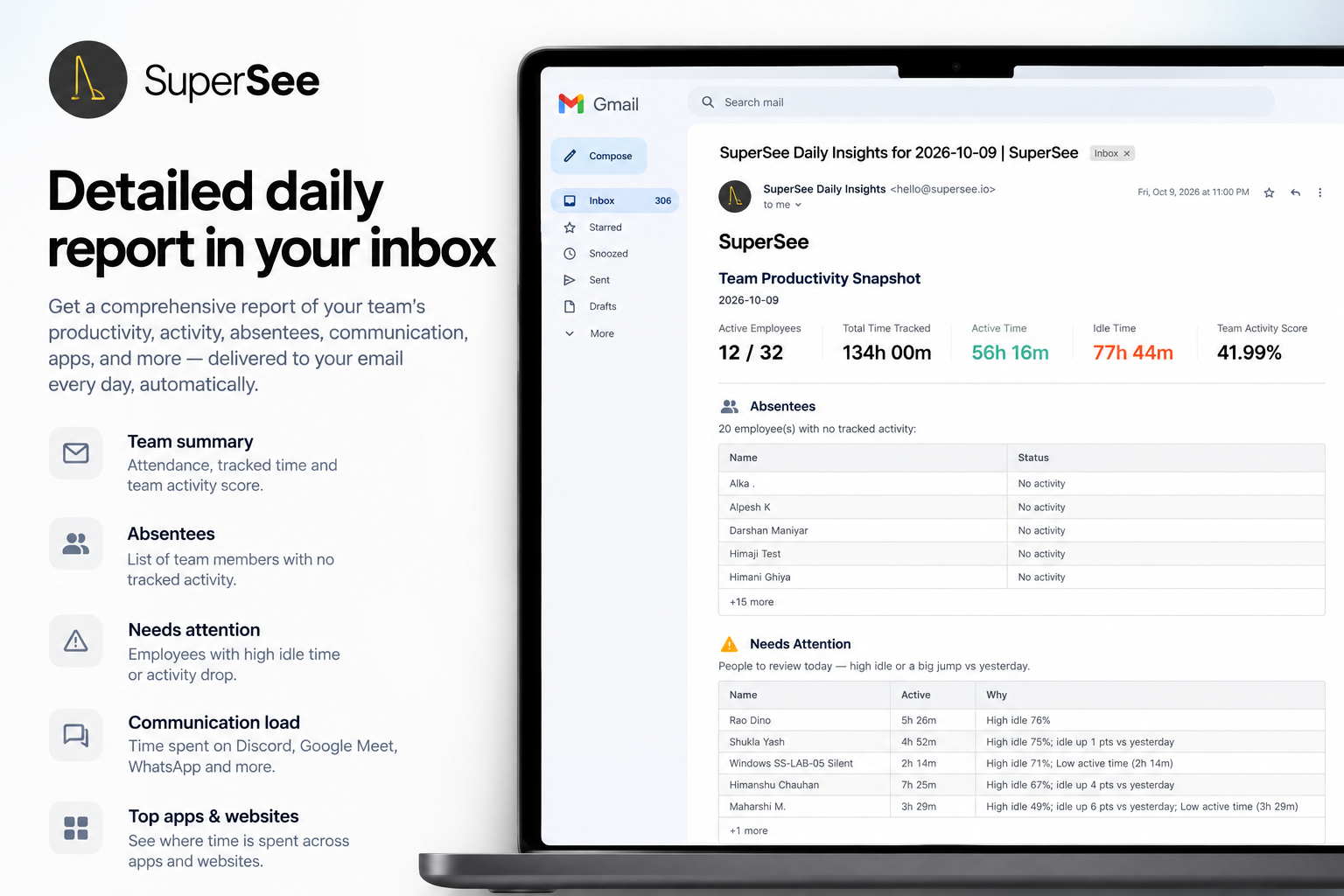
Every morning, before your first call, yesterday’s full day reaches your phone: a short summary on WhatsApp, the details by email. You decide what to open, instead of opening everything.
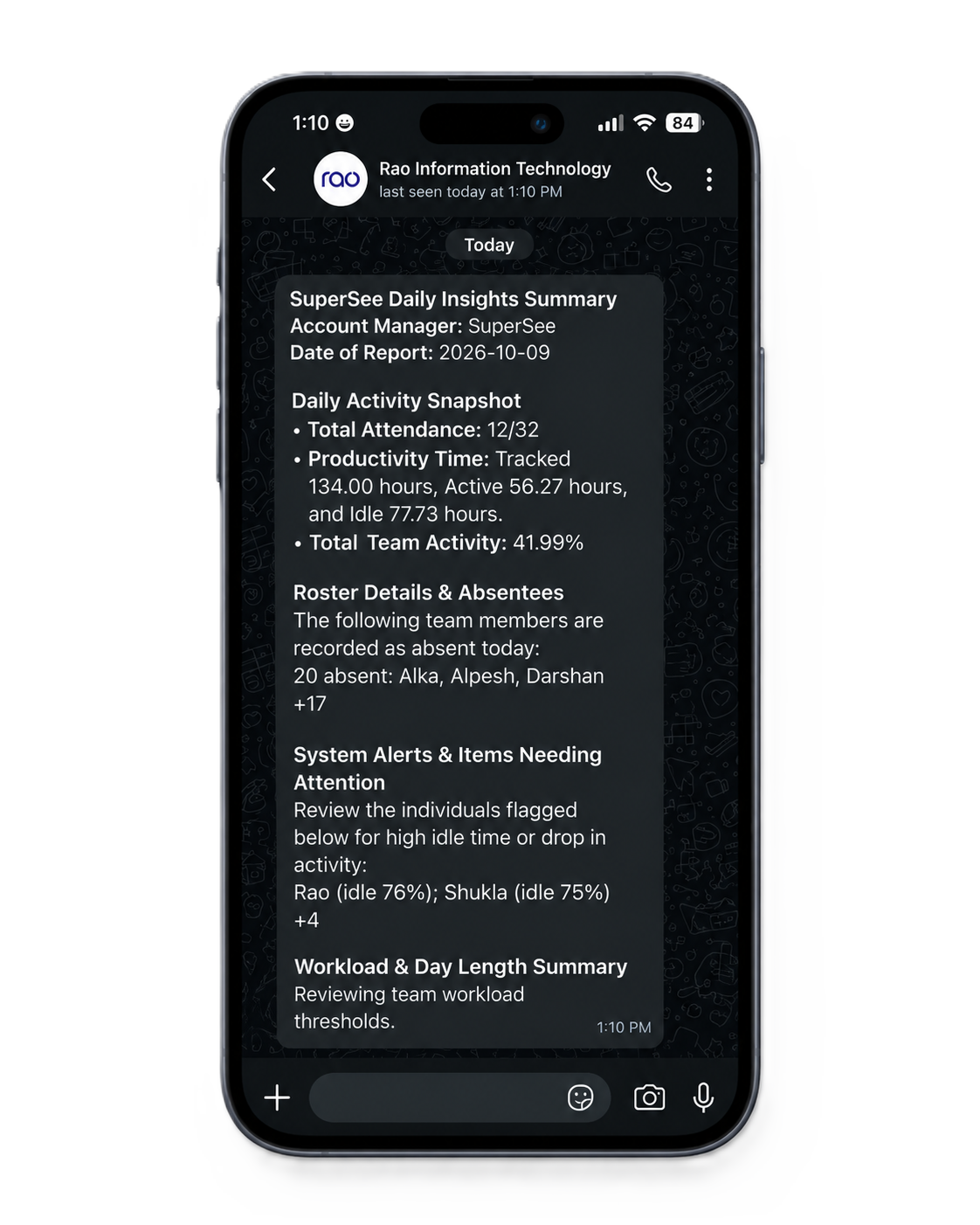
We’ll use SuperSee to review the workday and follow up with context—not to rank engineers.
You need workday context before the client escalates—not another tool that ranks engineers by activity.
During the trial, review recorded workdays, understand where time goes, and identify patterns to address with your delivery leads.
Includes Professional features, including Work Replay and Productivity Trends.
Clear answers on privacy, project tools, and what the trial includes.
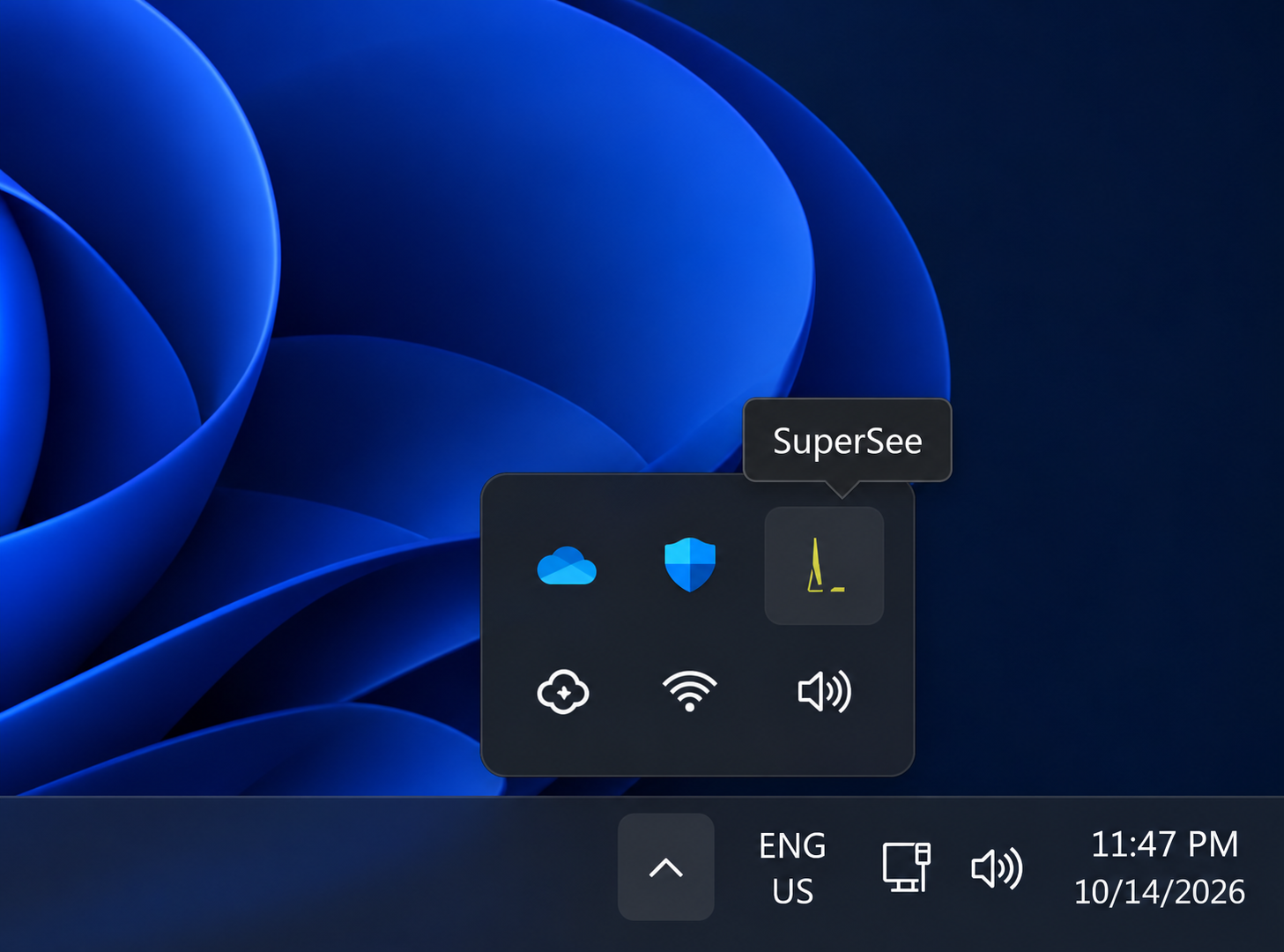
They might if you install quietly and use it as a score. Introduce it to follow up on delivery with context. Tray icon on. Access controls by team. Live views logged. Screenshots can stay off.
Screenshots can be disabled. Review your client agreement and the remaining capture settings before deployment, because app and website information may also be covered. With screenshots off, Work Replay still shows the app and website timeline; the screenshot strip is empty.
SuperSee helps you understand time use, activity patterns, and recurring distractions. Use that visibility alongside delivery outcomes and your team’s context when reviewing performance.
No. Your project tool still holds tasks and status. SuperSee adds recorded activity from the work computer. It does not sync to your project tool or attribute hours to tickets.
Apps, websites, active/idle timelines, timesheets, and optional periodic screenshots. Work Replay combines those into one day view—it does not save continuous video. No keystroke logging, no microphone audio, and no deliberate password collection. Screenshots can still show whatever is on screen.
After the trial, pick a plan and carry on with the same account. If you don’t, nothing is charged, and captured data is deleted on its normal retention schedule. The trial includes Professional features so you can evaluate Work Replay and Productivity Trends.
“The dashboard is clean and easy to use, the productivity reports are insightful, and the real-time monitoring features provide excellent visibility into team performance.”
“SuperSee is incredibly intuitive and easy to use from day one. Navigation through the different dashboards and modules is seamless, requiring no steep learning curve for new team members.”
You asked, we built it. Reviewers asked for the daily report on WhatsApp and a faster install. Both are live: WhatsApp summaries on every plan, and an agent under 10 MB that installs in under 2 minutes.
Open one captured day. Ask a better question than “what’s the status?” If that helps, invite a small group.
14-day free trial on Professional · Up to 5 employees · No credit card · Installs in under 2 minutes
Install today, and tomorrow morning you get yesterday’s full day: a short summary on WhatsApp, the details by email. Setup help is free: we call you and set it up together over screen share.