See the screen, not just the screenshot
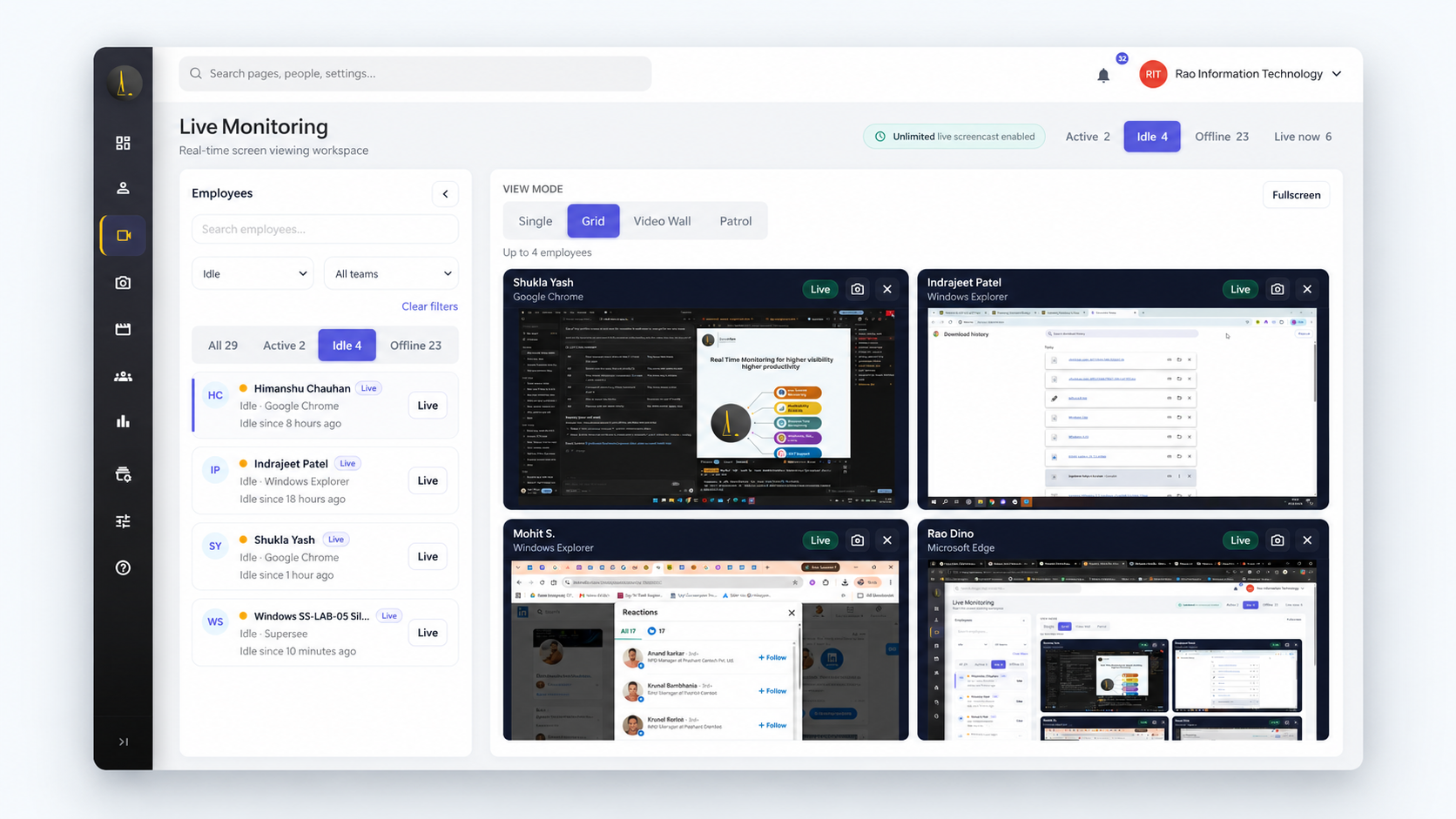
Open any employee’s screen live on every plan. On Professional, watch several at once with Grid, Live Wall or Patrol. Hubstaff documents screenshots only.[1]

Hubstaff shows you screenshots after the fact. SuperSee lets you open a screen live when someone’s stuck, replay the day when an update doesn’t add up, and read the team summary on WhatsApp every morning.
Professional features · Up to 5 employees · No credit card
Hubstaff is strong at turning tracked hours into budgets and invoices. SuperSee is built for a different question: how is the work actually going today?
Open any employee’s screen live on every plan. On Professional, watch several at once with Grid, Live Wall or Patrol. Hubstaff documents screenshots only.[1]
Professional includes admin-controlled automatic tracking, so nobody has to press start. Hubstaff’s automatic option is the Silent app, a paid add-on below Enterprise.[3][4]
Productivity Trends compares hours, focused time, late finishes and communication-app time across weeks — in Professional. Hubstaff’s Insights is extra below Enterprise.[6]
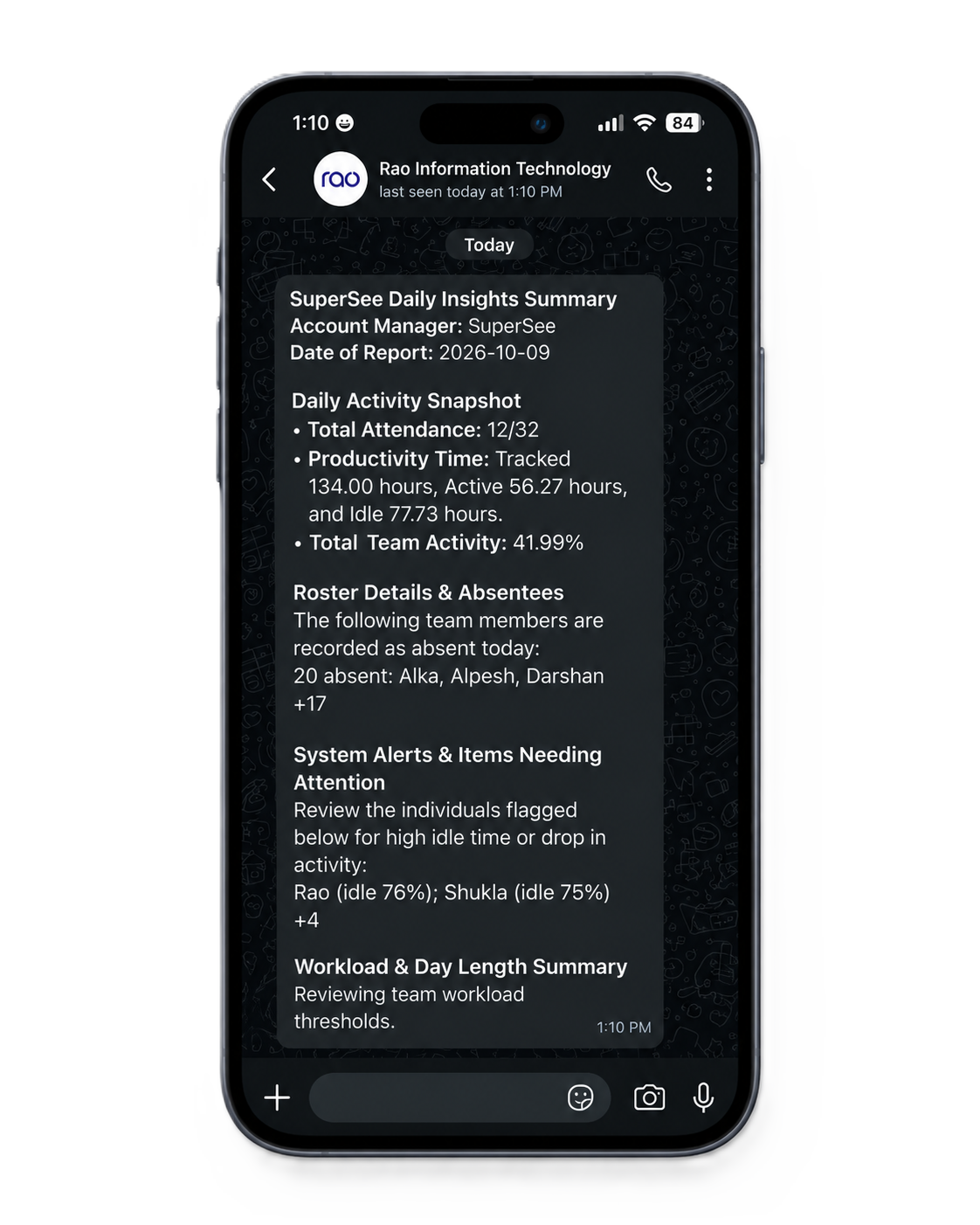
Every plan sends a daily team overview to WhatsApp and email. Read it before your first call, then decide who needs a closer look.
Supervisor viewing logs record which manager viewed which employee’s screen, when and for how long — so you can check access is used fairly.
Indian teams get rupee pricing; everyone else pays in USD. Either way, Professional costs less per seat than Hubstaff’s cheapest paid plan, monthly or annual.[5][12]
An honest check before you spend time on a trial.
Not sure? Many teams keep a billing tool and use SuperSee for day-to-day visibility. Run both during the trial and decide on your own data.
Including where Hubstaff is stronger.
IncludedPaid add-onNot included
| What you need | SuperSee | Hubstaff |
|---|---|---|
| See a screen live, right now | Yes: Every planOpen one employee’s screen live. Grid, Live Wall and Patrol on Professional and Business. | Not included: Screenshots onlyScreen monitoring uses captured screenshots. Hubstaff states it doesn’t record video.[1] |
| Review an earlier part of the day | Yes: Work ReplayScreenshots, apps and active or idle time on one timeline. | Yes: Screenshots + activityUp to 3 screenshots per 10 minutes, with activity levels and time reports.[1] |
| Productivity analysis across weeks | Yes: Included in ProfessionalProductivity Trends: working hours, focused time, after-hours and communication-app time. | Paid add-on: Insights add-on+$2.50–$3 per seat below Enterprise (Team gets a 3-month trial). Adds focus and calendar-based meeting analysis.[5][6] |
| Tracking without a timer to press | Yes: Included in ProfessionalAdmin-controlled automatic tracking. Employee-controlled tracking is also available. | Paid add-on: Silent app add-onStandard app uses start/stop. Automatic tracking on company devices uses Silent, +$2.50–$3 per seat below Enterprise.[2][3][4] |
| Daily team summary | Yes: WhatsApp + email · all plansA morning overview in the app you already check. | Scheduled email reportsPDF/CSV reports by email on supported plans. We found no native WhatsApp digest.[7] |
| A record of who viewed whose screen | Yes: Supervisor viewing logsManager, employee, time and duration. Professional and Business. | Admin audit logRecords settings and approval changes. Screen-view duration records aren’t documented.[8] |
| Keystroke contents | Yes: Not loggedNo keystroke logging and no mouse or keyboard score to chase. | Yes: Not loggedActivity levels count keyboard and mouse input, not what’s typed.[1][11] |
| Project budgets, invoices and payroll | Not included: Not built inActivity by person and period. Keep your billing tool for invoices and pay. | Yes: Core strengthClients and invoices from Starter, project budgets from Grow, full payments and payroll on Team.[5][9] |
| Screenshot history | 30–60 daysProfessional 30 days · Business 60 days, extendable up to 365. | Yes: 1–6 monthsStarter 1 month · Grow 3 months · Team 6 months.[10] |
| Starting price per seat / month | Yes: ₹399 in India · $4.99 elsewhereProfessional on monthly billing, with Live Wall, Work Replay and Trends. Annual from ₹289 / $3.61.[12] | $7 (about ₹663)Starter on monthly billing; $4.99 annual. Grow $9 · Team $12 monthly. Same USD prices in India.[5][15] |
| Billing currency | Yes: INR in India · USD elsewhereRupee pricing with a GST invoice for Indian companies. | USDPublic list prices are in US dollars, including for visitors from India.[5] |
| Free trial | 14 days · no cardProfessional features for up to 5 employees. | 14 days · no cardPlus a 30-day money-back period on paid plans.[5] |
Open one employee’s screen live. Grid, Live Wall and Patrol on Professional and Business.
Screen monitoring uses captured screenshots. Hubstaff states it doesn’t record video.[1]
Screenshots, apps and active or idle time on one timeline.
Up to 3 screenshots per 10 minutes, with activity levels and time reports.[1]
A morning overview in the app you already check.
PDF/CSV reports by email on supported plans. We found no native WhatsApp digest.[7]
Manager, employee, time and duration. Professional and Business.
Records settings and approval changes. Screen-view duration records aren’t documented.[8]
Professional 30 days · Business 60 days, extendable up to 365.
Rupee pricing with a GST invoice for Indian companies.
Professional features for up to 5 employees.
Based on public pricing, product and help pages checked on 21 October 2026. Features vary by plan. SuperSee Work Replay uses captured screenshots, not continuous video. View sources
Your region’s prices, same seat count. Pick the Hubstaff setup you’d really need.
Hubstaff bills Indian teams in US dollars. We convert at ₹94.75 per $1 (21 October 2026). SuperSee prices are before GST.[5][15]
Both products at their public US-dollar list prices.[5][12]
Start with the overview. Look closer only where something needs attention.
Yesterday’s hours and activity across the team arrive in the app you already check. Decide where to look before you open a dashboard.
Sample daily summary. Private details removed.
Pick a person and a date in Work Replay. Review captured screens next to app usage and active or idle time, then ask about the specific blocker instead of “what were you doing?”
Activity gives you context for the conversation. It doesn’t tell you whether the work was good or why a task took longer.
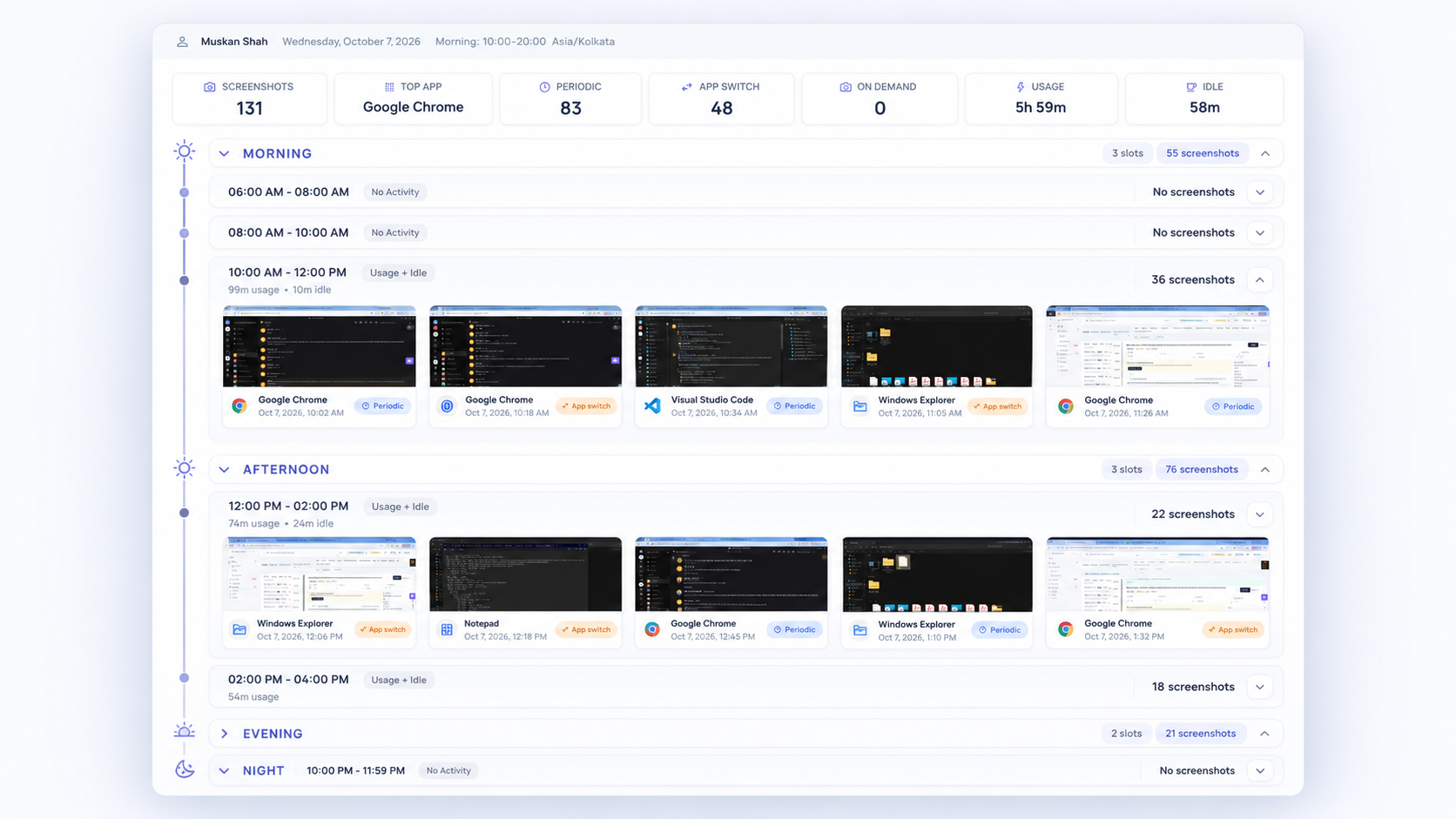
Captured screenshots on a timeline — not continuous video.
See what’s on the screen right now and help with the next step while it still matters. On a support floor, watch several desks at once or let Patrol rotate through active screens.
Grid, Live Wall and Patrol are on Professional and Business, along with supervisor viewing logs.
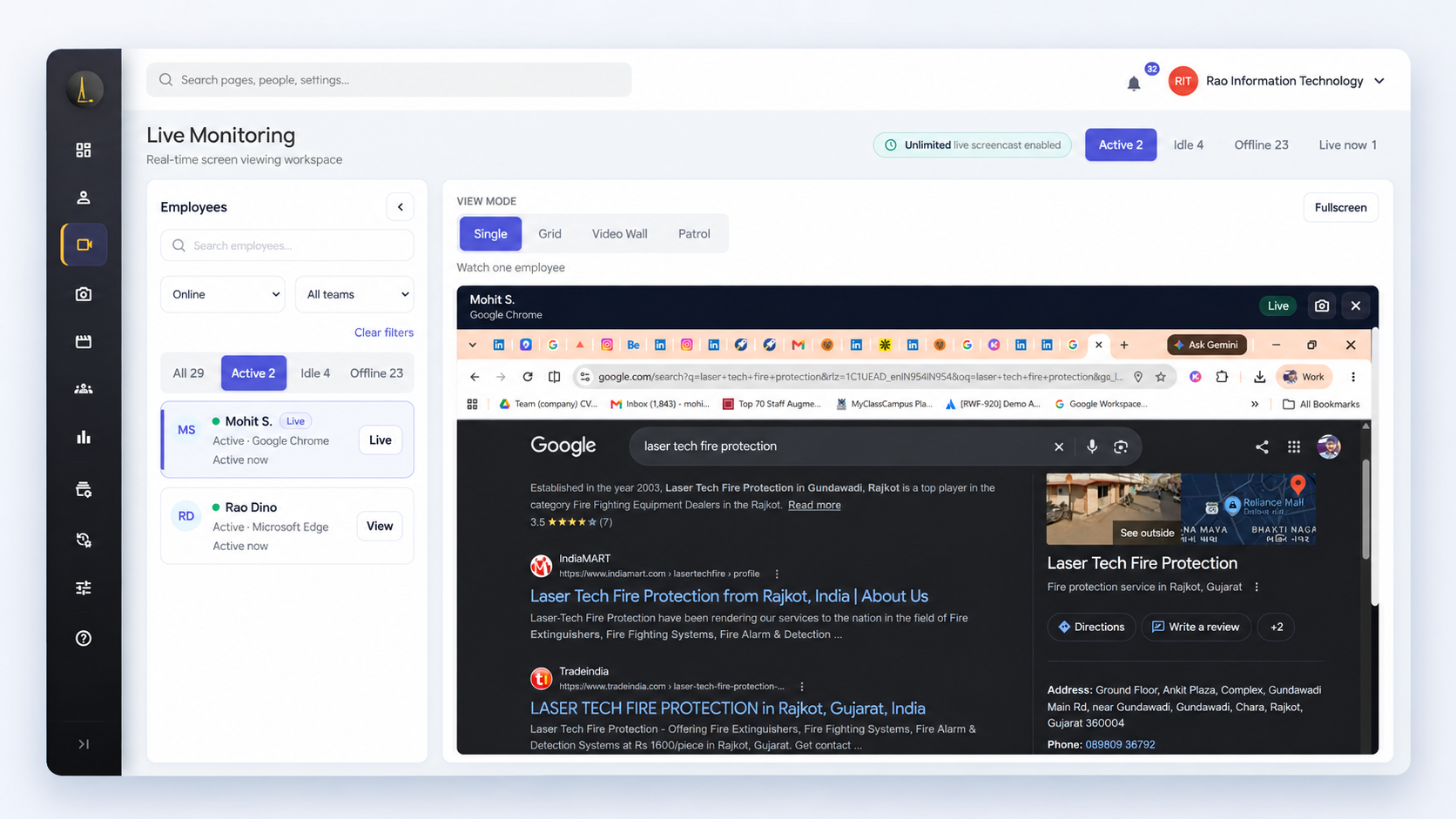
One live screen, opened when you need it.
Productivity Trends compares weeks: repeated late finishes, drops in activity, focused time and time in meeting and chat apps. Know who needs a closer look before you hand out the next deadline.
Trends are signals to discuss, not a ranking of people.
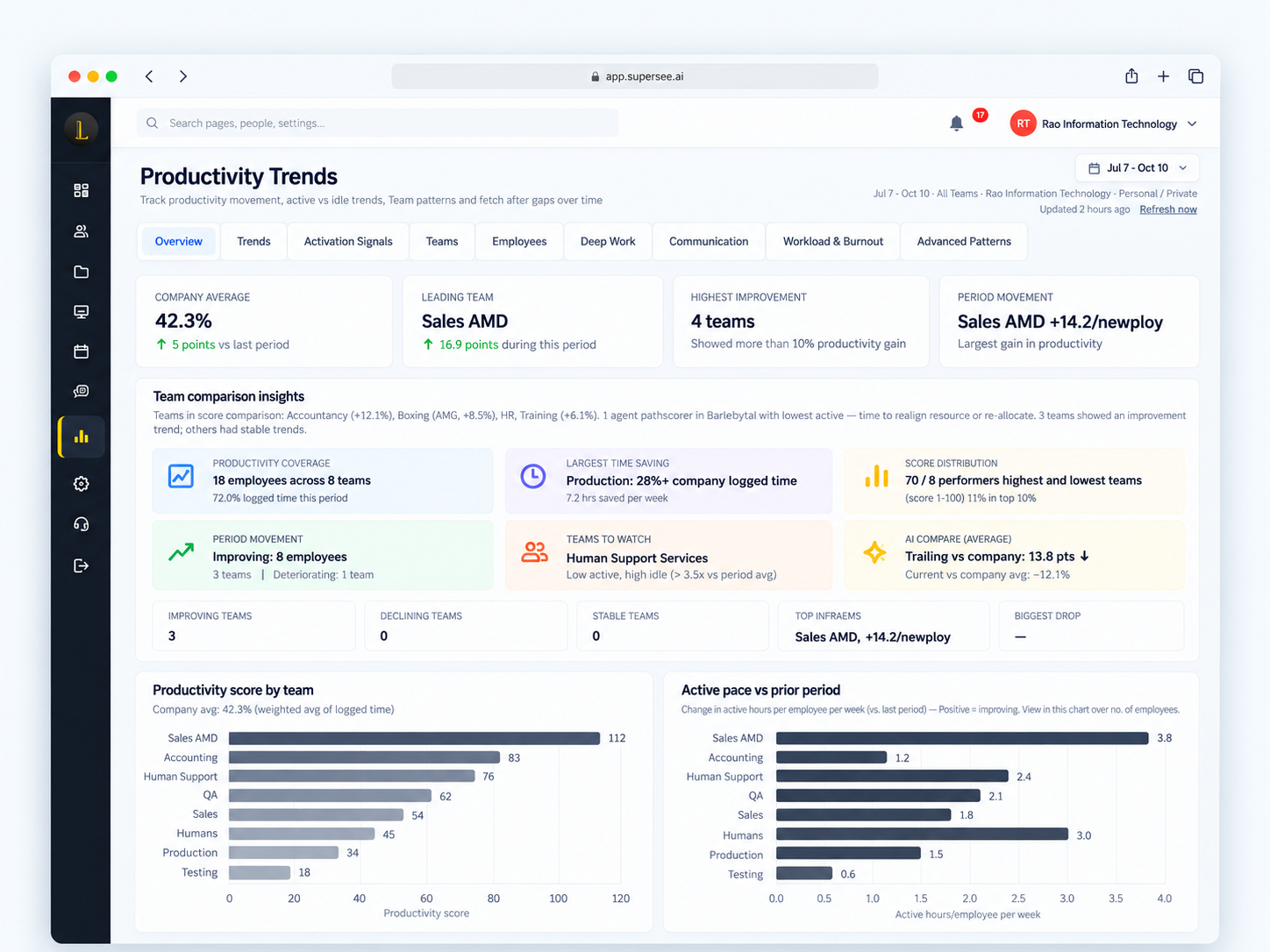
Productivity Trends, included in Professional.
Switching tools means reintroducing monitoring. These are the answers people usually want first.
“SuperSee helped us uncover the real problem: uneven work allocation. Now the team works more efficiently, and we’ve grown without overburdening anyone.”
“The most helpful feature is the ability to monitor all systems in one place. It gives us better visibility, makes it easier to track everything, and helps ensure nothing is missed.”
“The dashboard is clean and easy to use, the productivity reports are insightful, and the real-time monitoring features provide excellent visibility into team performance.”
“Supersee is incredibly intuitive and easy to use from day one. Navigation through the different dashboards and modules is seamless, requiring no steep learning curve for new team members.”
Start small, compare on your own data, and move teams only when it works.
See the dashboard, a live screen and the daily summary with your own data before anyone else is involved.
They get an email invite, install and log in themselves. If they can install Slack, they can install this.
Compare what each tool tells you about the same days. Week-over-week trends get clearer after one to two weeks of data.
Choose a plan and add seats. Indian companies pay in rupees with a GST invoice. Keep Hubstaff or another tool for invoicing if you need it.
Professional features · Up to 5 employees · No credit card
Hubstaff connects tracked hours to project budgets, invoices and payroll. SuperSee is built for seeing how the workday is going: live screen viewing on every plan, Work Replay for earlier parts of the day, Productivity Trends across weeks and a daily summary on WhatsApp and email. If billing workflows matter most, Hubstaff is strong there. If you need to see what’s happening without asking everyone, choose SuperSee.
Yes, at list prices checked on 21 October 2026. On monthly billing, SuperSee Professional is ₹399 per seat in India or $4.99 elsewhere. Hubstaff’s cheapest paid plan, Starter, is $7 per seat (about ₹663), Grow is $9 and Team is $12, with Insights and Silent extra below Enterprise. Annual billing lowers the price of both. Taxes are extra. Use the calculator on this page for your team size.[5][12][15]
No. Each plan includes a company-wide daily live-viewing pool shared by all supervisors: 45 minutes on Basic, 90 on Professional and 180 on Business. It’s designed for spot checks when something needs attention, not for watching screens all day. Extra live-viewing minutes can be quoted for support floors that need more.[12]
No. Work Replay puts captured screenshots on a timeline with app usage and active or idle time, so you can review a stretch of the day without watching hours of video. It isn’t continuous video recording.[14]
Yes. Turn screenshots off and keep Productivity Trends, app and website reports and the daily WhatsApp and email summary, on the same plan at the same price. Captured screen images then won’t appear in Work Replay.[12]
They create a separate user account for work on Windows, Mac or Ubuntu/Linux. SuperSee runs only in that account and never sees the personal one. Locking the screen or leaving the work session stops capture.
Yes. The 14-day trial covers up to five employees with Professional features and no credit card, so you can run it alongside your current Hubstaff subscription and compare what each tells you about the same days.
If your main requirement is connecting named projects and billable hours to client invoices and payments, Hubstaff’s workflow is built for that. SuperSee shows activity by person and period; many teams keep a separate billing tool.[9]
Yes. Indian companies get rupee pricing with a GST invoice on paid plans; Professional is ₹399 per seat per month on monthly billing, or from ₹289 on annual billing. Companies outside India are billed in US dollars.[12]
Start on your own computer today, add up to five people and decide in 14 days.
Written by SuperSee from public pricing, product and help pages reviewed on 21 October 2026. This is our comparison, not an independent test. Prices and features can change; check each vendor’s current page before you buy. Price comparisons use each company’s public list prices before taxes; rupee figures for Hubstaff convert its US-dollar prices at ₹94.75 per $1.
Also see SuperSee vs DeskTime, SuperSee vs Time Champ, for digital agencies and for IT services.
Hubstaff is a trademark of its owner. SuperSee is not affiliated with Hubstaff.