
Live employee monitoring
Know what’s happening across your team right now.
Live employee monitoring that shows who’s active right now. Open any screen live, one at a time or up to 12 together.
14-day Professional trial · Up to 5 employees · No credit card
On your phone? Create your account now and email yourself the computer setup link.
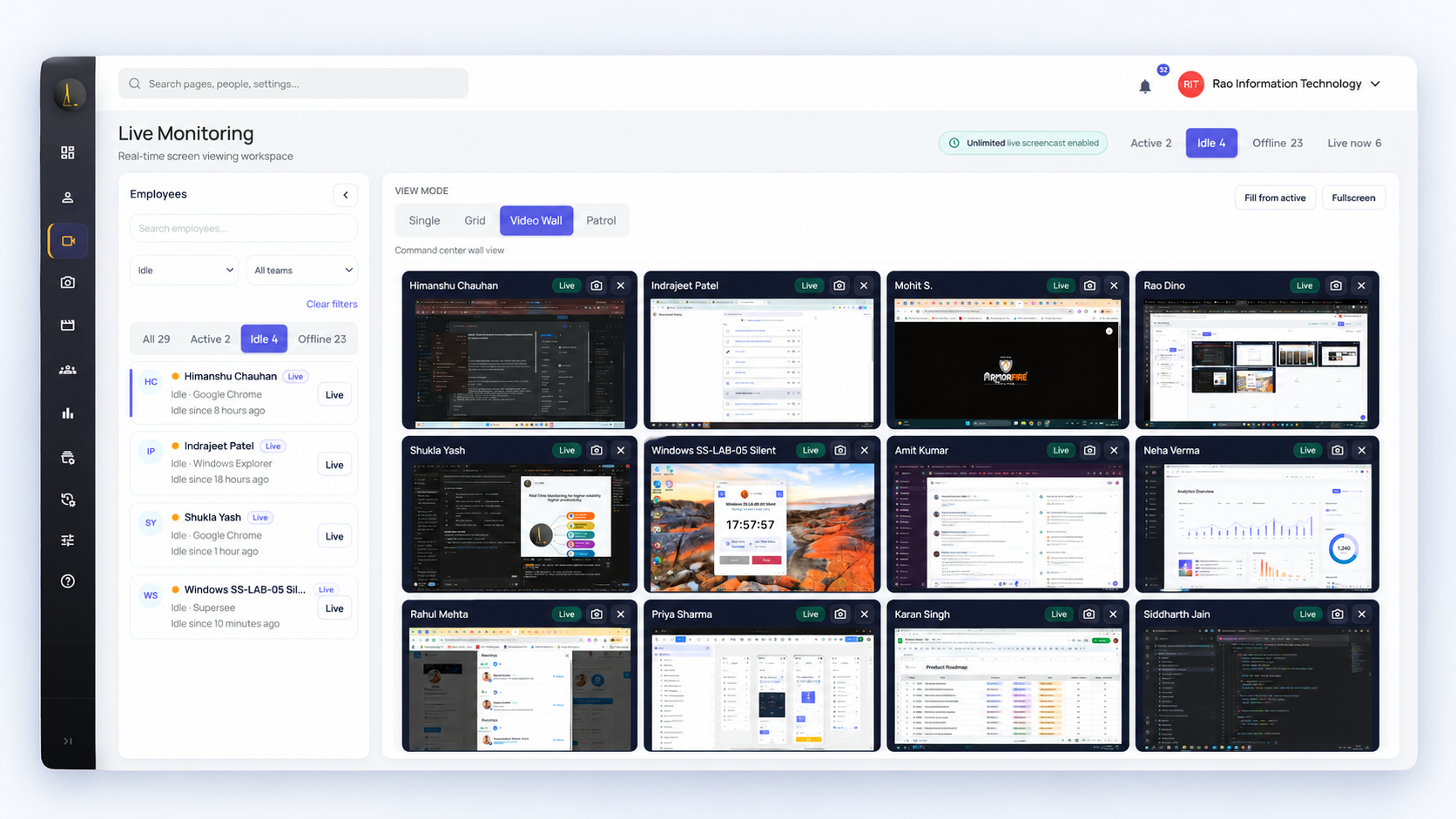
How it works
See everyone’s status. Open the screen you need.
-
Spot
Who’s active, idle, or offline, and which app they’re in.
-
Open
Click Live to see their screen as it happens.
-
Act
Help, unblock, or coach while it matters. Need earlier context? Work Replay.
Four views
One screen or up to twelve. Switch in one click.
Four views in the Live Wall workspace, on Professional and Business.
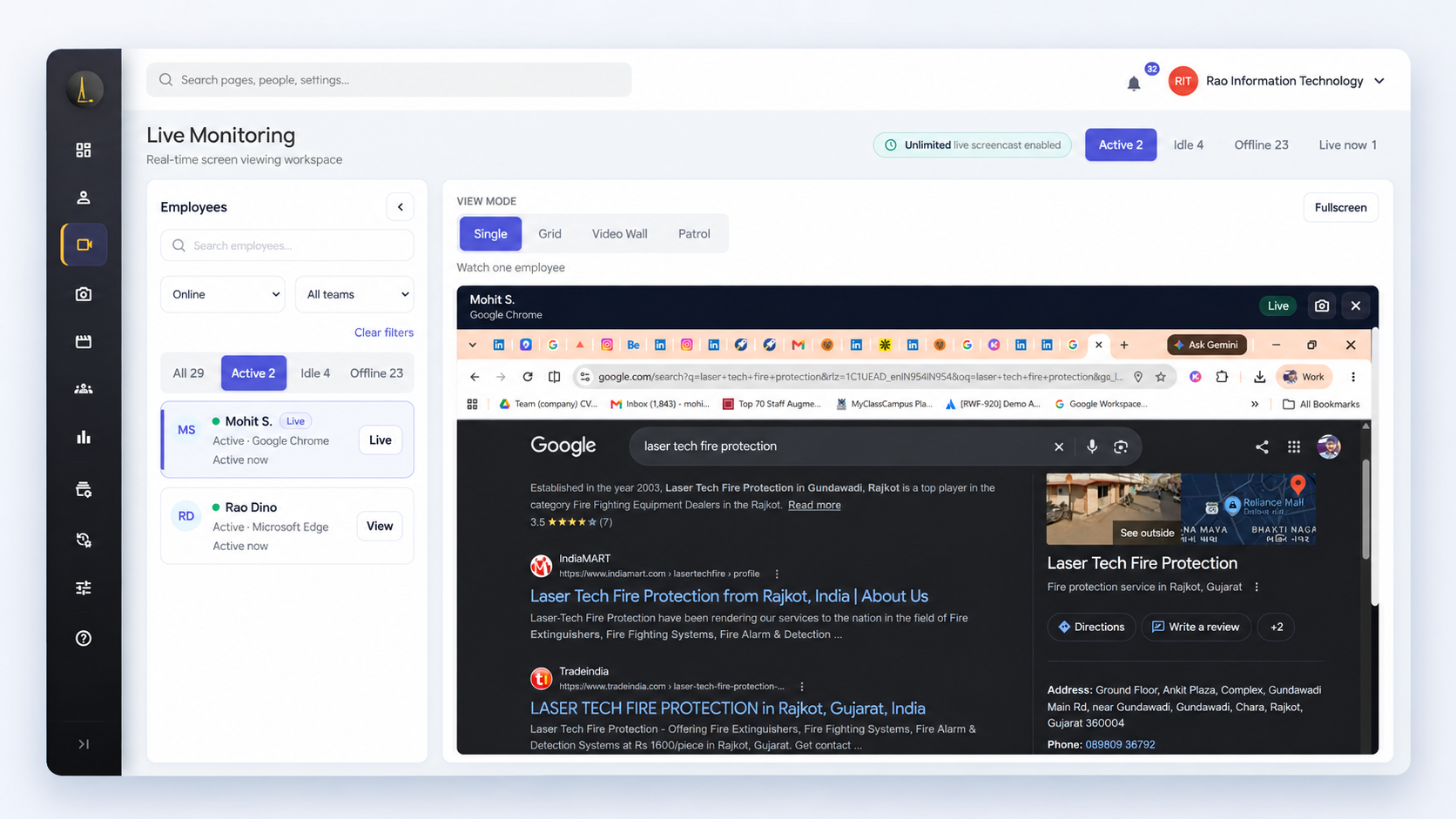
Single · 1 screen
One screen, full size. Readable down to a line of code.
- Help someone through a problem
- Fullscreen for every detail
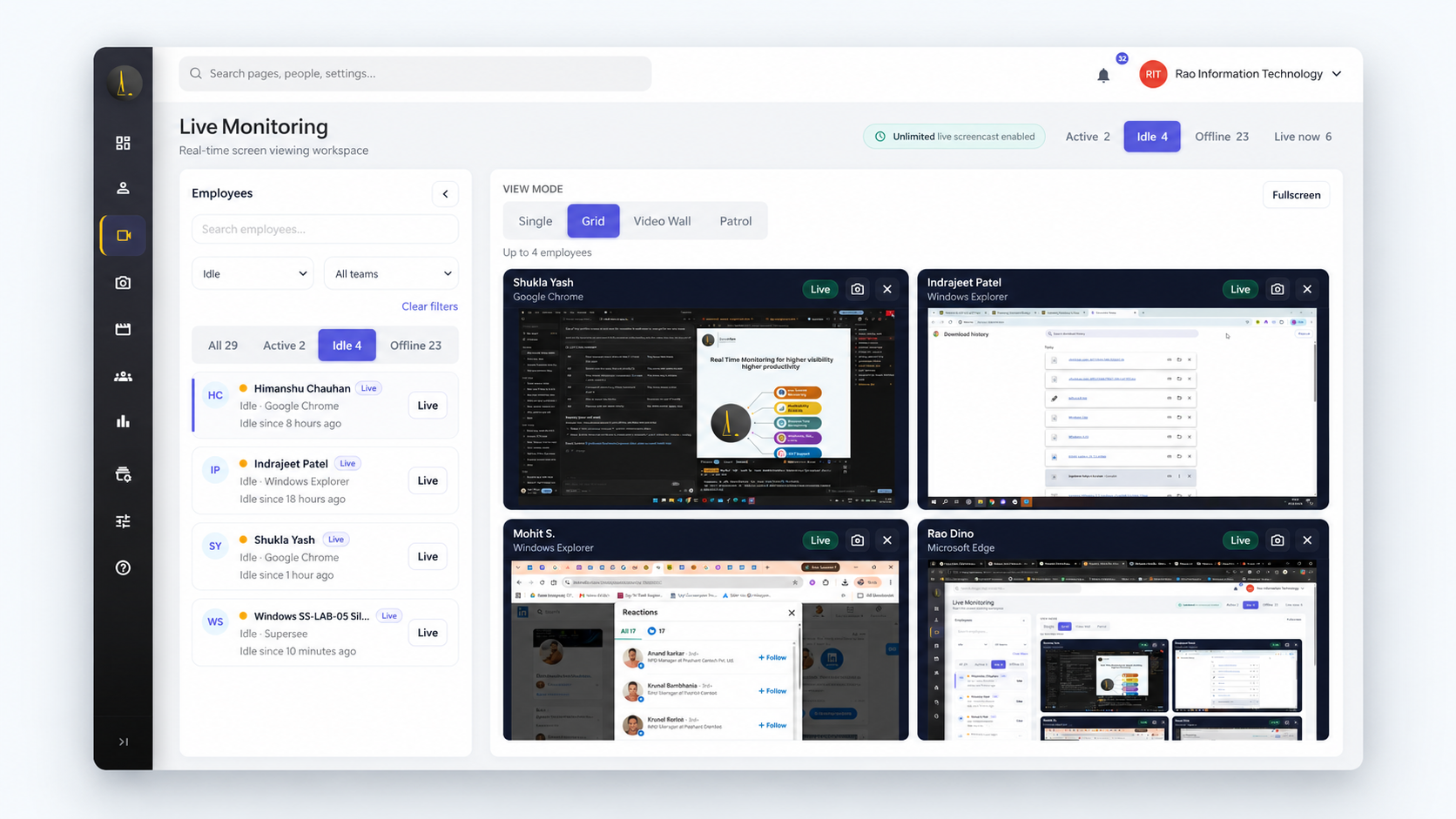
Grid · 4 screens
Four screens side by side, still readable.
- Keep a small pod in view
- Open any tile full size
Live Wall · 12 screens
Up to 12 workstations in one view. Spot the desk that needs you.
- Fill from active in one click
- Filter by team or status
Patrol · automatic rounds
Rotates through active employees, one screen at a time. You set the interval, such as 30 seconds.
- Walk the floor from your desk
- Only active employees in the rotation
Sped up for this preview.
Plans
Live Screencast or Live Wall: what’s the difference?
| Compare | Live ScreencastOne screen, on demand | Live Wall workspaceFour views for team oversight |
|---|---|---|
| Best for | One person, one issue | Team leads and support floors |
| Screens at once | 1 | 1, 4, or 12, or Patrol |
| Plans | All plans: Basic, Professional, Business | Professional and Business only |
| Live minutes | 1 per minute | 1 per screen, per minute |
Daily live minutes, shared company-wide
Counted per screen: 10 minutes on a 12-screen Wall uses 120.
Running Live Wall all shift? Add unlimited minutes · Pricing
- 45min · Basic
- 90min · Professional + trial
- 180min · Business
Use cases
When seeing the screen beats another message.
Help the stuck agent mid-shift.
Spot them on Live Wall and coach them through it.
Live Wall for BPO floors → IT servicesSee the error, not a description of it.
Open the blocked developer’s screen instead of trading screenshots.
Visibility for IT services → Digital agenciesCheck the work before the client does.
Steer the design while changes are still easy.
Visibility for agencies →Customer reviews
Customers on SuperSee’s real-time visibility.
“The most helpful feature is the ability to monitor all systems in one place.”
“The real-time monitoring features provide excellent visibility into team performance.”
Accountability
Keep live access accountable.
-
Rolled out openly
Employees install from an email invite.
-
Audit log for every view
Admins see which manager viewed whose screen, from when to when, and for how long. On every plan.
-
View-only
No remote control. No keystroke logging.
-
Personal stays personal
On personal computers, it runs only in a work account.
Free trial
See your first live screen today.
14 days of Professional, with Live Wall and Patrol. Up to 5 employees, 90 live minutes a day.
-
Create your account
No credit card.
-
Install on your own computer
Then invite up to 5 employees. Windows, macOS, Linux.
-
Open a live screen
Then try Grid, Live Wall, and Patrol.
Live monitoring questions, answered
Seeing an employee’s computer screen as it happens. SuperSee works in real time: you see who’s active, idle, or offline and which app they’re in, then open their screen with one click.
Live Screencast opens one screen and is on every plan. Live Wall is a workspace with four views (Single, Grid, Live Wall, Patrol) on Professional and Business.
One in Live Screencast. In the Live Wall workspace: 1 in Single, 4 in Grid, and up to 12 in Live Wall. Patrol shows one active employee at a time and rotates at the interval you set.
Live Screencast: all plans (Basic, Professional, Business). Grid, Live Wall, and Patrol: Professional and Business. Compare plans.
Each plan has a daily pool shared company-wide: 45 minutes on Basic, 90 on Professional, 180 on Business. Minutes count per screen, so 10 minutes on a 12-screen Wall uses 120. Need more? Add unlimited minutes.
Yes, on every plan. The audit log shows admins which manager or team lead viewed whose screen, when the view started and ended, and how long it lasted.
No. Live monitoring is view-only. You guide the person over chat or a call.
No. Live is for the present moment. To look back at earlier activity, use Work Replay.
Yes. Install SuperSee on the work computer (Windows, macOS, or Linux) and view it from anywhere.
Yes. The 14-day Professional trial includes both, for up to 5 employees, with no credit card. Planning a large floor? Book a Live Wall demo.
Know what’s happening right now.
One screen or twelve. Your free trial includes both.
14-day Professional trial · Up to 5 employees · No credit card · Pricing