
The client closes the laptop. The room goes quiet. Then the question lands.
“Third deadline. Mujhe bas ek naam chahiye. Responsible kaun hai?”
You have probably faced a moment like this. Maybe the words were different, but the pressure was the same.
The client wants an answer. Someone points to a delayed task. And suddenly, you are expected to explain what happened, even though you do not have the full context.
You have status updates. You have a project plan. You may have timesheets and other workday information.
But can you confidently explain where the work got stuck?
The challenge is not always a lack of data. Sometimes, it is knowing where to look and what to investigate first.
When delivery slips, incomplete context creates two common blind spots.
The Two Blind Spots When Deadlines Slip
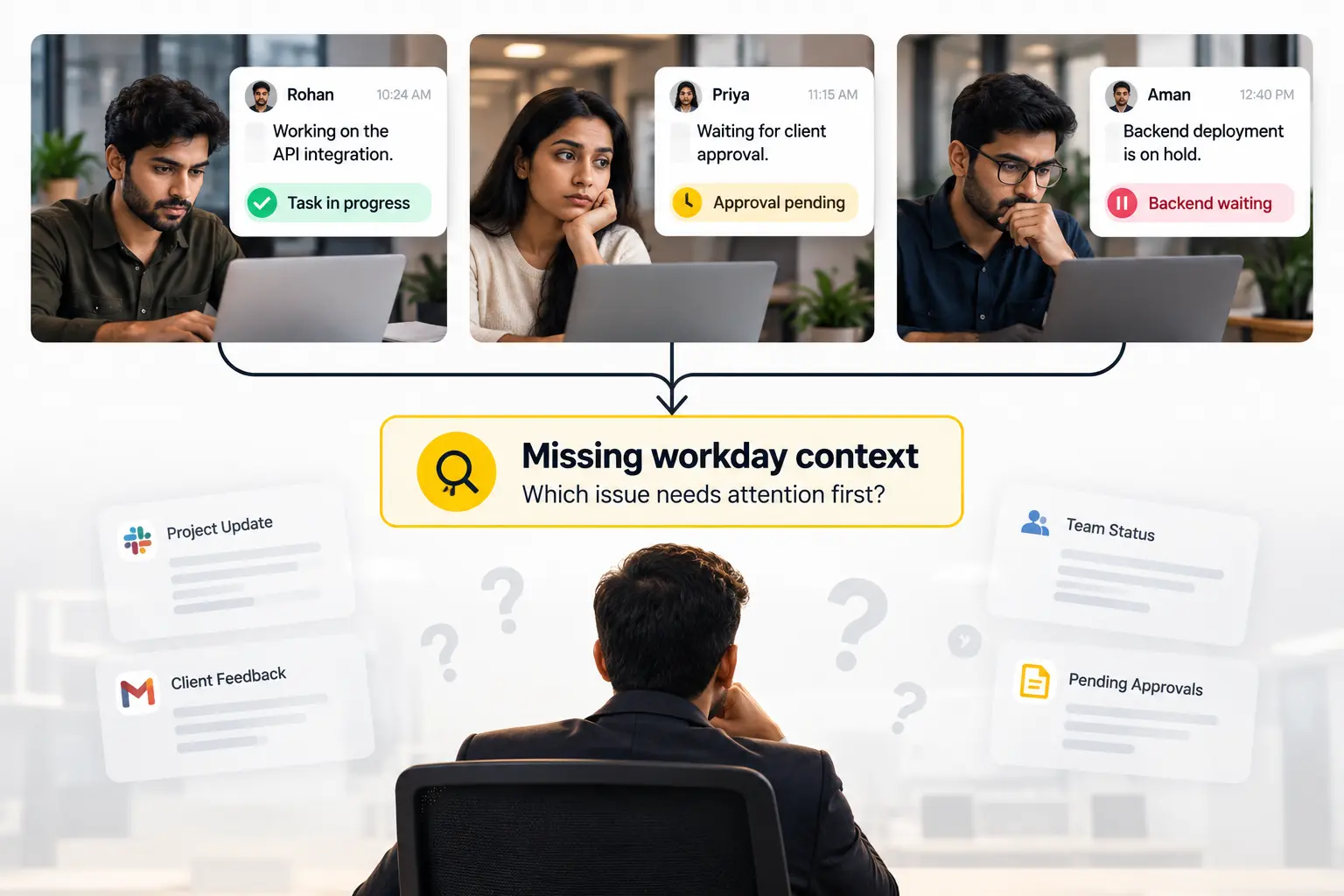
Blind Spot 1: Updates Tell You What People Report, Not Always What Caused the Delay
Imagine asking three developers for an update.
“Task pe hoon, sir.”
“Approval pending hai.”
“Backend response ka wait hai.”
These answers may all be accurate. Yet you still need to understand how they connect to the delayed deliverable.
Is the approval the main blocker? Is a dependency preventing the next task from moving? Has the developer been pulled into another urgent request? Is the scope changing?
A status update gives you a useful starting point. It does not necessarily explain the complete sequence of events behind a delay.
That is why asking for another update does not always produce a clearer answer.
The next step is to identify the uncertainty that matters most.
Blind Spot 2: Pressure Can Turn Uncertainty Into Blame
When a client is waiting, a founder needs to respond quickly. That pressure is real.
But when the cause of a delay is unclear, it is easy to focus on the most visible task, person or metric and assume it explains the problem.
The developer whose task remains open might be blocked by an approval. A team member who appears less active during a particular period might be working through a complex problem, attending meetings or handling work that is not reflected in the available activity data.
None of these possibilities should be assumed without checking.
Blaming the wrong person does not resolve the client’s issue. It can also damage trust and make future conversations less honest.
The better question is not “Who is responsible?” before the facts are clear. It is “What do we know, what is still unclear, and what should we investigate first?”
Why More Dashboards Do Not Automatically Mean More Clarity
IT services companies often use several tools to manage delivery. Each can answer a different question, but no single category should be assumed to explain every delay.
| Tool or information source | What it can help you understand | What may remain unclear |
|---|---|---|
| Jira, Asana or ClickUp | Assigned tasks, recorded updates and delivery status, depending on configuration | Why work is blocked or what happened outside the task record |
| Timesheets | Hours recorded against work or projects | How the time was spent or what interrupted progress |
| Attendance software | Recorded attendance and presence information | Whether work is progressing or what is blocking a deliverable |
| Workforce visibility tools | Available workday activity context, depending on the product and settings | The full reason behind an activity pattern or delivery outcome |
| Conversations with the team | Dependencies, changing priorities, technical challenges and other context | Information that has not yet been surfaced or discussed |
The problem is not that these tools are useless. Each provides a different kind of information.
The difficulty comes when you try to answer a delivery question using only one piece of evidence.
A task can be delayed even when someone is working hard. Recorded hours do not automatically demonstrate productivity. An activity pattern does not explain intent.
Instead of collecting more numbers without a clear question, begin with the delivery problem you need to understand.
The Shift in Mindset: From Constant Checking to Focused Attention
When a deadline slips, the instinct is often to ask everyone for another update, open several dashboards and check the same task repeatedly.
That approach can consume time without revealing the actual blocker.
A better approach is to start with the specific uncertainty.
- Which deliverable has slipped?
- What was expected to happen?
- What information do we already have?
- What remains unclear?
- Which person, dependency or workstream can help answer that question?
This is where workforce visibility can be useful.
The goal is not to watch everyone more closely. It is to understand how work is progressing, identify where attention may be needed and have a more informed conversation.
Better visibility should reduce unnecessary checking, not create more of it.
Daily Insights Summary: Workday Visibility Where You Need It
Founders and delivery leaders already have client messages, project updates and deadlines to manage. The challenge is not simply getting more information. It is knowing what deserves attention without constantly checking on everyone.
This is where the idea of a Daily Insights Summary fits into the way a leader manages the workday.
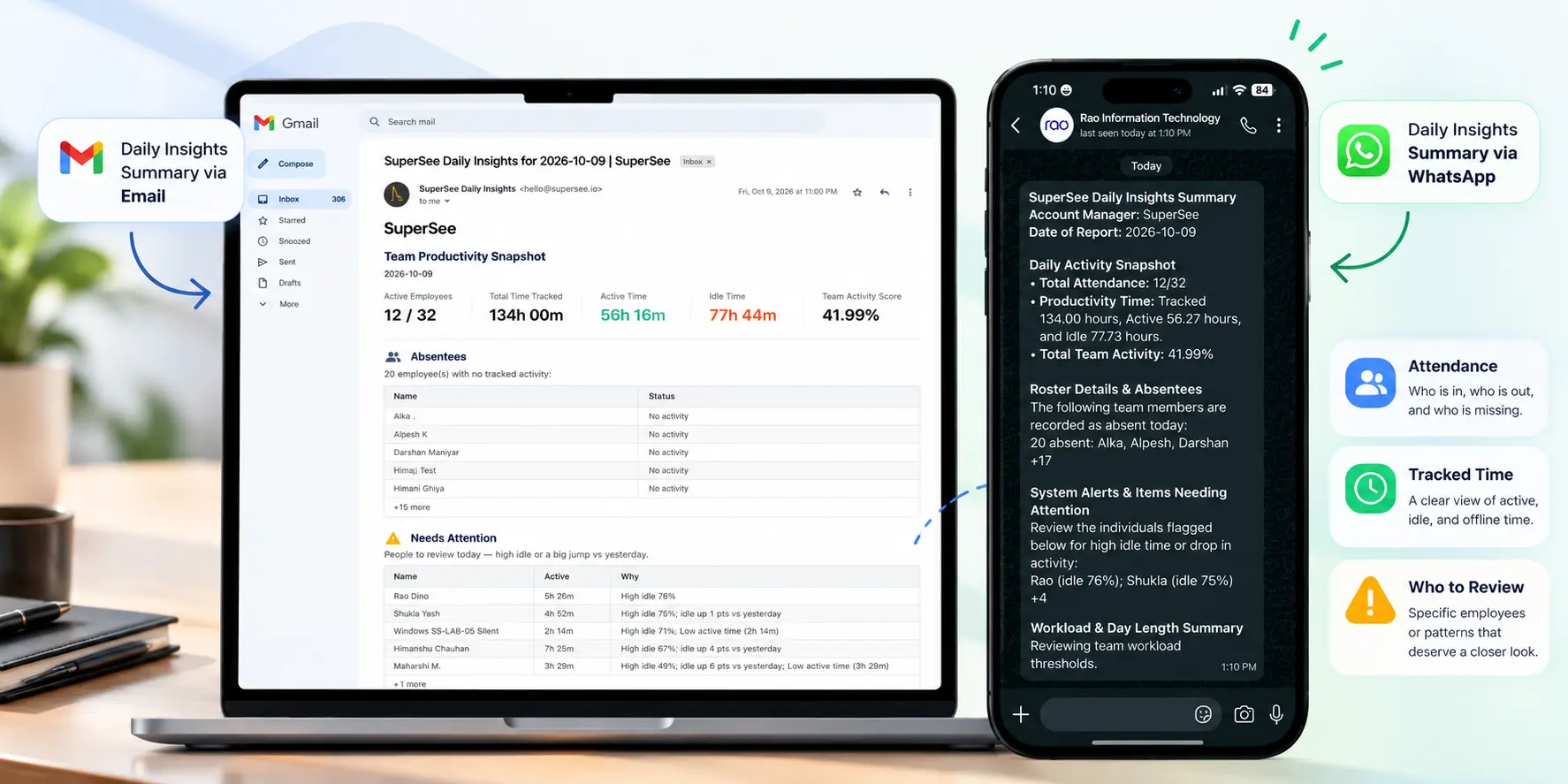
Instead of treating every update, metric or dashboard as a separate decision, a daily summary is intended to bring relevant workday information together in a concise overview. It can help a manager understand what information is available, identify questions worth investigating and decide whether a closer look is needed.
For leaders who rely on WhatsApp and email in their daily workflow, these familiar channels offer a natural way to think about how a summary could fit into the working day.
The value is not in delivering more notifications. It is in making relevant information easier to review and helping the manager decide what to do next.
What Should a Daily Insights Summary Help You Understand?
There is no universal metric that explains every project delay. The useful evidence depends on the situation.
A practical review can begin with three areas.
1. Attendance and availability context
Attendance information can help a manager understand recorded presence, absences and availability, depending on the information the product provides.
It is a useful context for planning and coordination, but it does not establish whether someone is productive or why a task is delayed.
2. Tracked time and workday activity
Available time and activity information can help a manager review aspects of the recorded workday.
These signals need context. A period classified as idle does not necessarily mean that someone was avoiding work. Recorded activity does not automatically measure focused work, engineering quality or completed output.
3. Where further attention may be useful
The most valuable question is what the information helps you investigate.
Does a delivery concern require a closer look? Is there a question about the workday that needs context? Is a conversation needed to understand a dependency or competing priority?
A summary can help organise the review, but it should not be treated as proof of fault, intent or performance.
Why WhatsApp and Email Matter to the Intended Experience
A founder’s working day already involves client communication, internal discussions and delivery decisions. Requiring another routine check can add to that workload rather than reduce it.
The intended value of a Daily Insights Summary delivered through familiar communication channels is straightforward: make relevant workday information easier to review, so a manager can decide whether further investigation is necessary.
The channel is only part of the value. The summary must also be useful, appropriately interpreted and connected to a sensible next action.
The goal is not to monitor more. It is to know where attention may be needed, without constantly checking on people.
What Should You Look at When Investigating a Delivery Delay?
There is no universal metric that explains every project delay. The useful evidence depends on the situation.
A practical review can begin with three areas.
1. Attendance and Availability Context
Attendance information can help you understand who was recorded as present, absent or on leave, depending on the system.
This can support availability planning and coordination.
But attendance is not a measure of output. Being present does not prove that work is progressing, and an absence does not explain why a deliverable slipped.
Use attendance information to understand the operating context, not to make assumptions about performance.
2. Recorded Time and Workday Activity Context
Time records and available workday activity information may help you understand how a day unfolded.
For example, a timesheet might show that eight hours were recorded against a project. Other available context may raise questions about interruptions, changes in activity or how work was distributed throughout the day.
Those signals need interpretation.
A period classified as idle does not necessarily mean that someone was avoiding work. An activity metric is not the same as focused work, engineering quality or completed output.
Use the information to form a question, then check it against the project context and the employee’s explanation.
3. The Specific Area That Needs Investigation
The most useful next step is often the one that narrows the problem.
Perhaps a task has remained open longer than expected. Perhaps the team is handling competing priorities. Perhaps a dependency has not been resolved.
Start with the evidence that is available. Identify the gap. Review additional context where appropriate, then speak with the person who can help clarify what happened.
Do not assume that a tool can automatically identify the cause of a delay unless that capability has been specifically verified.
Introducing SuperSee: Workday Visibility for Better-Informed Decisions
SuperSee is positioned around a practical management need: understanding how work is progressing without constantly checking on people.
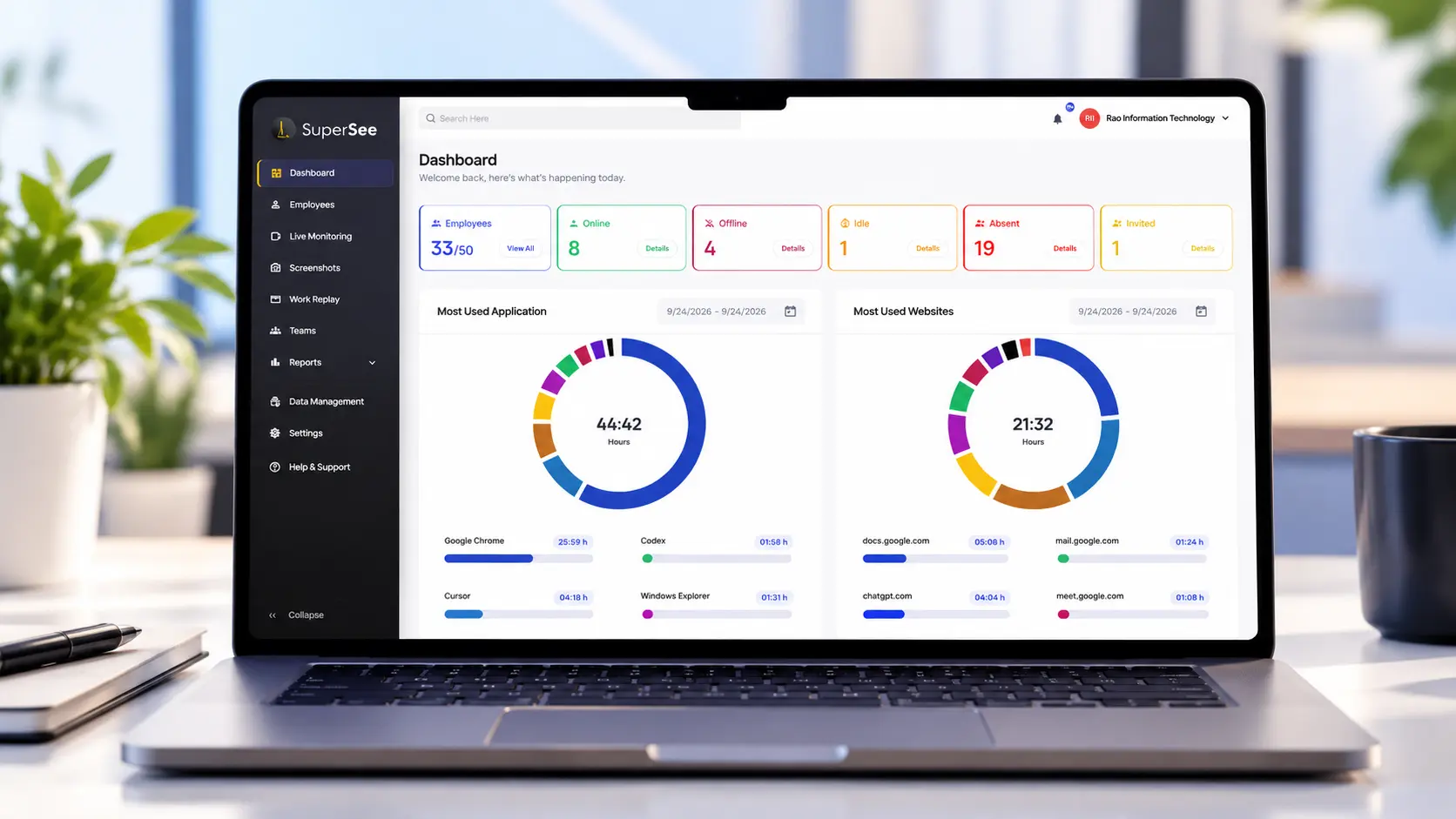
For a founder managing a growing IT services company, the challenge is not simply knowing that a task is delayed. It is understanding where attention may be needed without interrupting the entire team for repeated updates.
Workday visibility can help a manager review relevant information and decide where a closer look may be useful.
The important distinction is what that information means.
A workday signal can prompt a question. It cannot, by itself, establish why someone was less active during a period, whether they were productive, who caused a delay or whether an employee performed well.
Consider this situation.
A developer’s task remains in progress, and the available information raises a question about the workday.
A manager could immediately assume the developer is responsible for the delay.
Or the manager could review the relevant context, check the task’s dependencies and ask a focused question.
“Was this task blocked by an approval, a technical issue or another priority? Let’s understand what happened and what needs to move next.”
The second approach does not remove accountability. It makes accountability more informed.
SuperSee should be used as a guide to where attention may be needed, not as a substitute for conversations, project management or managerial judgment.
The Four-Step Review That Replaces Status-Chasing
The next time a client escalates a delayed deliverable, use this four-step method.
It works even if you do not use workforce visibility software. SuperSee can support the review where its available information is relevant.
Step 1: Define the Concern
Start with a specific delivery question.
Instead of writing, “The team is not working fast enough,” define the actual problem:
“The demo has slipped, and I do not yet know whether the cause is a technical issue, a missing approval or a dependency.”
A precise question helps prevent general anxiety from turning into a general accusation.
It also gives you a clearer basis for deciding what to review.
Step 2: Review the Available Evidence
Check the project plan, task history, deadlines, dependencies and relevant workday information available to you.
If you use SuperSee, review the relevant available workday context as one input to the investigation.
Look for information that helps answer the question you defined in Step 1.
Do not interpret an isolated metric or screenshot as proof of poor performance. If the evidence does not point to a meaningful next step, do not manufacture one.
Step 3: Check the Context
If a question remains, investigate it.
A task may be waiting for approval. A developer may have been pulled into a production issue. A dependency may have changed. Or the team may genuinely need a different plan.
The point is to distinguish what the evidence shows from what you still need to establish.
A useful question to ask yourself is:
“What other explanation could fit the information I have?”
That simple check can prevent a premature conclusion.
Step 4: Have a Focused Conversation and Decide the Next Action
Speak to the relevant person with a clear question.
For example:
“I noticed the demo task is still in progress. Can you walk me through what is blocking it and what you need to move forward?”
Listen to the answer. Compare it with the available project context. Agree on the next action, the owner and when you will review progress again.
If the blocker is an approval, resolve the approval. If it is a dependency, clarify ownership. If priorities are competing, decide what should take precedence.
The objective is not to prove that someone was wrong. It is to understand the situation and move the work forward.
Trust and Limitations: What SuperSee Is Not
Workforce visibility can be useful, but its value depends on how people interpret and use the information.
SuperSee should not be treated as:
- An automatic employee-ranking system. Activity metrics should not be used as a standalone measure of an engineer’s value or performance.
- A hidden-surveillance approach. Introduce the product openly and communicate the monitoring practices and settings that actually apply.
- A replacement for management judgment. Software can provide information, but managers remain responsible for understanding the context and making fair decisions.
- Proof of intent or fault. A screenshot, idle-time measurement or activity pattern cannot, by itself, establish why a person acted as they did.
- A substitute for project management. Task ownership, dependencies, scope, delivery commitments and conversations with the team still matter.
The difference between informed management and blame-driven monitoring is the way evidence is used.
Use patterns and context to decide what to discuss. Give employees a fair opportunity to explain. Make decisions based on the whole situation, not a single metric.
Where SuperSee Fits in Your Management Approach
A reliable delivery process uses the right information for the right question.
- Use project management tools to understand tasks, ownership and delivery status.
- Use timesheets for recorded hours and the purposes they are designed to serve.
- Use attendance records to understand recorded attendance and availability.
- Use relevant workforce visibility information to help investigate how work is progressing.
- Use conversations and managerial judgment to understand context and decide what to do next.
These sources can complement one another, but do not assume they are automatically integrated or that one tool can explain everything.
If your team is providing updates but you still cannot explain why a deliverable slipped, start by defining the uncertainty. Then review the relevant evidence, investigate the context and agree on the next action.
You do not need to ask everyone for another update just because one task is unclear.
You need to know where to look first.
Explore SuperSee’s currently available capabilities to see whether workforce visibility fits your team’s needs.
If you are not ready to evaluate a tool, use the four-step review on your next delayed deliverable. The method is useful on its own.
The next time a client asks for a name, you can start with a better question before making an accusation.
Frequently Asked Questions
Do daily summaries replace team status updates?
No. Status updates communicate what people report about their work. Other workday information may provide additional context, but neither source necessarily explains a delivery problem on its own.
Use both where appropriate, and investigate the gap between the reported status and the outcome.
What is the purpose of a Daily Insights Summary?
Its intended purpose is to make relevant workday information easier to review, helping managers decide where further attention may be useful. It should support investigation and better-informed conversations, not automatically determine productivity or fault.
The exact fields and delivery channels depend on the verified product capabilities.
Can I receive a Daily Insights Summary through WhatsApp and email?
WhatsApp and email are relevant to the intended summary experience described in this article. Confirm current availability, supported channels and delivery conditions before relying on this as a live SuperSee feature.
How is workforce visibility different from project management software?
Project management software is commonly used to organise tasks, ownership, dependencies and delivery status. Workforce visibility focuses on relevant information about how work is progressing during the workday.
The precise capabilities depend on the products and configurations involved. Neither category should be assumed to explain every delivery delay.
Do I need to check the dashboard every day?
Not necessarily. Start with the question you need to answer and the information available to you. Review additional detail when it is relevant to the issue.
The goal is to reduce unnecessary checking while ensuring important delivery risks receive appropriate attention.
Is workforce visibility the same as employee monitoring?
The terminology and practices vary. Workforce visibility involves using information about work to understand progress and identify areas that may need attention. How that information is collected, communicated and used matters.
Use monitoring transparently and responsibly. Do not treat activity data as a standalone verdict on someone’s performance, intent or contribution.
Can workforce visibility help office-based teams as well as remote teams?
Potentially, yes. Office presence does not automatically explain whether work is progressing or why a task is blocked. Teams in offices and remote settings can both face interruptions, changing priorities and dependencies.
The value depends on the information available, the team’s work and how managers use the evidence.
Can an activity metric tell me whether a developer is productive?
Not on its own. Activity metrics provide limited information about particular aspects of the workday. They do not automatically measure engineering quality, problem-solving, business impact or completed deliverables.
Interpret activity in context and discuss unexplained patterns before reaching conclusions.
What should I do when a task is delayed but the reason is unclear?
Define the delivery concern, review the relevant project and workday information, investigate any remaining uncertainty and have a focused conversation with the person closest to the work. Agree on the next action and when progress will be reviewed.
The objective is to resolve the blocker,not to assign blame before the facts are clear.