Focus on the right people and dates.
Review a specific employee, team, or date range.

See where time goes across apps and websites. Spot distractions, understand work patterns, and identify what needs attention.
14-day free trial on Professional · Up to 5 employees · No credit card · Installs in under 2 minutes
On your phone? Create your account now and email yourself the computer setup link.
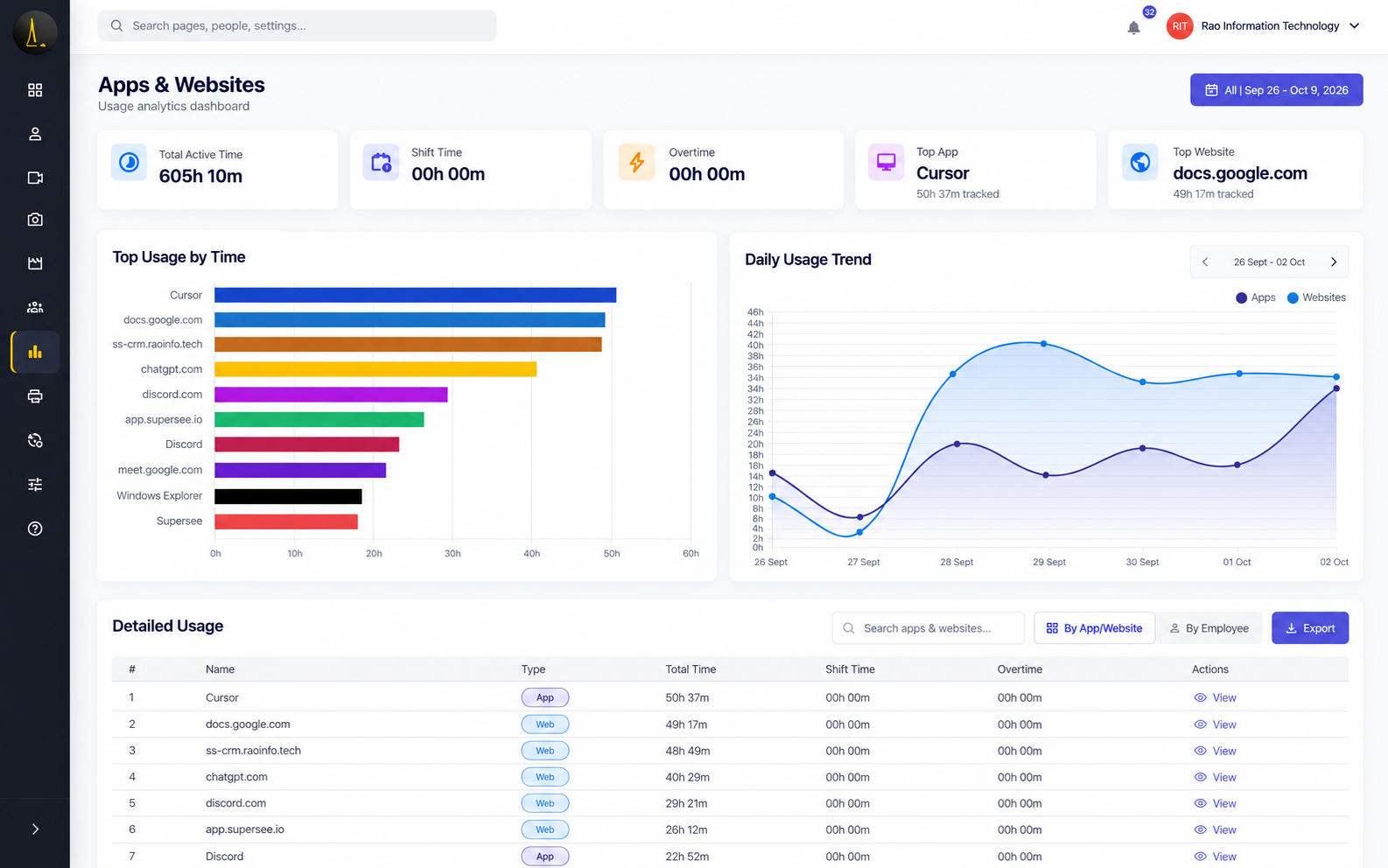
Top tools by time for the selected team and date range
Used by teams at



Open the Apps & Websites report, then move from the team total into the detail that matters.
See which tools account for the most recorded computer time.
Review how that time is distributed across people.
Notice whether a spike was temporary or keeps repeating.
See time spent across development, design, communication, and other applications. Identify the tools that dominate the day and where attention may be getting fragmented.
More time in communication tools than expected? Use the ranking to discuss interruptions and how the team coordinates work.
Ranked by time · Names and durations for the period you select
See which websites account for browser time—from work platforms and research to social media and other browsing. Know what deserves a closer look.
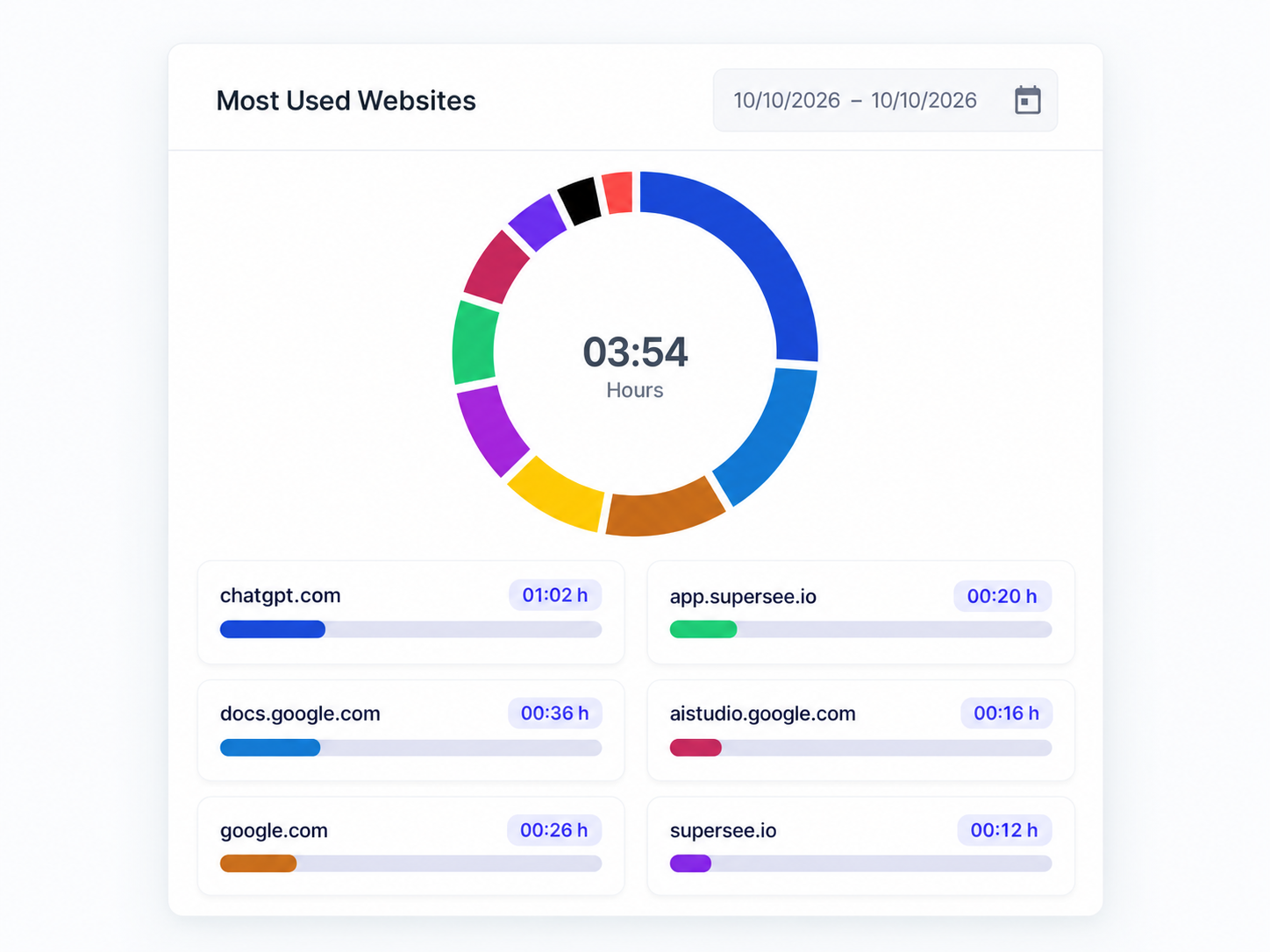
Website ranking · Domains and durations, ready to compare
Use the employee view to see how usage for an app or website is distributed across people. Spot adoption gaps and unexpected usage before your next check-in.
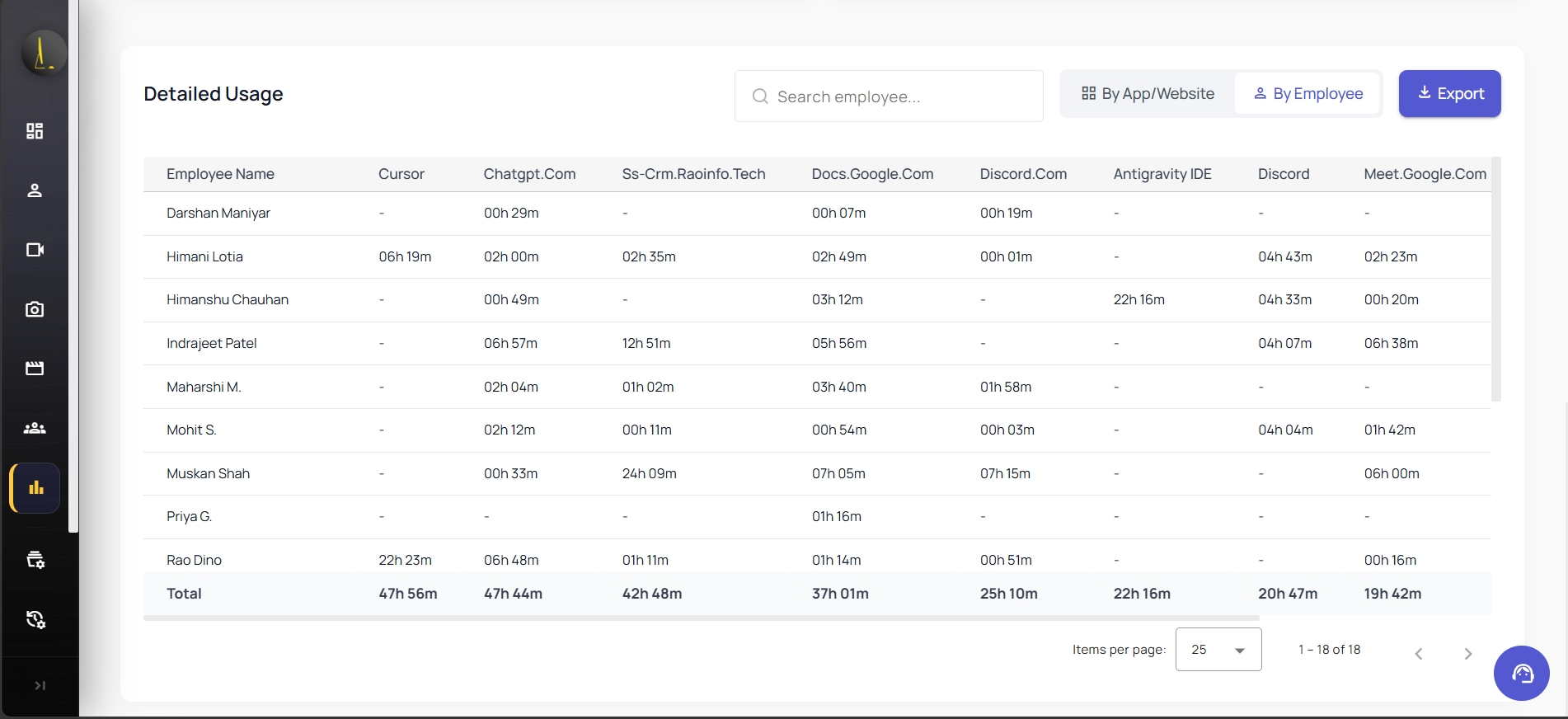
By Employee · Time per person across the tools in view
Review the daily usage trend to see whether a change was temporary or keeps repeating. Bring a specific day into your next conversation.
Daily usage trend · Spot a quiet day versus a repeated peak
Narrow the report, then take the numbers into your own follow-up.
Review a specific employee, team, or date range.
Export the usage details you are viewing. Date range per export request is about 7 days on Basic, 14 on Professional, and 31 on Business.
App names, website domains, and time spent for the people and reporting period you select. You can review the ranking by tool, switch to an employee breakdown, and open the daily trend for that period.
Yes. You can turn screenshots off and still keep apps, websites, timelines, and usage reports. Screenshot options are covered under computer screen monitoring.
Usage totals cover tracked computer time in the period. Active time is when keyboard or mouse activity is detected in apps and websites. Idle time is tracked time with no keyboard or mouse activity—calls, meetings, and thinking often appear here. SuperSee reports both so you can read the hours with context.
No. Website tracking shows domains and time spent—not page contents or messages.
Yes. Choose an employee, team, or date range, then explore the tools that took the most recorded time—or switch the detailed table to the employee view.
All plans include app and website usage reports. Activity history is 90 days on Basic and Professional, and 180 days on Business. Export date range per request is about 7 / 14 / 31 days by plan. View pricing.
Create your account, invite up to five people on the trial, and install the SuperSee desktop agent on each Windows, macOS, or Linux computer people work from. Reports begin once the agent is running. No credit card for the 14-day Professional trial.
“The reporting tools provide clear, actionable insights that help us analyse productivity and project progress quickly.”
“The most helpful feature is the ability to monitor all systems in one place. It gives us better visibility, makes it easier to track everything, and helps ensure nothing is missed.”
You asked, we built it. Reviewers asked for the daily report on WhatsApp and a faster install. Both are live: WhatsApp summaries on every plan, and an agent under 10 MB that installs in under 2 minutes.
Start with up to five employees and see where time goes across apps and websites.
14-day free trial on Professional · Up to 5 employees · No credit card · Installs in under 2 minutes
Install today, and tomorrow morning you get yesterday’s full day: a short summary on WhatsApp, the details by email. Setup help is free: we call you and set it up together over screen share.