Know what normal looks like. Notice when it changes.
Productivity Trends compares working hours, focused stretches, and time in meeting and messaging apps across days and weeks. See who’s repeatedly working late and where the team’s routine has changed.
14-day Professional trial · Up to 5 employees · No credit card
On your phone? Create your account now and email yourself the computer setup link.
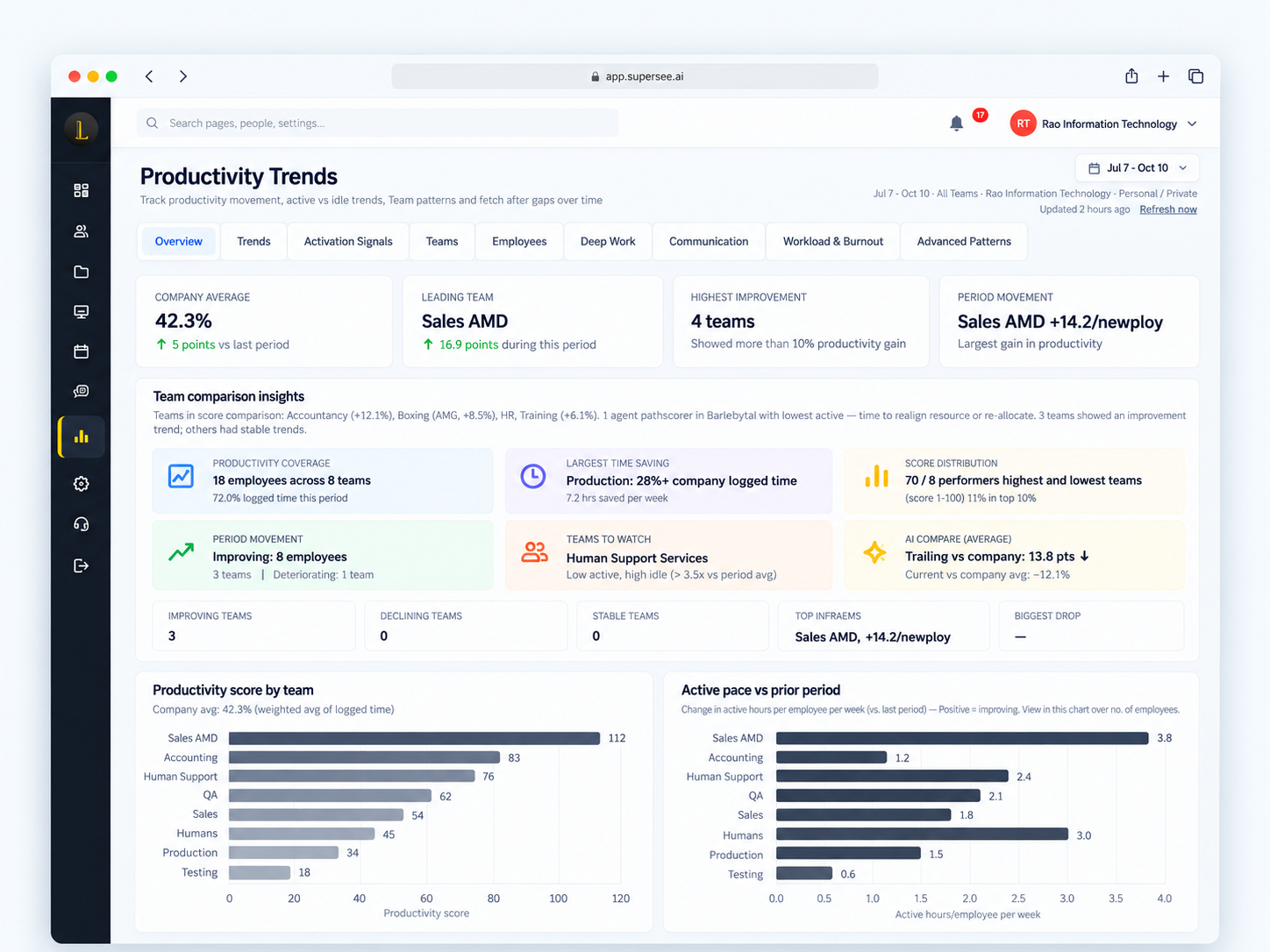
Example: company average and active pace vs the prior period
Spot what repeats—not only what happened today.
One quiet day may need no action. Repeated late finishes deserve a closer look.
-
Compare weeks
See how working hours and activity have changed.
-
Spot recurring issues
Notice repeated late finishes or increasingly fragmented days.
-
Know where to follow up
Review that person’s activity before your next conversation.
Know who needs a closer look.
Attention Needed brings together the biggest activity drops, highest idle time, and other signals that help you decide what to review first.
Review their activity and bring specific questions to your next conversation.
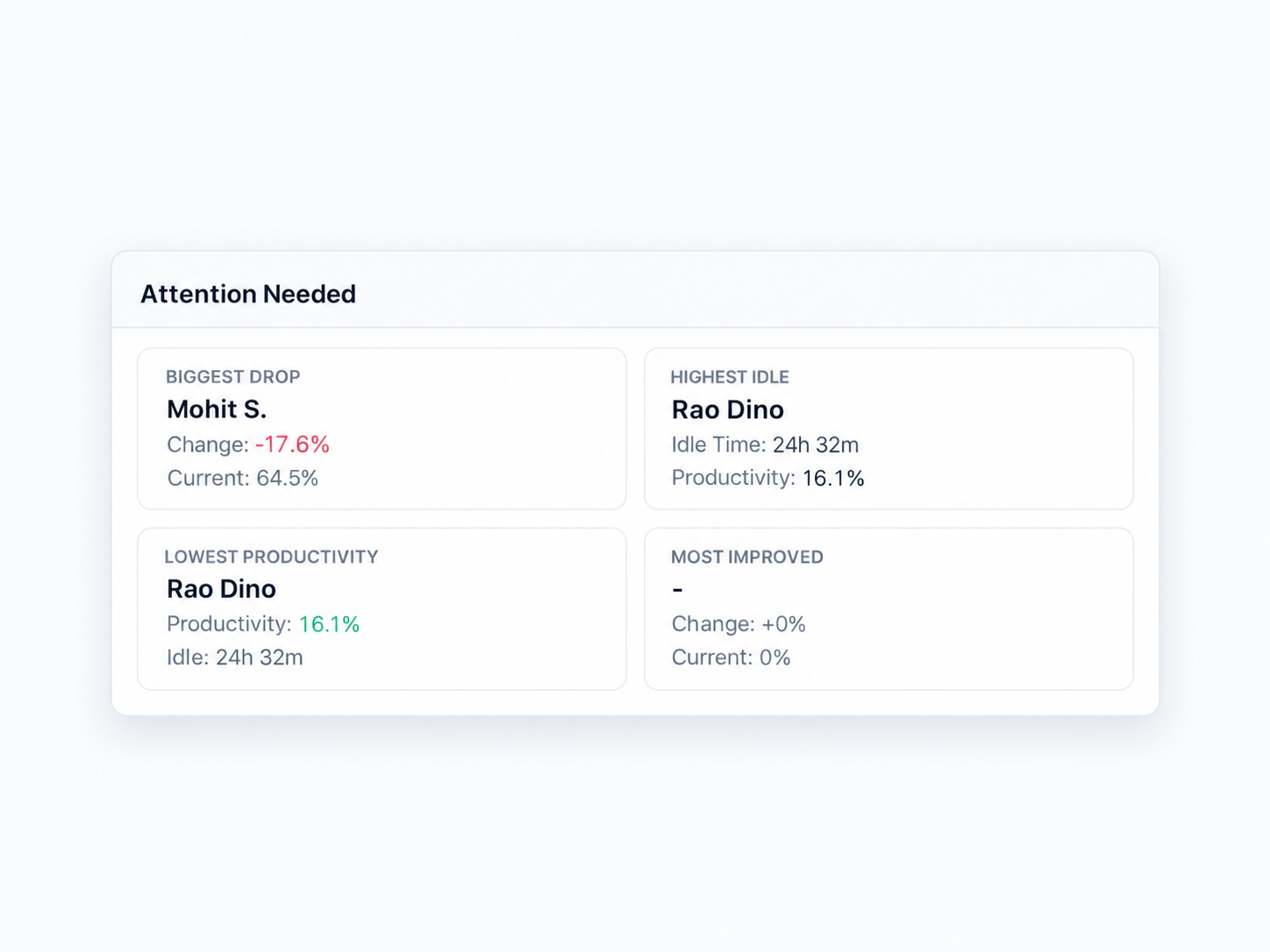
Attention Needed · Biggest drop, highest idle, and related review signals
Are the same people carrying the late hours again?
See who repeatedly works after hours. Review the pattern before assigning the next urgent job to the same people.
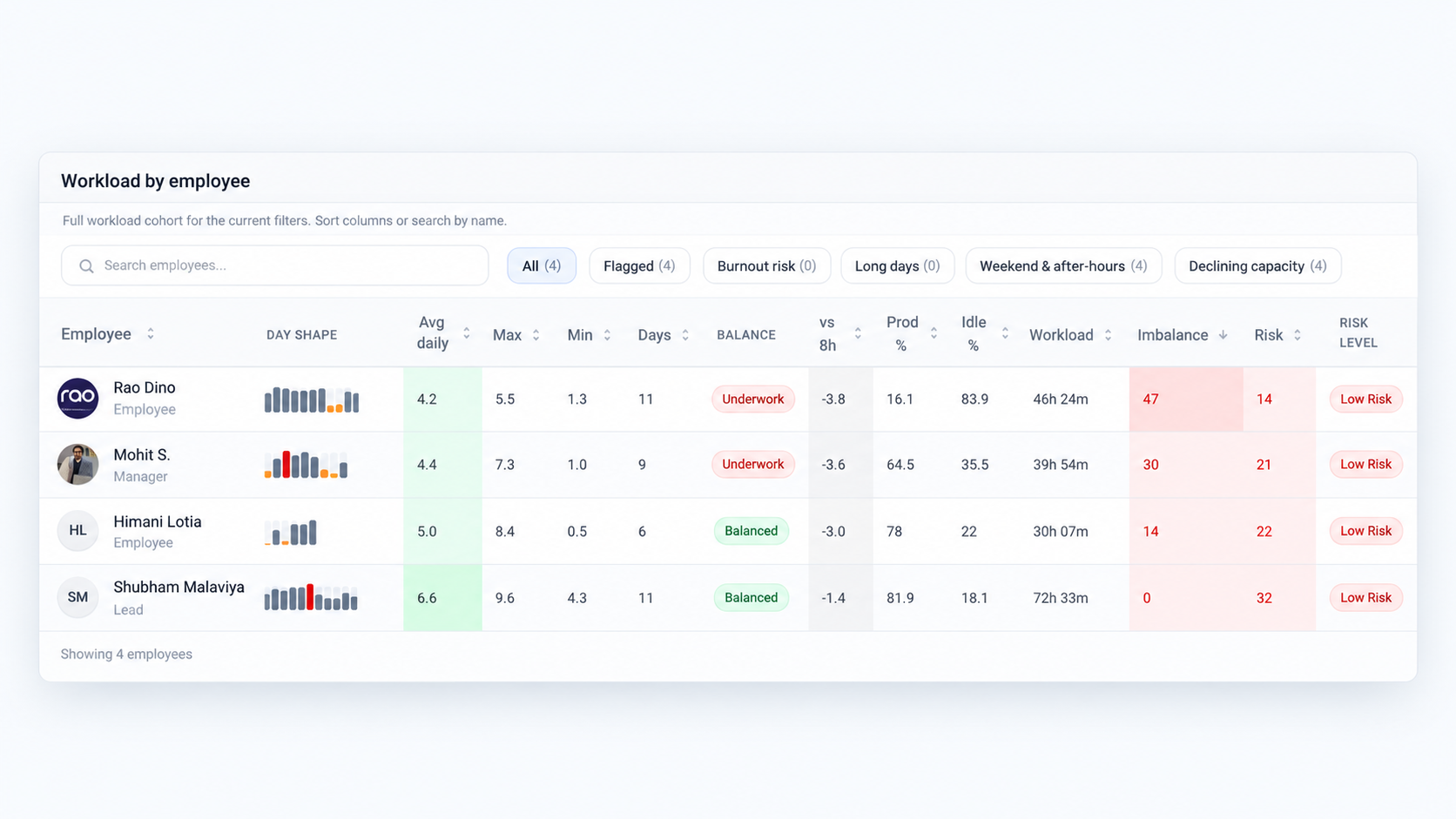
Workload by employee · Day activity and weekend & after-hours filters
Which teams are gaining momentum—and which are slipping?
Compare active and idle hours across teams and periods. See where working patterns have shifted and which team needs a closer review.
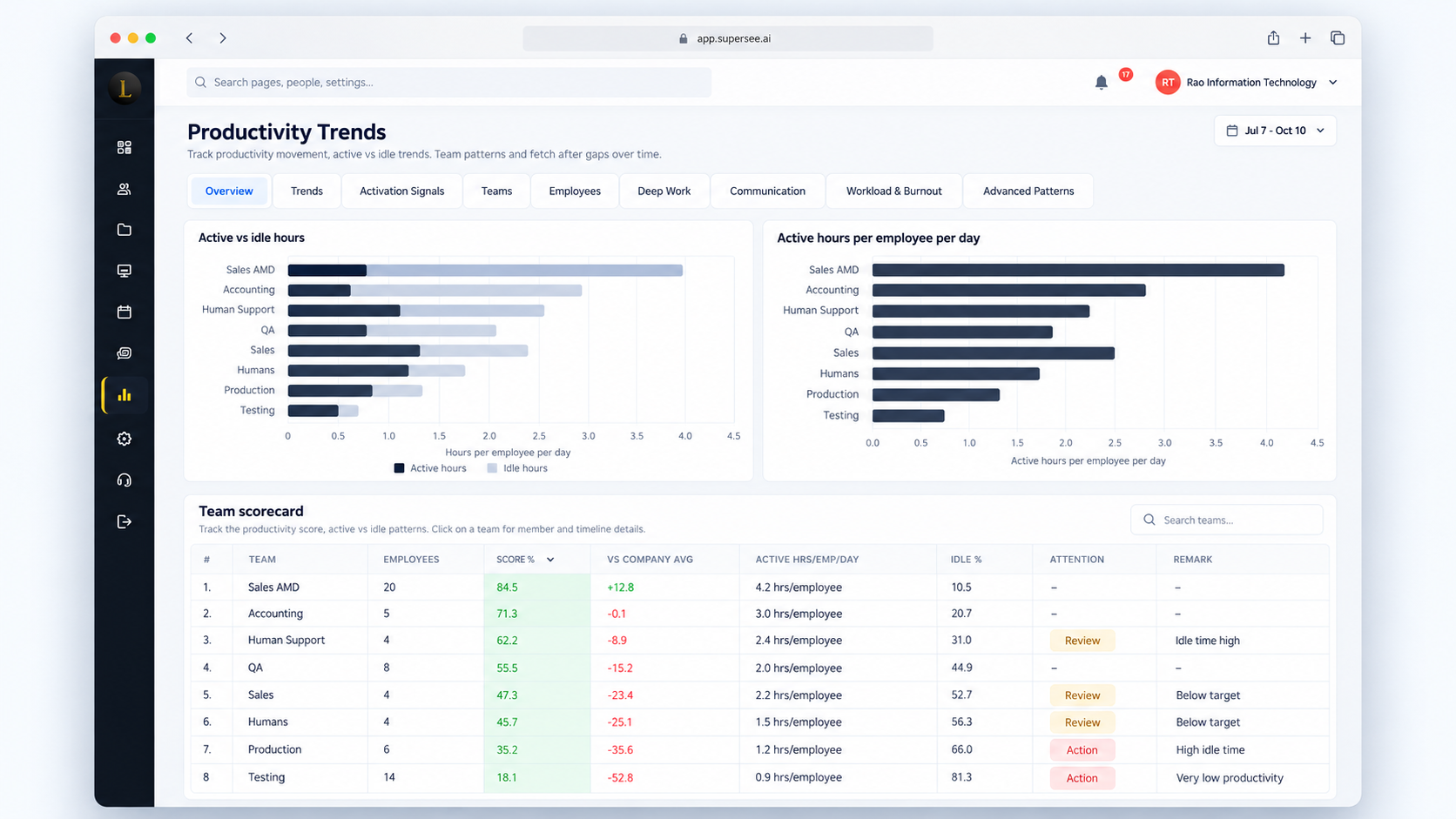
Active vs idle hours by team · Compare periods side by side
Is the team getting enough uninterrupted time?
Compare longer stretches of computer activity with more fragmented days. Use that to decide where to review meetings, interruptions, or frequent switching.
Deep Work highlights sustained sessions using your selected duration, activity, and distraction thresholds.
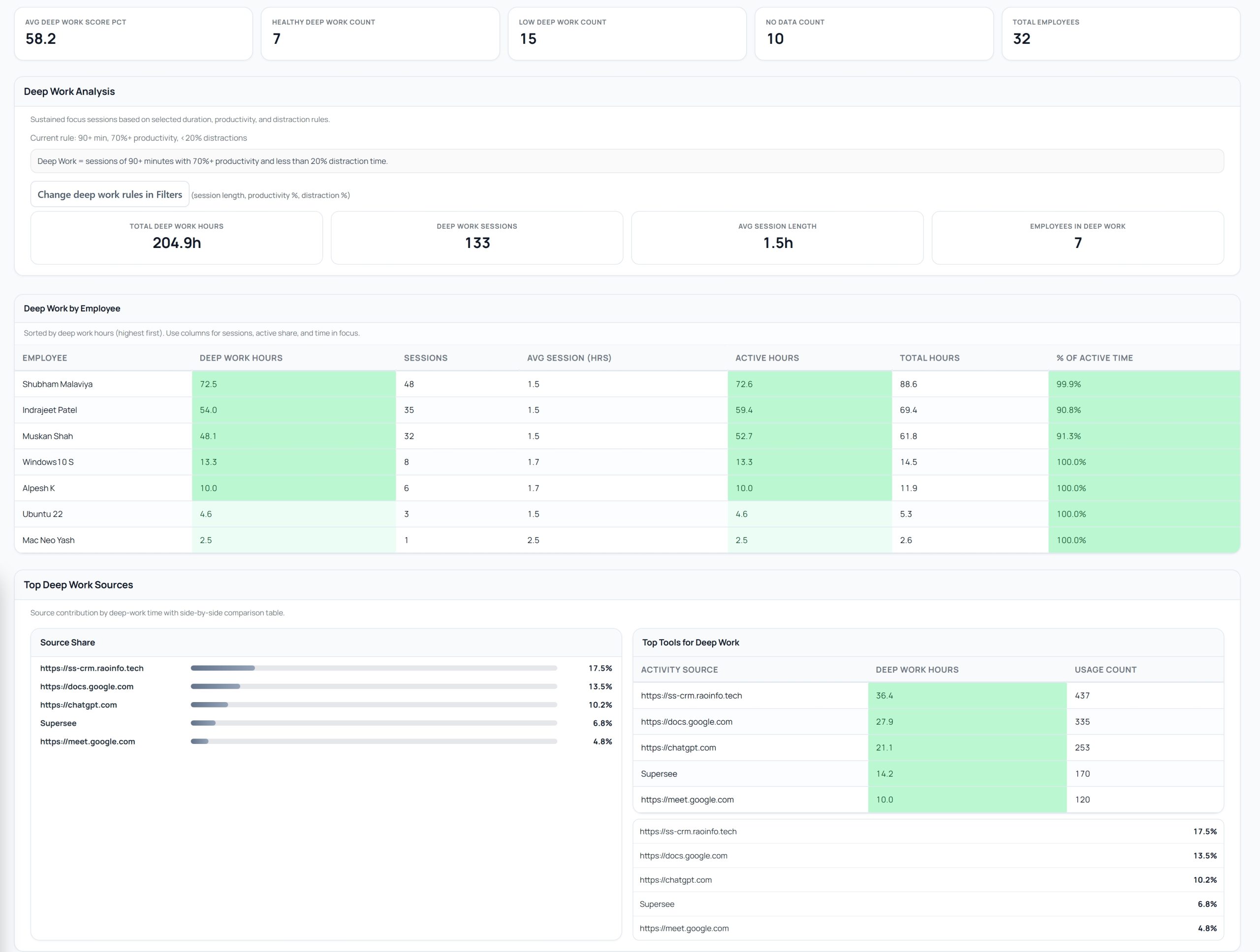
Deep Work · Hours, sessions, and average session length
Is meeting and chat time crowding out the rest of the day?
See how much computer time goes into meeting and messaging apps. Compare periods to decide whether the team needs more room for focused work.
Measured from foreground time in meeting and messaging apps.
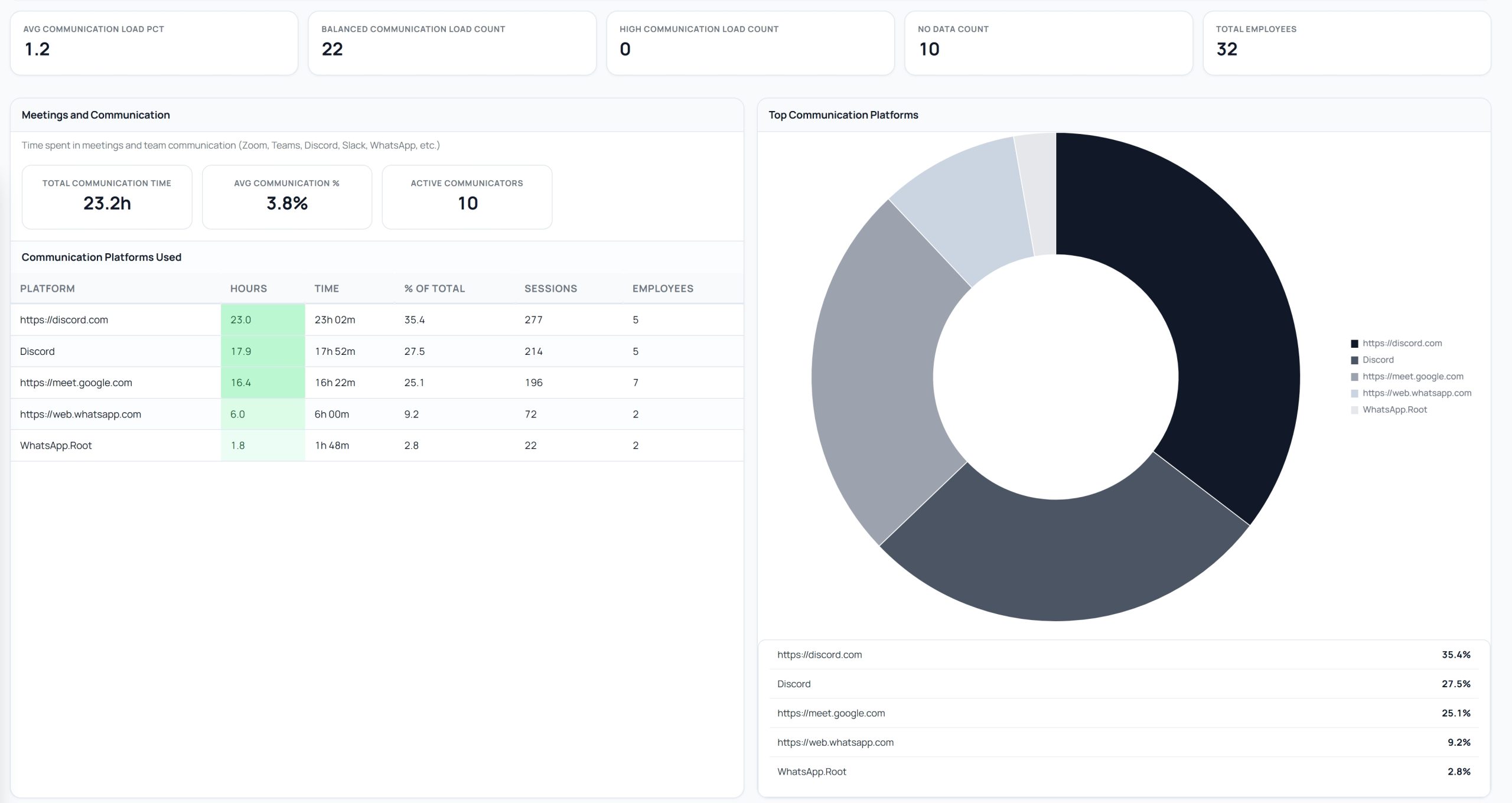
Communication · Total hours and share by meeting or messaging app
Questions before you try it
SuperSee’s view for comparing how a team’s computer work looks over time—working hours, active vs idle, focused stretches, communication-app time, and shortlists such as Attention Needed—so you spot what repeats, not only what happened today.
See daily activity from the first tracked day. As data builds, compare days and weeks to identify recurring patterns.
Yes. Choose the date range you want and compare that person’s hours and activity to earlier periods, or to the team around them.
Deep Work uses configurable thresholds. Defaults are sessions of 90+ minutes with about 70%+ activity and under 20% distraction—you can change duration, activity, and distraction in the product. Communication time is foreground time in meeting and messaging apps such as Meet, Slack, Discord, or WhatsApp Web—not proof someone attended a meeting.
Yes. From a person or stretch, open Work Replay for screenshots, or App & Website Usage for tool-level detail.
Limited preview on Basic. Full Productivity Trends on Professional and Business. The 14-day trial runs on Professional. View pricing.
No. There is no leaderboard and no grade for clicks or hours filled. Computer activity is context alongside someone’s role and the work they deliver—not a score for performance.
See the pattern before it becomes a surprise.
Start with up to five employees. See their daily activity, then compare how their working routines change as data builds.
14-day Professional trial · Up to 5 employees · No credit card