
Remote Employee Time Tracking Software: Smarter, Privacy-First Alternatives to Manual Logs
Remote employee time tracking software helps distributed teams accurately capture work hours. As remote worker time tracking shifts from manual to digital, companies can now track app usage and productivity data without error-prone timesheets.
If your team still uses Excel sheets, email updates, or basic punch‑in tools, you already know the reality: missing entries, inflated hours, zero real visibility, and constant follow‑ups. Manual systems don’t scale, and they definitely don’t work for remote or hybrid teams.
Modern time tracking tools automate data capture, surface real work patterns, and introduce accountability without turning into surveillance. This guide breaks down why manual logs fail, what modern remote time tracking software actually does, and how privacy‑first platforms like SuperSee replace guesswork with clarity.
Why Manual Time Tracking Fails for Remote Teams
Manual time logs look simple, but they break down the moment teams go remote.
- Inaccurate entries: People forget, round off, or backfill hours days later.
- No real-time visibility: Managers see attendance after the fact, not while work is happening.
- Zero productivity insight: Spreadsheets can’t explain delays, bottlenecks, or focus loss.
- Operational friction: HR and managers spend time chasing data instead of acting on it.
As remote teams scale, these gaps turn into burnout, mistrust, and poor planning. Manual logs don’t just waste time they distort reality.
Why Time Tracking for Remote Employees is Shifting to Automation
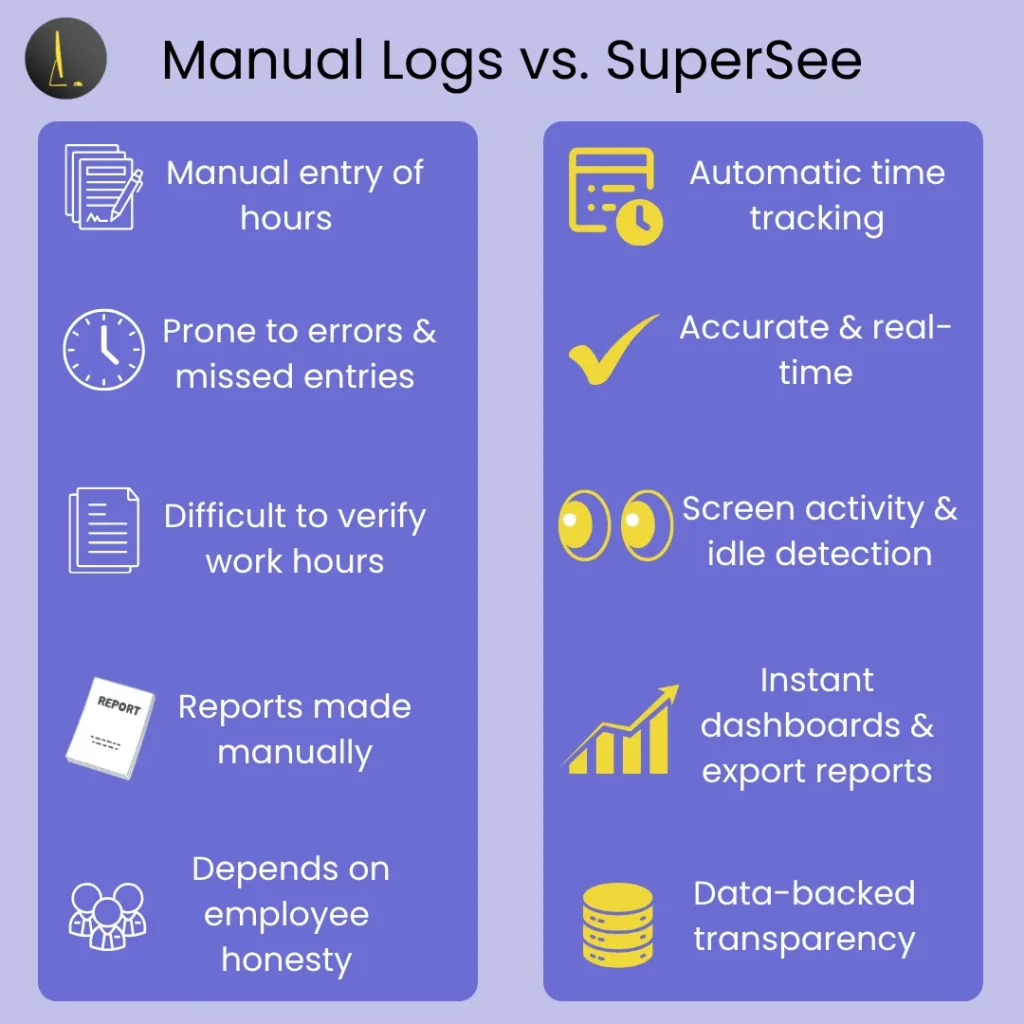
Modern remote time tracking software replaces assumptions with evidence.
| Capability | Manual Logs | Basic Timers | SuperSee |
|---|---|---|---|
| Real-time tracking | ❌ | ⚠️ Partial | ✅ |
| App & website usage | ❌ | ⚠️ Limited | ✅ |
| Idle vs active detection | ❌ | ⚠️ Basic | ✅ |
| Employee self-visibility | ❌ | ❌ | ✅ |
| Privacy controls | ❌ | ⚠️ Weak | ✅ |
| Audit-ready reports | ❌ | ⚠️ Manual | ✅ |
Manual logs tell you what employees claim. Smart software shows how work actually happens.
Top Features of Remote Employee Time Tracking Tools
Automated systems do more than just mark “clock in” and “clock out.”
They capture work activity intelligently, tracking real app usage, detecting idle time, and generating reliable timesheets for teams and managers alike
A modern setup includes:
- Automatic time logs: Captured in real time, without manual input.
- App & website usage analytics: Clear visibility into where time is spent during work hours.
- Idle detection: Separates active work from breaks and interruptions.
- Export-ready dashboards: Generate reports compatible with HR and project tools.

Want a deeper look at remote team visibility?
Read: Remote Team Productivity: Complete Guide to Employee Monitoring Software.
Balancing Accountability and Trust
Time tracking fails when it feels like surveillance.
Ethical systems flip the model from secret monitoring to transparent accountability.
What ethical tracking includes:
Sensitive information is protected by access controls.
Employees can view their own activity data.
Managers see trends, not constant screen feeds.
How SuperSee Handles This Differently
- Role-based screenshot access to protect sensitive information.
- Employee self-dashboards for visibility into personal activity data.
- Offline capture with secure auto-sync for privacy-friendly operation.
How to Choose the Right Remote Time Tracking Software
Before adopting any time tracking software, check these essentials:
1. Privacy Controls
Ensure the tool complies with consent-based monitoring and GDPR standards.
2. Integration Options
Look for export and reporting compatibility with your workflow tools.
3. Reporting Dashboards
Dashboards should give actionable insights, not just data dumps.
4. Scalability
The platform should adapt from small teams to enterprise-level operations.
Want to see how ethical screen visibility adds value?
Read: Screen Monitoring Software Explained – Why It’s More Than Just Screenshots.
FAQ’s
It’s a digital tool that automatically records work hours. It is often a core component of employee monitoring software, providing a balance between productivity data and time logs.
By reducing manual input, it increases accuracy and provides visibility into focus trends and project hours.
Ethical tools like SuperSee ensure consent-based tracking, limit screenshot access, use offline capture with secure sync for added protection.
SuperSee combines time tracking, screen monitoring, and productivity analytics in a transparent, privacy-first interface designed for coaching, not control.
Conclusion
Manual timesheets belong to the past.
For modern, distributed teams, automation ensures accuracy, fairness, and transparency.
SuperSee lets you track time ethically, without micromanaging your team.
Because productivity isn’t about counting hours, it’s about understanding how work happens.
Switch to SuperSee – a smarter, automated, privacy-friendly way to track your remote workforce.
Unlock Advanced Employee Monitoring with SuperSee!
Start your 14-Day free trial now
Explore our features like real-time activity monitoring, customizable alerts, and detailed productivity reports.