How to Monitor Employee Computer Activity Safely & Legally
Learn how to monitor employee computer activity using SuperSee, an ethical productivity tracking tool. Maintain compliance, track remote teams, and gain transparency, safely and legally.
Modern Employee Monitoring: Safe, Legal, and Ethical
Monitoring employee computer activity is no longer just a productivity decision, it’s a legal, ethical, and compliance responsibility.
With the rise of remote work, hybrid teams, and compliance audits, organizations are increasingly required to track employee computer activity without violating privacy laws or employee trust.
This guide explains how to monitor employee computer activity safely and legally, covering:
- What employers are legally allowed to monitor
- What data should never be tracked
- Compliance requirements across regions
- Best practices for ethical employee monitoring
Whether you’re an HR manager, business owner, or IT decision-maker, this guide will help you implement transparent, compliant employee monitoring that protects both your business and your workforce.
Is It Legal to Monitor Employee Computer Activity?
Yes, employee computer monitoring is legal in most countries, but only when specific conditions are met.
Employers are generally allowed to monitor:
- Work-related computer activity
- Application usage during working hours
- Website access on company-owned systems
However, legality depends on three critical factors:
- Transparency – Employees must be informed
- Purpose limitation – Monitoring must serve a legitimate business reason
- Data minimization – Only necessary data should be collected
Failing any of these can expose companies to legal penalties, compliance failures, and trust issues.

Why Monitoring Employee Computer Activity Matters
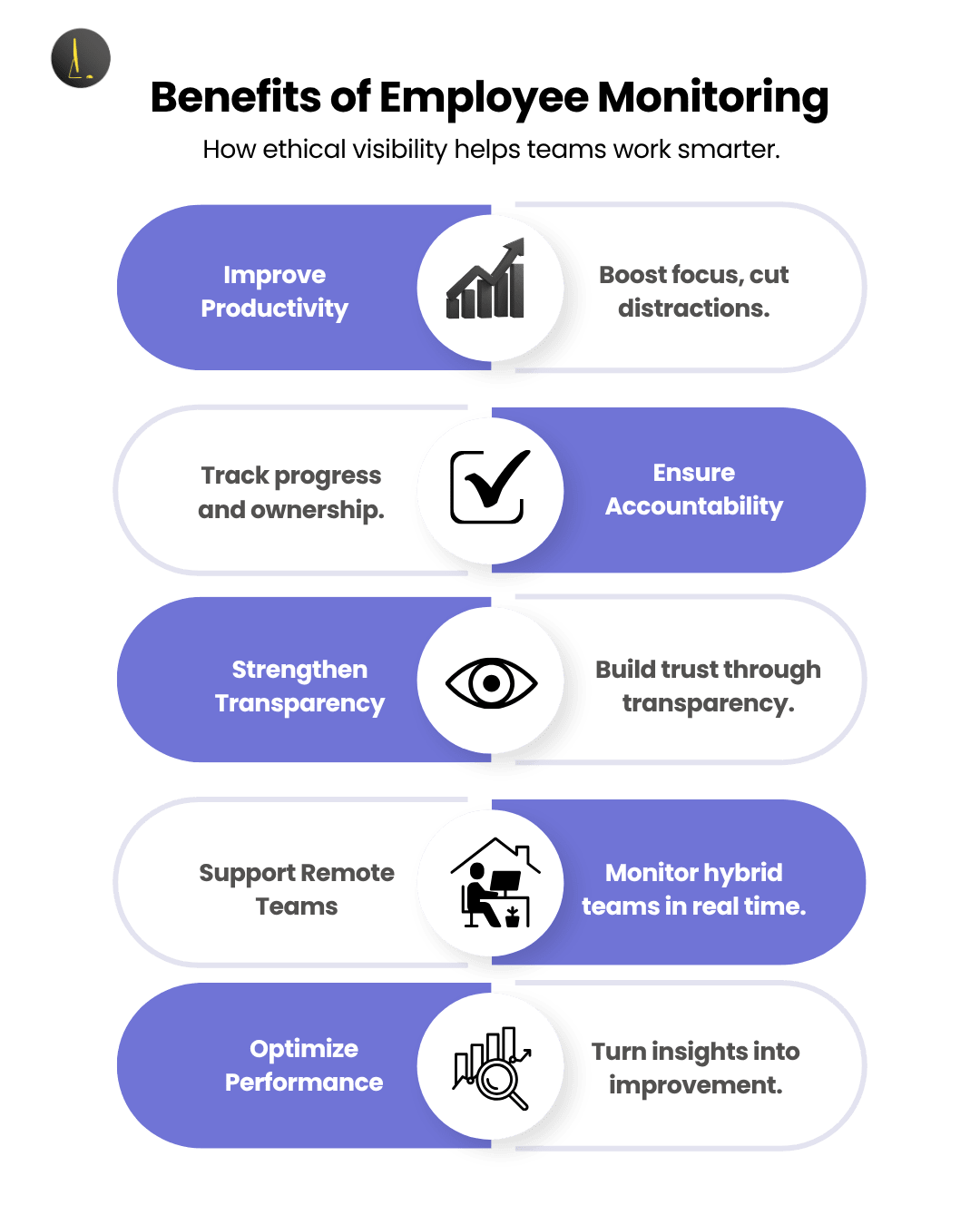
Monitoring done right leads to measurable business impact:
- Enhance productivity: Distinguish task work from distractions.
- Ensure compliance: Keep audit-friendly records (GDPR, internal audits, ISO).
- Manage remote teams: Gain visibility across distributed teams.
- Spot bottlenecks: Detect idle time, overwork, or process inefficiencies.
For example, read below how we solved a similar challenge for Skipper Venture LLC.
How to Track Computer Activity for Compliance Audits
For many organizations, employee computer activity tracking is no longer optional, it is a mandatory requirement for passing security audits like SOC 2, GDPR, and CCPA. Auditors look for “verifiable controls,” and activity logs provide the empirical evidence needed to prove those controls are working.
1. Satisfying SOC 2 (Security & Privacy)
Under the SOC 2 framework, specifically the Common Criteria (CC series), organizations must demonstrate they can detect and respond to unauthorized access or anomalies. Activity monitoring serves as a “detective control.” By maintaining detailed logs of application usage and system access, you provide auditors with a clear trail showing that only authorized personnel are accessing sensitive customer data.
2. GDPR & The “Legitimate Interest” Basis
To remain GDPR-compliant during an audit, you must prove Data Minimization and Purpose Limitation. Tracking should be framed as a security necessity (e.g., protecting personal data from breaches) rather than a productivity tool. We recommend conducting a Data Protection Impact Assessment (DPIA) before deployment. An auditor will want to see that your monitoring is proportionate, transparently disclosed to employees, and restricted to work-related hours.
3. CCPA/CPRA Compliance in 2026
Since the expiration of the “HR exemption” in California, employees have the “Right to Know” what data is being collected. For a CCPA-ready audit, your activity tracking system must support a Notice at Collection, detailing exactly what categories of data (e.g., keystrokes vs. active screen time) are being processed.
Audit-Ready Best Practices:
- Implement Role-Based Access Control (RBAC): Ensure only high-level compliance officers can view raw logs.
- Maintain Immutable Audit Logs: Use software that prevents the deletion or tampering of activity records.
- Automate Data Retention: Set your system to automatically purge monitoring data after 6–12 months to satisfy “Storage Limitation” requirements.
By centralizing these logs, you transform activity tracking from a management tool into a powerful compliance asset that simplifies the audit process.
Top Methods to Monitor Employee Computer Activity
The most secure method for monitoring employee digital activity is utilizing an end-to-end encrypted platform that prioritizes data privacy, transparent disclosure, and the “Principle of Least Privilege.” In a modern cybersecurity landscape, security is defined by how data is handled after it is collected. The gold standard involves encrypting activity logs both in transit and at rest, ensuring that sensitive employee information never exists in an unencrypted state on a server where it could be vulnerable to a data breach.
To implement this method effectively, organizations must shift from “stealth” tactics to transparent tracking backed by robust technical controls. This includes deploying software that offers Role-Based Access Control (RBAC), ensuring only authorized compliance officers can view logs and maintaining immutable audit trails. By combining high-level encryption with a clear “Notice at Collection,” businesses can protect their intellectual property while significantly reducing the legal and security risks associated with data handling.
Below are effective monitoring techniques, and how SuperSee supports each of them.
1. Application & Website Tracking
Track which apps and websites employees use and how much time they spend on each.
Consequently, this helps you understand work focus, tool utilization, and digital distractions.
SuperSee Feature: Real-time app and URL usage analytics with detailed reports.

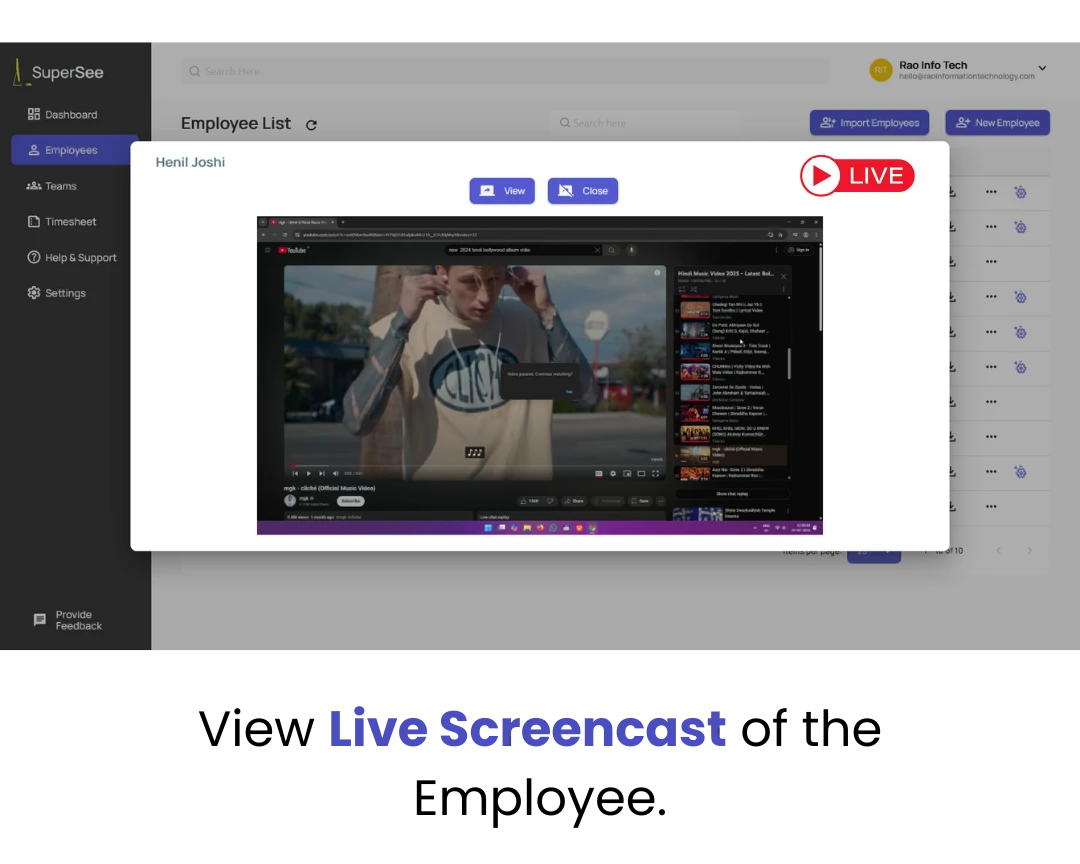
2A. Live Screencast
Feature Overview: Stream employees’ live screens in real time to gain immediate visibility into active tasks and workflow status, without disrupting productivity.
SuperSee Feature: Live screencast option with secure AES-256 encryption ensures data privacy while offering transparent, real-time monitoring.
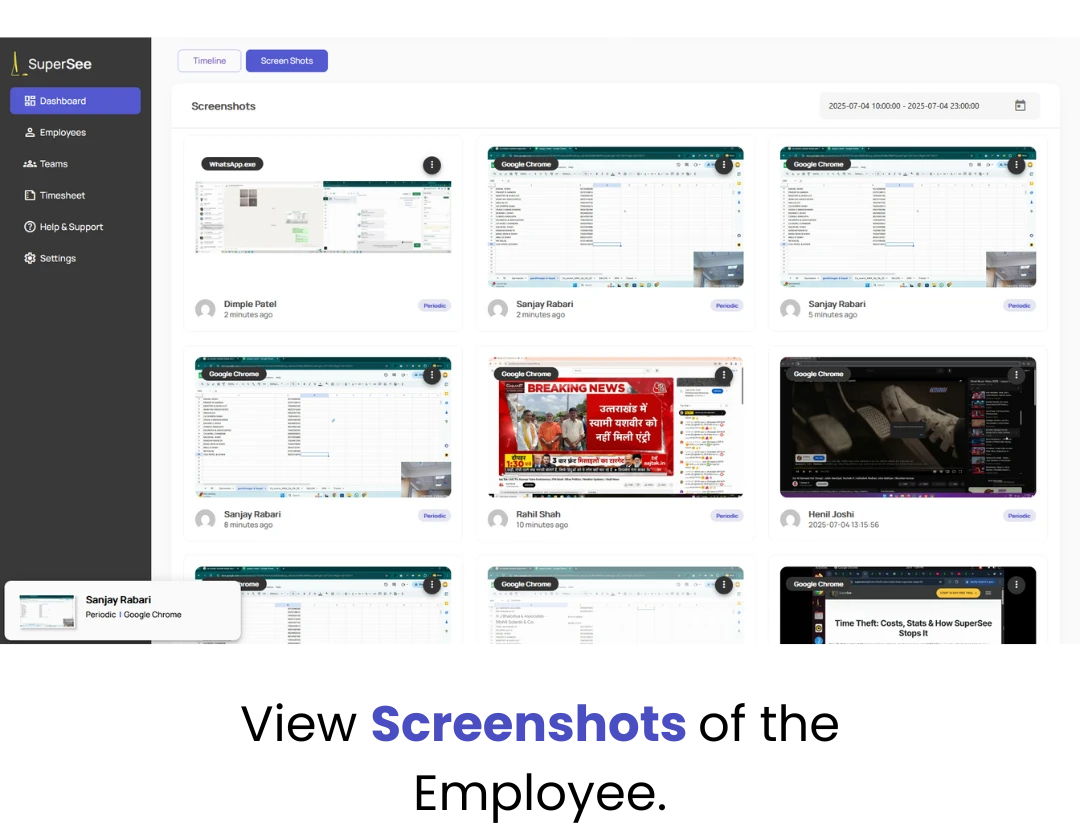
2B. Smart Screenshot
Feature Overview: Capture periodic screenshots automatically to provide context on work progress and app usage, helping managers review activity efficiently.
SuperSee Feature: Smart screenshot capture system that securely stores images with AES-256 encryption, maintaining compliance and user privacy
3. Time Tracking Management
Automate timesheets and attendance, no more manual data entry or guesswork. Furthermore, this improves accuracy and saves HR time.
SuperSee Feature: Active/idle time detection and automated timesheet generation, exportable for audits.
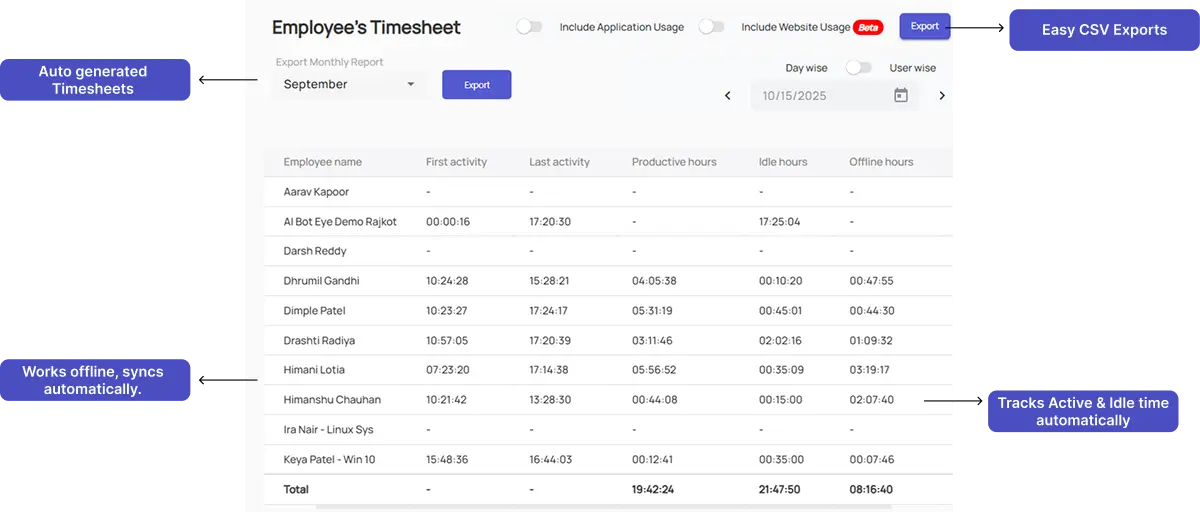
4. Idle vs. Active Time Analysis
Understand true work engagement by identifying idle and active periods automatically.
As a result, managers can coach based on data, not assumptions.
SuperSee Feature: Automatically distinguishes idle vs. active states for each team member and hour of the day.

5. Productivity Insights
Move beyond raw data to see trends, patterns, and optimization opportunities.
In addition, SuperSee’s dashboards make performance insights accessible to everyone.
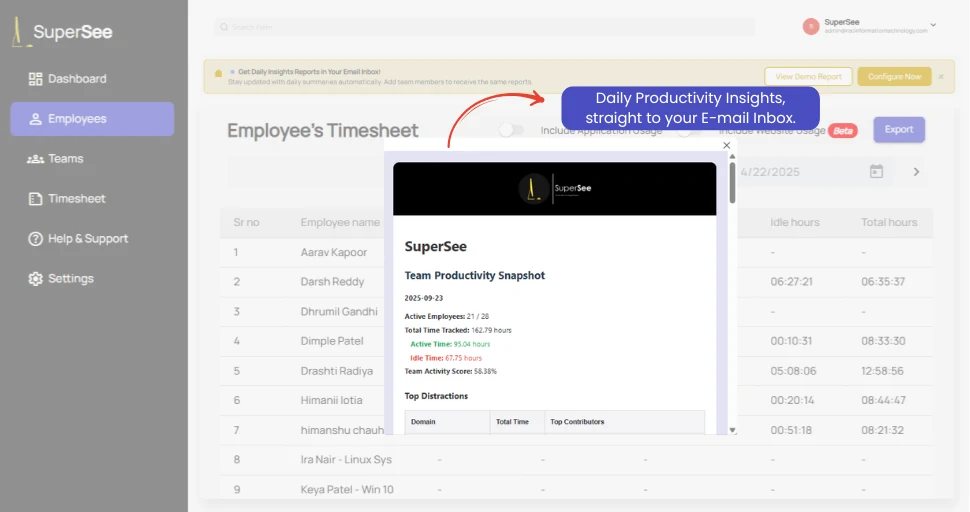
SuperSee Feature: Data-driven dashboards plus daily productivity summaries via email, helping managers stay informed without logging in.
Best Practices for Ethical & Safe Monitoring
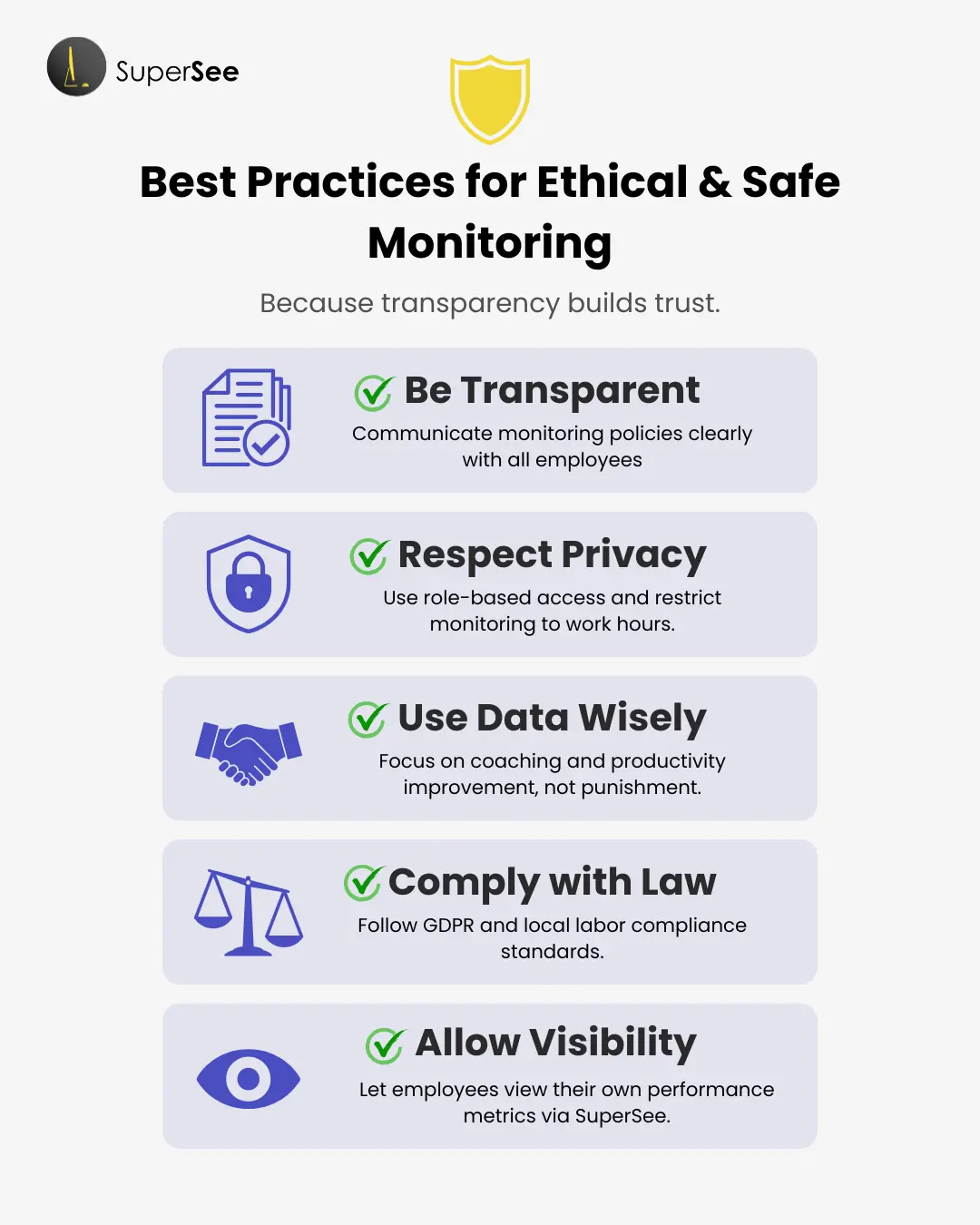
Monitoring success isn’t just about technology, it’s about ethics and compliance.
- Be transparent: Communicate your monitoring policy in writing to all employees.
- Respect privacy: Use role-based access and limit monitoring to work hours.
- Use data constructively: Focus on coaching, not punishment.
- Comply with law: Align with GDPR and local labor regulations.
- Allow visibility: Let employees view their own statistics, as SuperSee supports.
You can learn more about compliance frameworks in our guide on Comprehensive Employee Monitoring Laws Guide
Real-World Impact: The Skipper Venture LLC Story
Client: Skipper Venture LLC, a global eCommerce company operating across the UK, USA, Pakistan, and Bangladesh.
Challenge: Multiple time zones, lack of insight, and decisions based on assumptions.
Solution using SuperSee:
- Deployed real-time app & site tracking, time analytics, screenshots/screencast.
- Used insights to reallocate tasks, identify delays, and align performance.
- As a result, accountability improved without micromanagement.

SuperSee: The All-in-One Monitoring Solution
SuperSee unifies every monitoring need into one secure, compliant platform.
Key Capabilities:
- Cross-platform: Windows, macOS, Linux support.
- Real-time screenshots & screencast (most loved feature).
- Offline sync with auto-upload.
- App & website usage analytics.
- Automated timesheets and reports.
- Ethical, privacy-first design
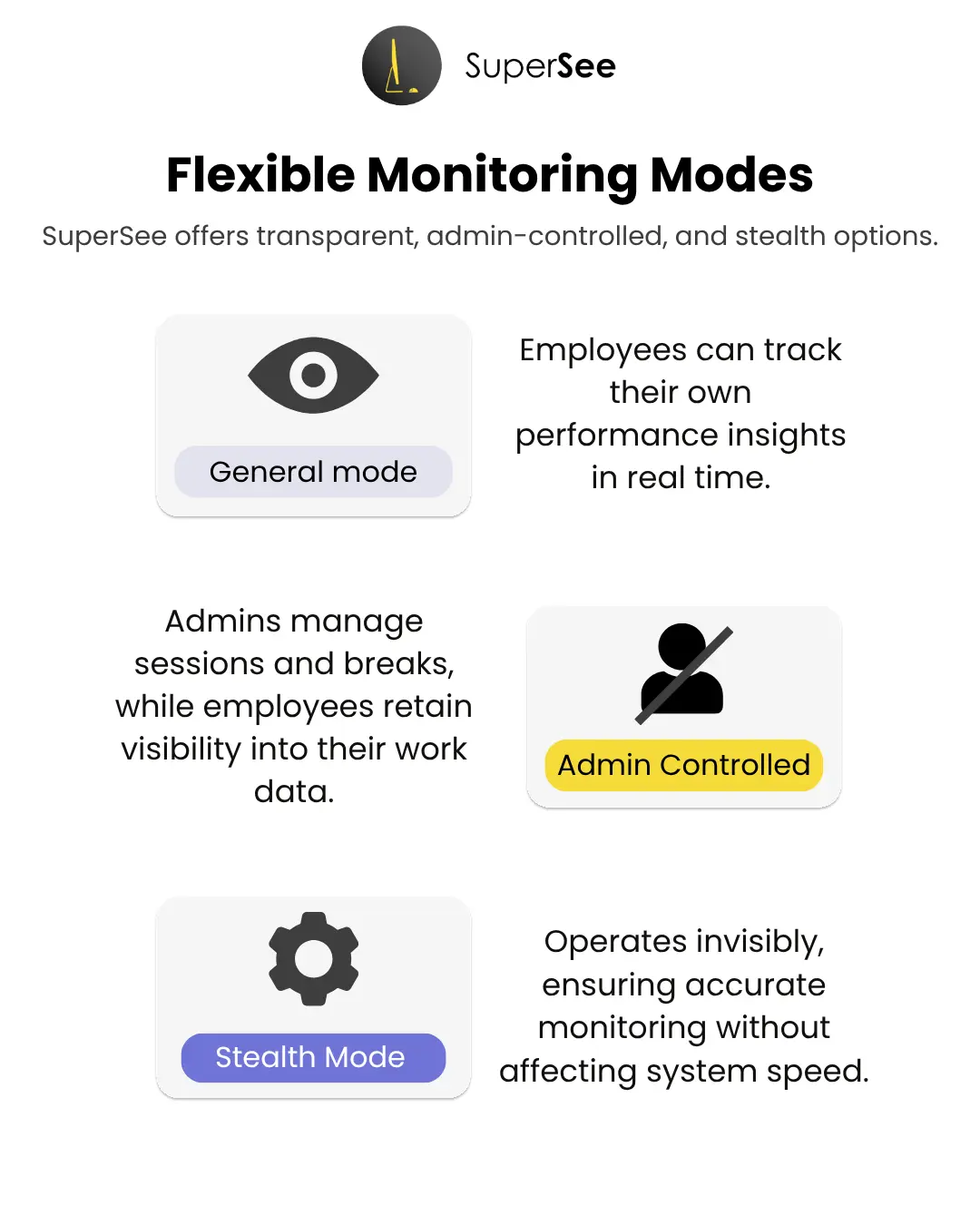
Flexible Monitoring Modes
SuperSee offers multiple modes to suit every workplace:
- General Mode: Transparent monitoring where employees can view their own productivity metrics.
- Admin-Controlled Mode: Admin manages sessions and breaks, while employees still view their own work data.
- Stealth Mode: Silent, policy-based monitoring for regulated or security-sensitive environments.
All modes are GDPR- and DPDP-aligned, designed for fair and ethical oversight.
Regional Legal Frameworks: Navigating US and India Regulations.
India
In India, employee monitoring is permitted under:
- IT Act, 2000
- Reasonable security practices
Best practice:
- Written monitoring policy
- Consent as part of employment agreement
- Monitoring limited to work systems only
- European Union (GDPR)
Under GDPR:
- Continuous surveillance is discouraged
- Legitimate interest must be documented
- Employees have the right to access collected data
Mandatory requirements:
- Privacy notices
- Data retention limits
- Audit logs
🇺🇸 United States
Monitoring laws vary by state:
- Federal law allows monitoring on company systems
- Some states require explicit consent
Recommended approach:
- Notify employees clearly
- Avoid monitoring personal communications
⚠️ Important: Monitoring without disclosure can be illegal even if done on company devices.
Yes, absolutely. When done transparently, with employee consent, on company devices, and within legal frameworks, it is fully compliant. Furthermore, SuperSee supports this through its visible/stealth modes and data-privacy posture
Certainly. Its Skipper Venture case study shows proven success across multiple geographies.
Not at all. SuperSee focuses only on work-related activity and uses encryption plus role-based access. Moreover, it allows employers to choose between transparent (General) and silent (Stealth) modes, ensuring monitoring stays ethical and compliant.
Through dashboards, usage insights, and time analytics that enable data-driven coaching, not surveillance
Start simple: deploy SuperSee (14-day free trial) to gain workflow visibility, add Slack/Notion for collaboration, and scale as needed. Moreover, the free trial lets teams explore its analytics before committing
Conclusion
Monitoring employee computer activity doesn’t have to be invasive or complicated.
When done right, it strengthens trust, accountability, and efficiency.
Ultimately, SuperSee makes ethical monitoring simple, secure, and data-driven, helping you boost productivity while protecting privacy.
Unlock Advanced Employee Monitoring with SuperSee!
Start your 14-Day free trial now
Explore our features like real-time activity monitoring, customizable alerts, and detailed productivity reports.